HubservicesGCafeInternet cafe software
NEWThe new-generation GCafe Update — multi-source downloads, only the changed parts →

Internet cafe software GCafe — a Hubservices product

GCafe Billing (with Membership), GCafe Boot, GCafe Portal and GameMenu are free, with no limit on the number of PCs. Only GCafe Update — automatic game updates — is charged per PC. Everything uses one account.

GCafe Billing also works for cafes, pool halls and PlayStation rooms thanks to virtual clients. Our main focus is still internet cafes and cyber gaming rooms.

Billing & MembershipGame updatesGCafe BootPortalGameMenuVirtual clients
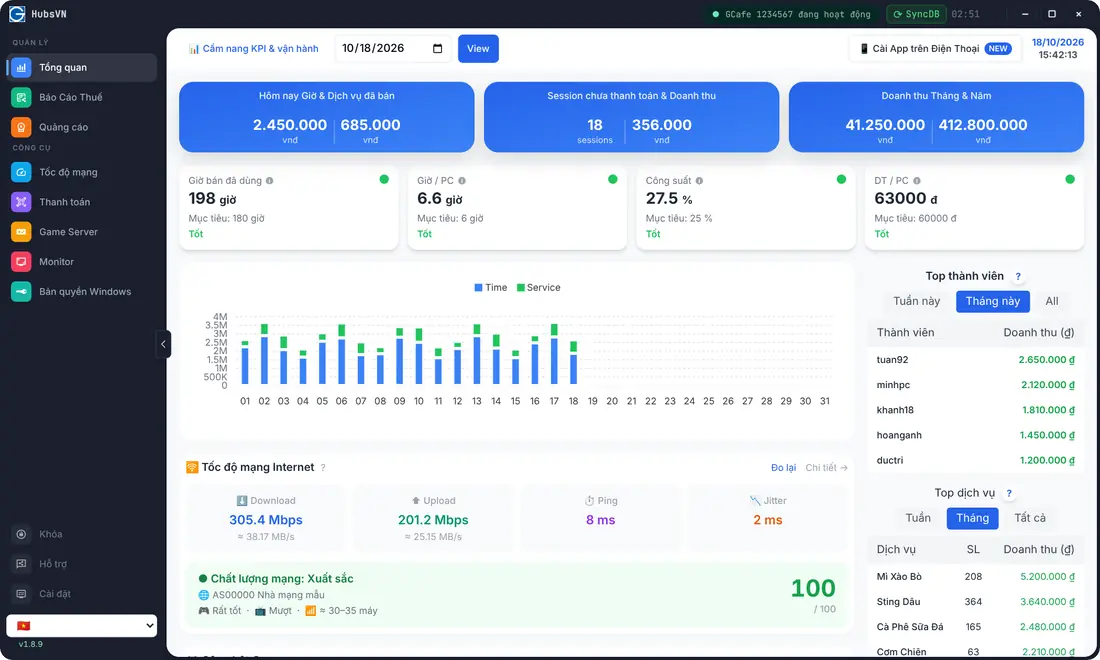
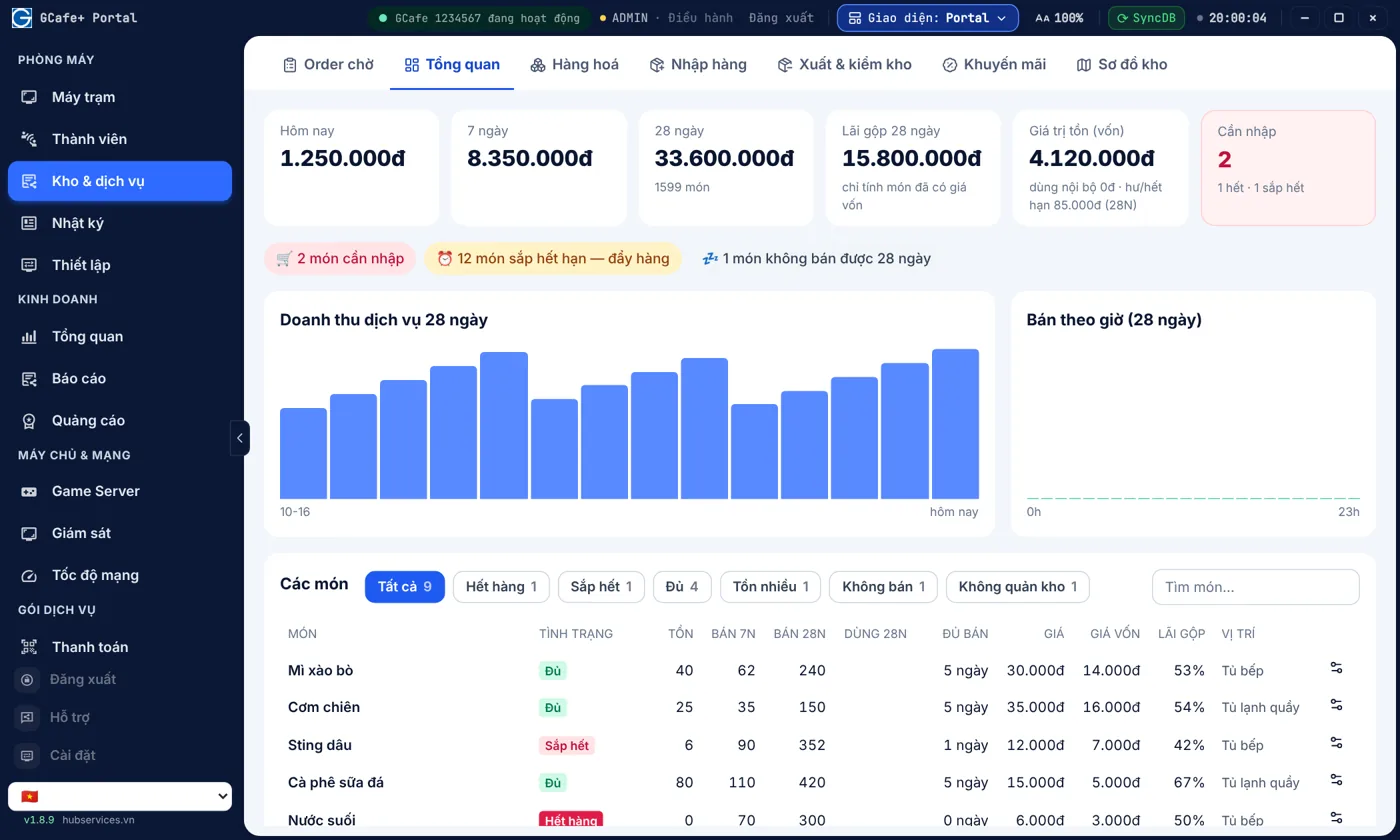
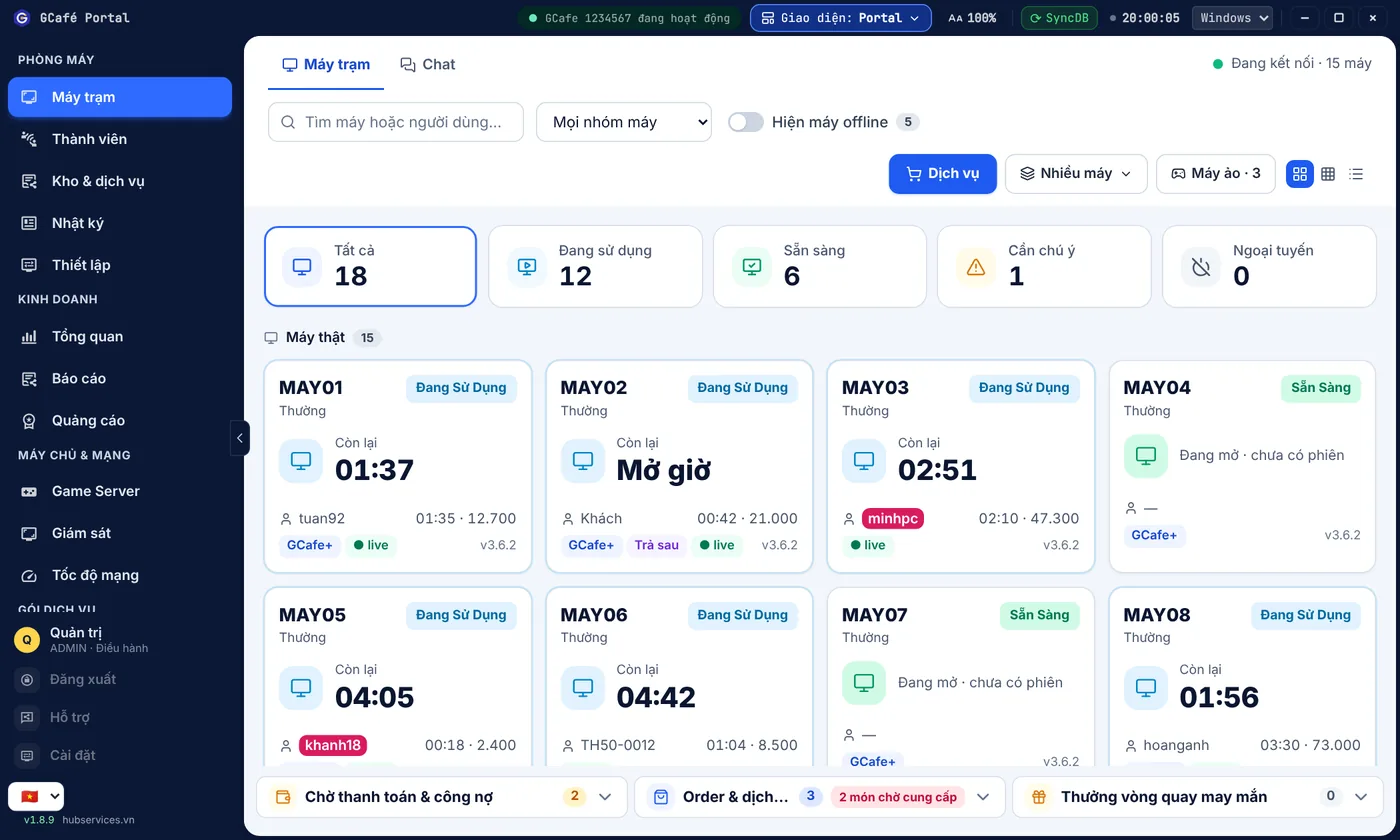
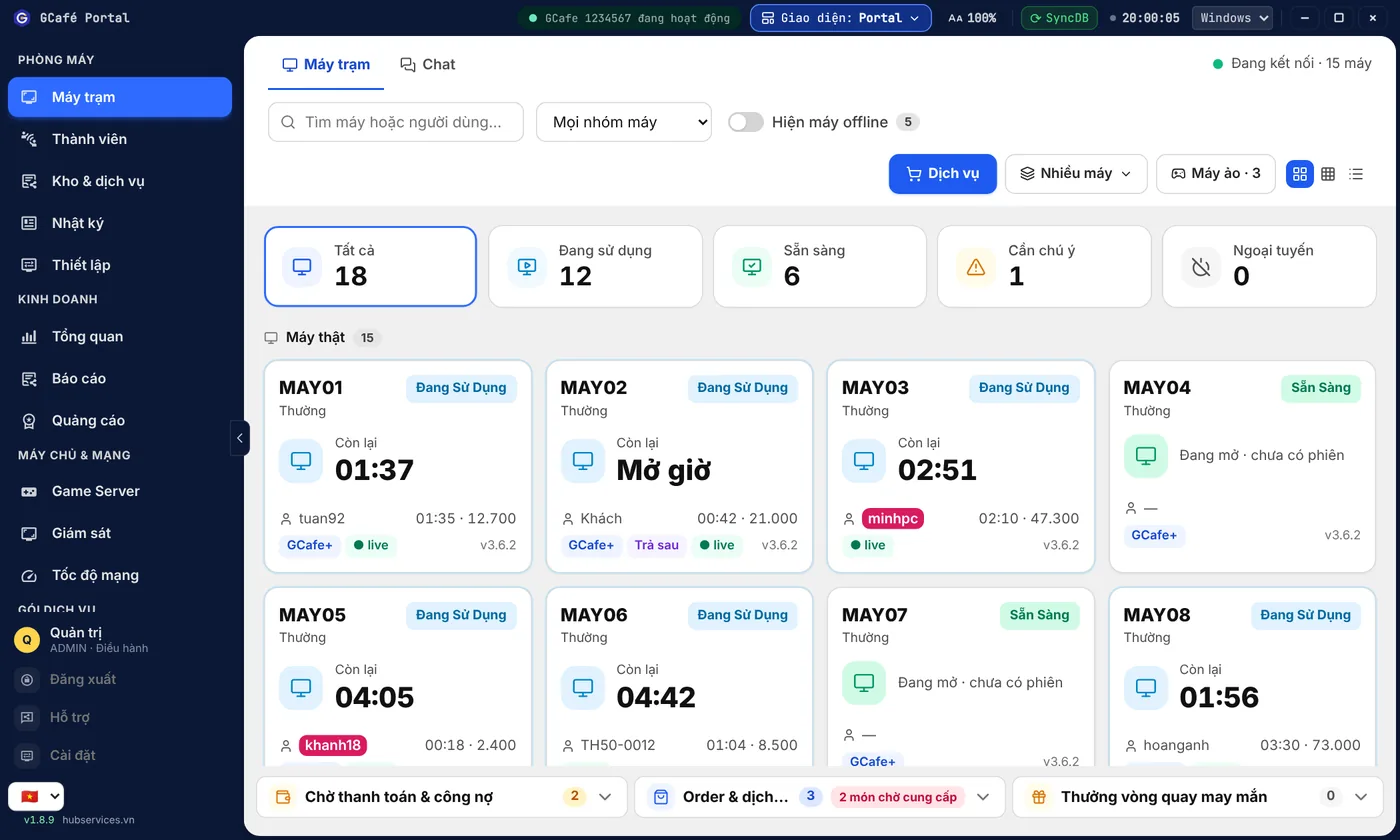
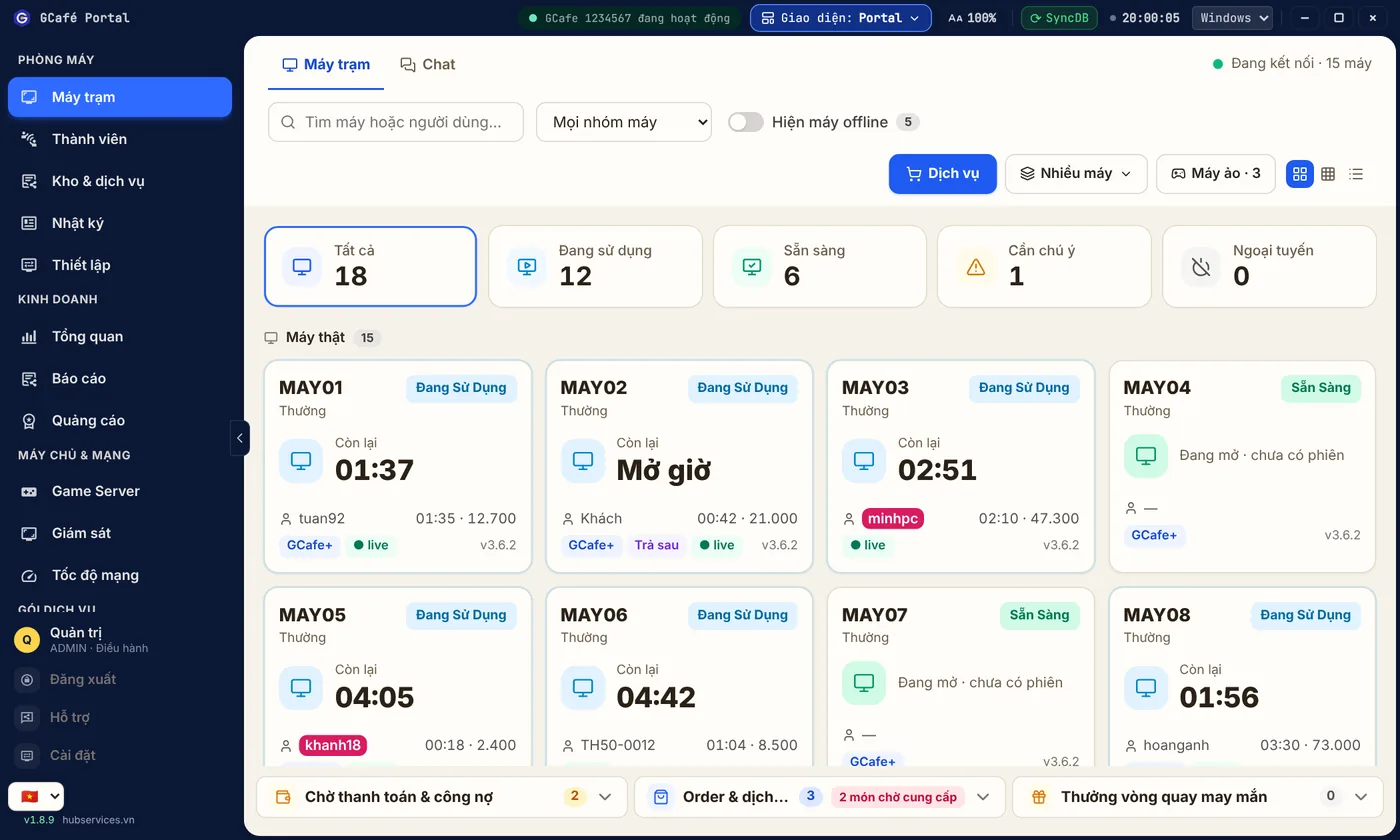
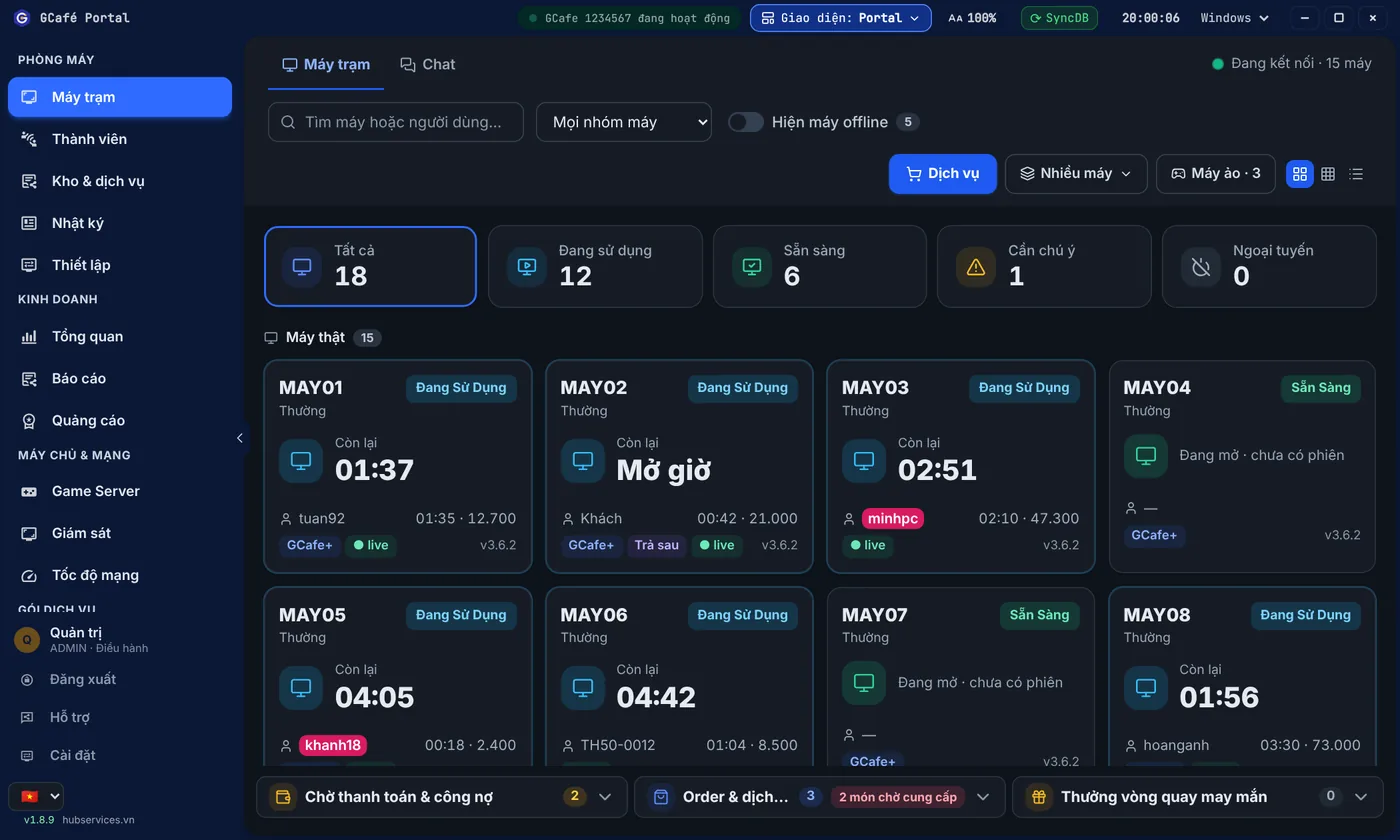
GCafe Portal: revenue dashboard for an internet cafe

GCafe Portal — your cafe's revenue every day

Bấm thử ngay

Dùng thử phần mềm quản lý quán net GCafe ngay trên trình duyệt.

Mở giờ cho máy, gọi món, tính tiền, đổi giao diện Classic / Dark / Portal; xem GCafe Update tải game, dọn ổ cứng và đo tốc độ ổ — tất cả bằng dữ liệu mẫu.

Dữ liệu mẫu, chạy ngay trên trình duyệt — không kết nối tới quán thật.

GCafe Billing phiên bản mới

Lên GCafe Billing mới mà nhân viên không phải học lại.

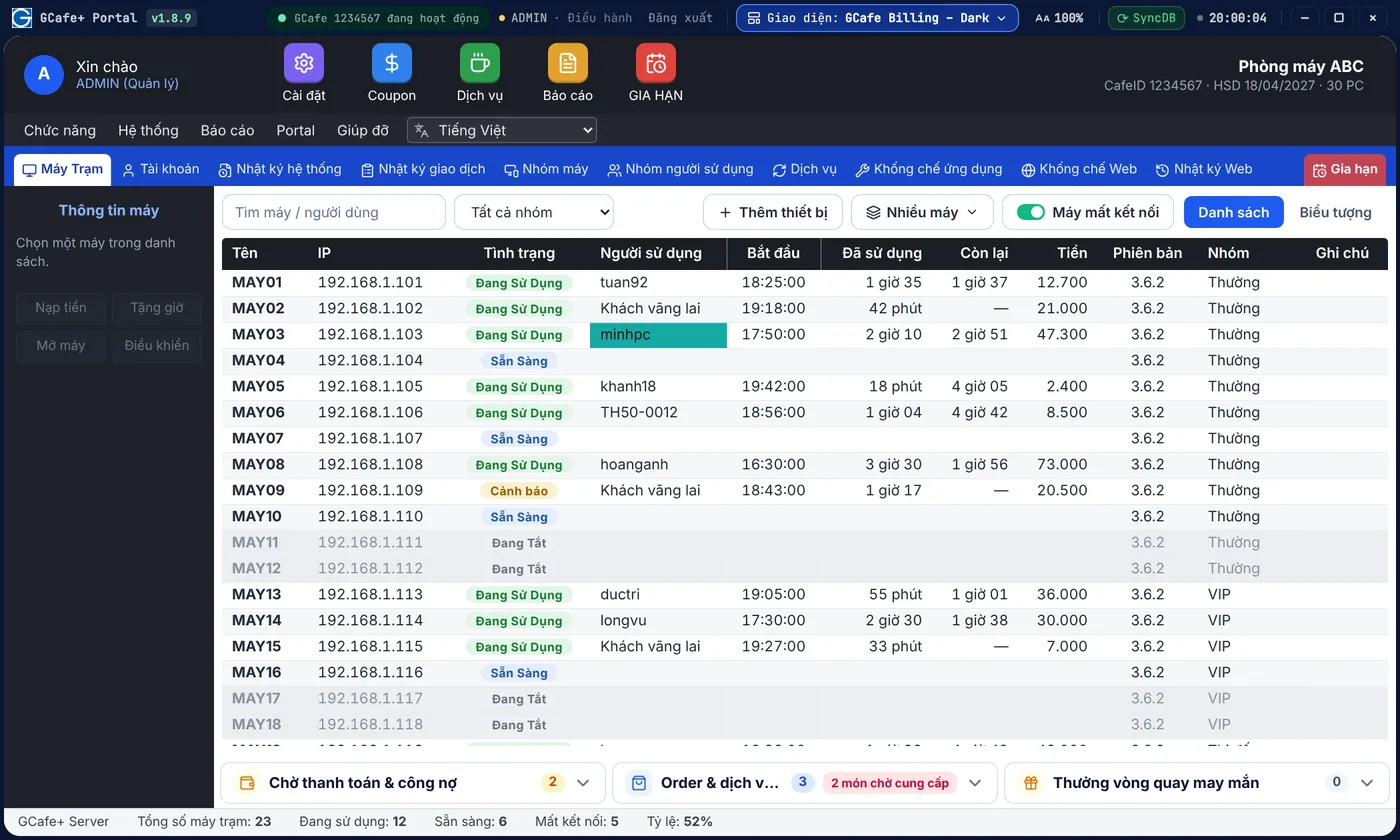
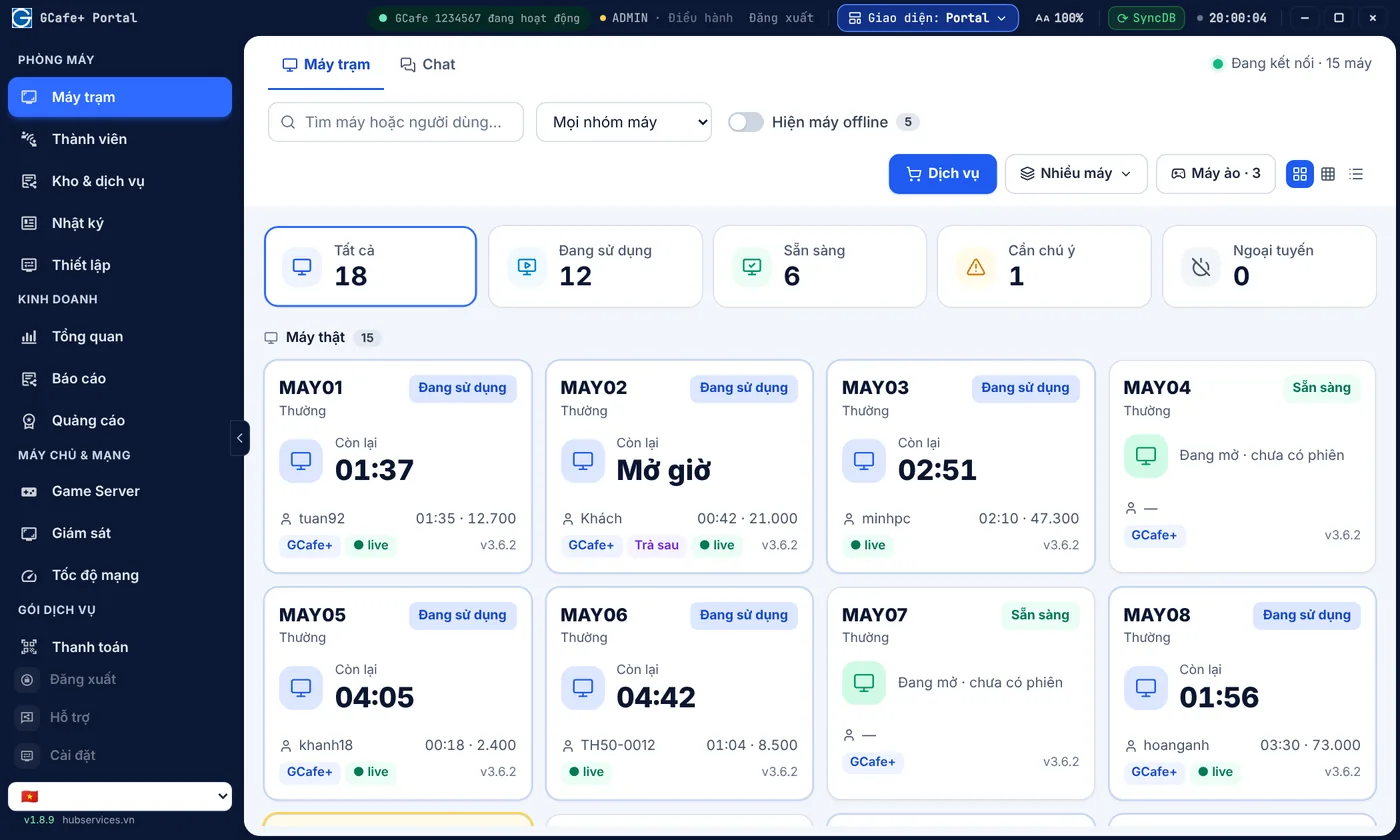
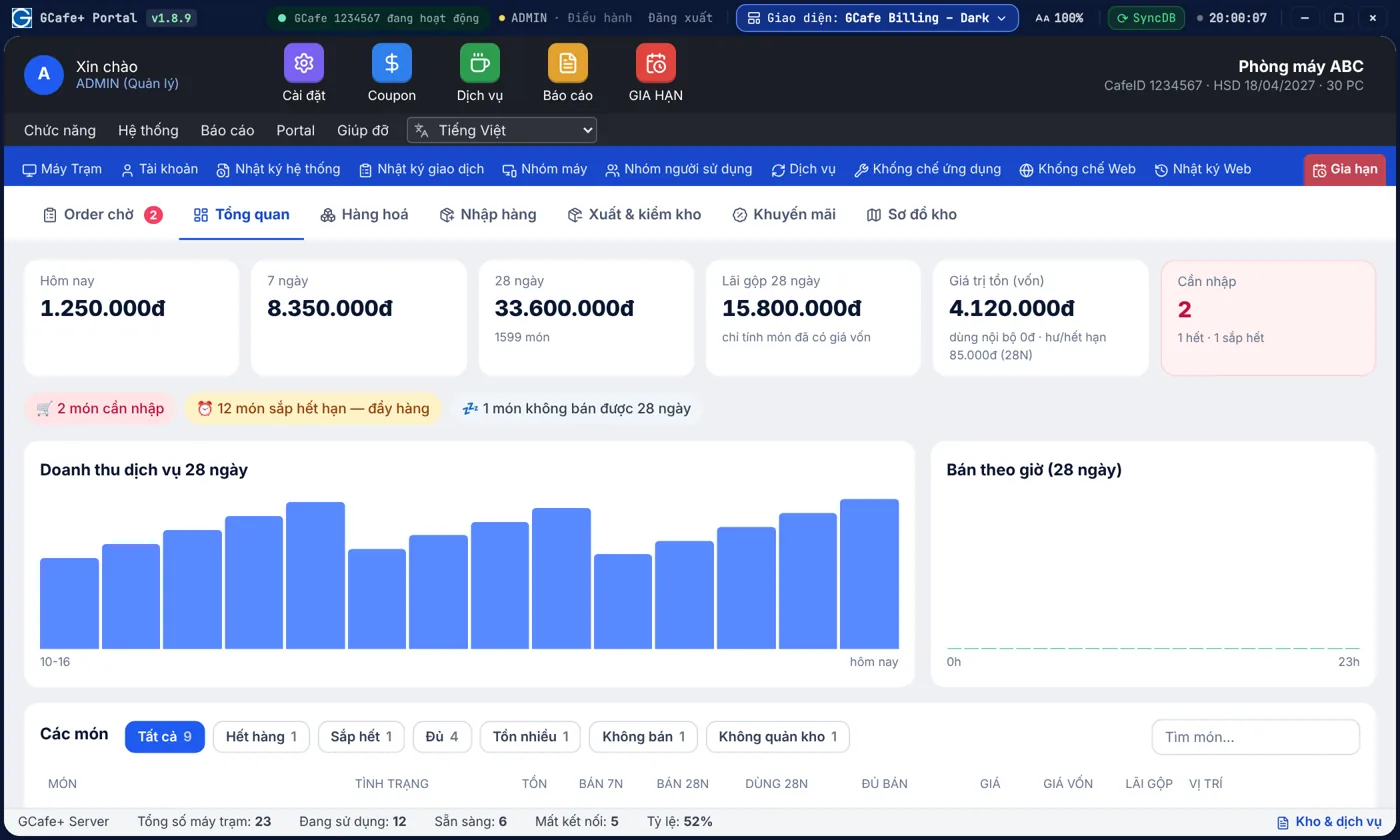
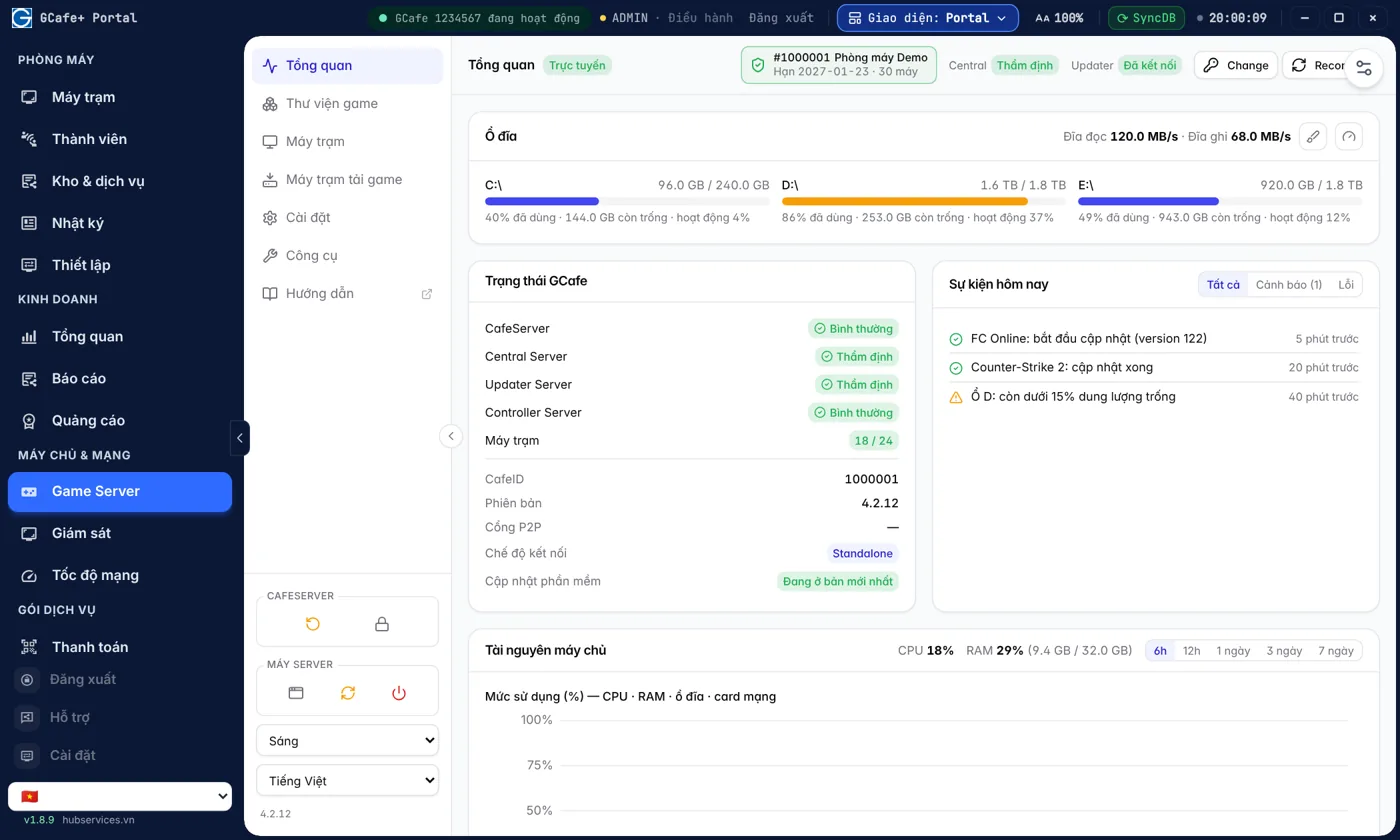
Phiên bản mới cài bằng GCafe Portal, dùng tiếp dữ liệu, hội viên và máy trạm đang có. Dưới đây là những việc hằng ngày ở quầy được làm nhanh hơn — mỗi tính năng có ảnh của cả ba giao diện, bấm mũi tên để xem. Xem đầy đủ trên trang GCafe Billing.

Nhân viên cũ quen tay ngay, nhân viên mới học nhanh

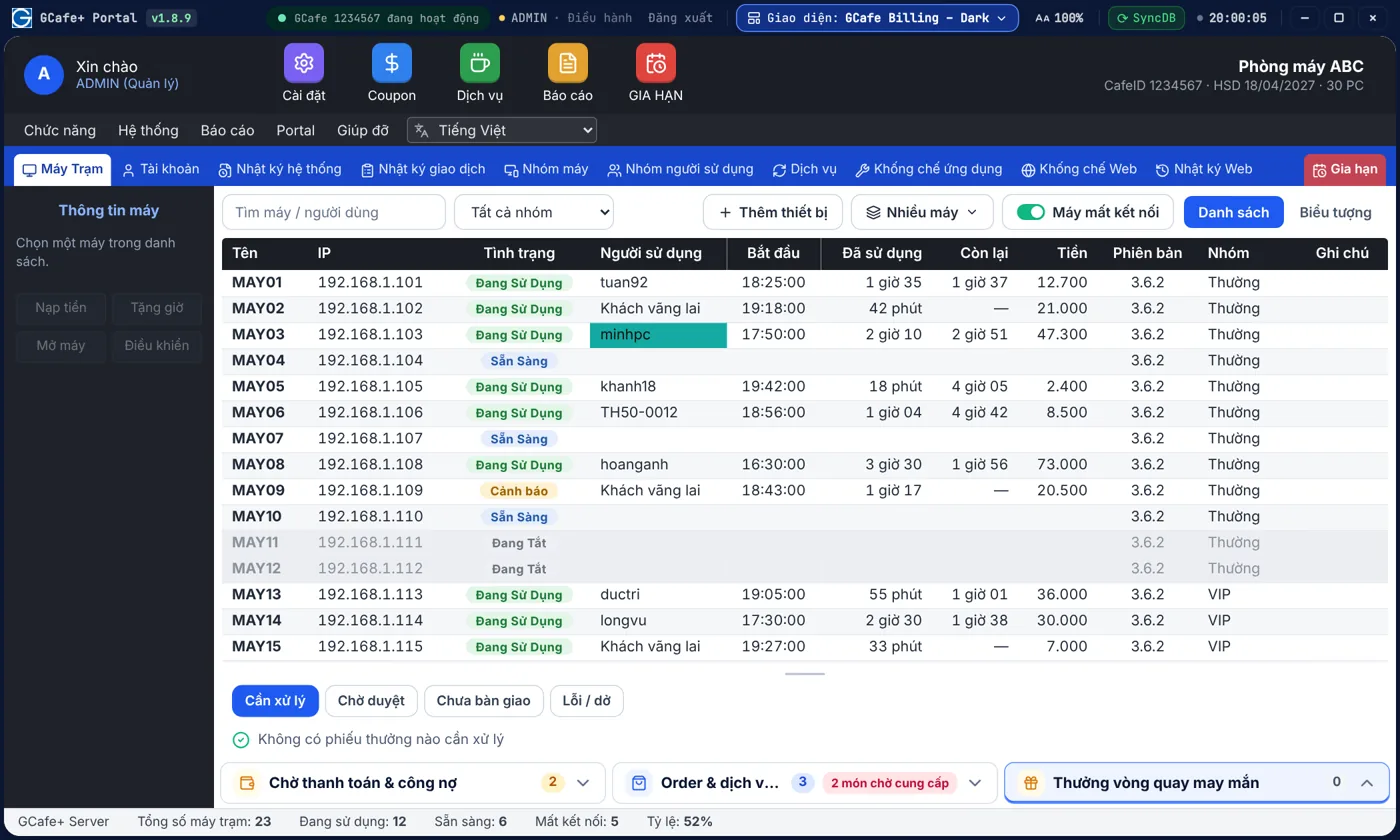
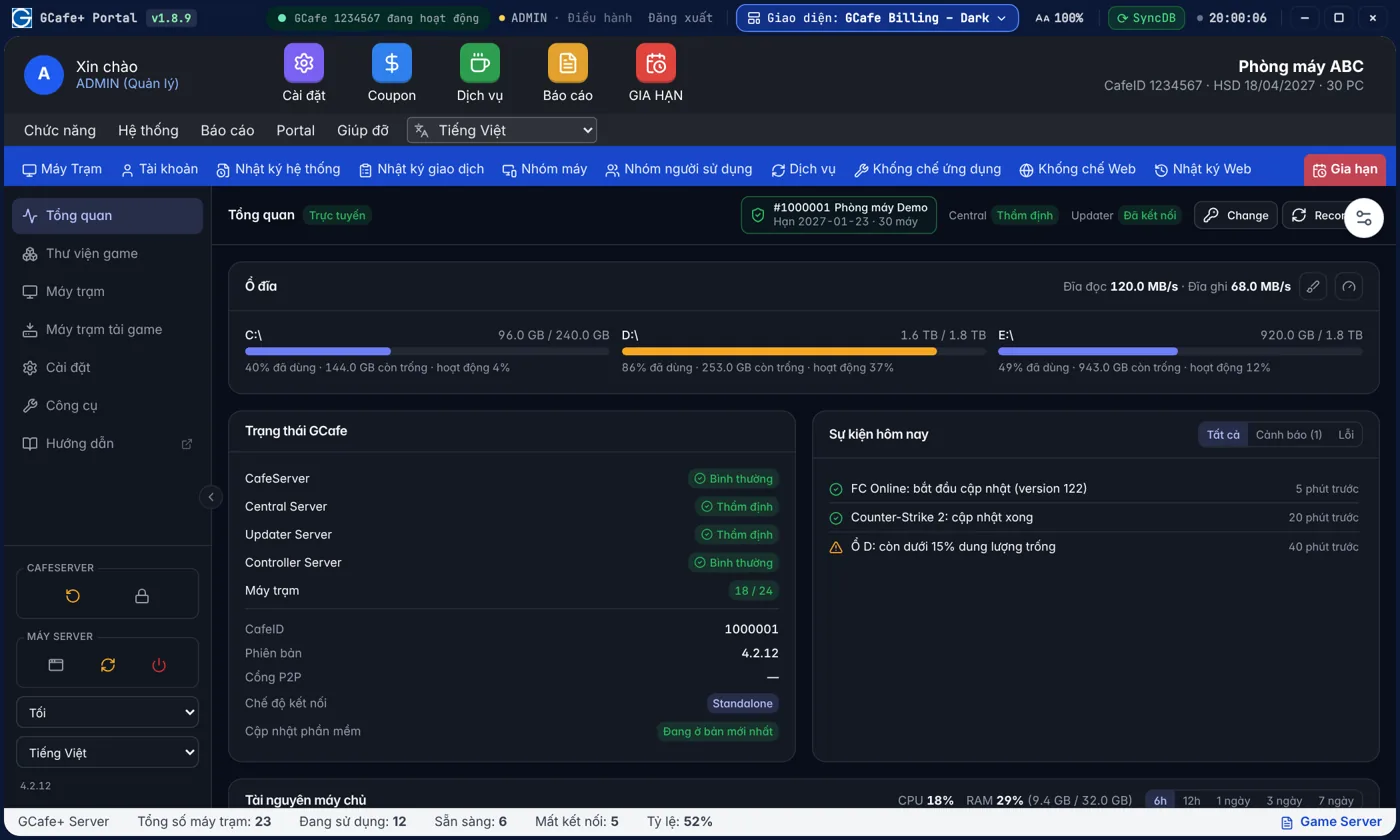
Ai quen GCafe Billing cũ chọn Classic là dùng được ngay; ca đêm dùng Dark, chủ quán thích xem theo thẻ thì dùng Portal — dữ liệu vẫn là một.

  • Không phải đào tạo lại nhân viên khi lên phiên bản mới
  • Ca đêm dùng nền tối, đỡ mỏi mắt
Xem chi tiết →
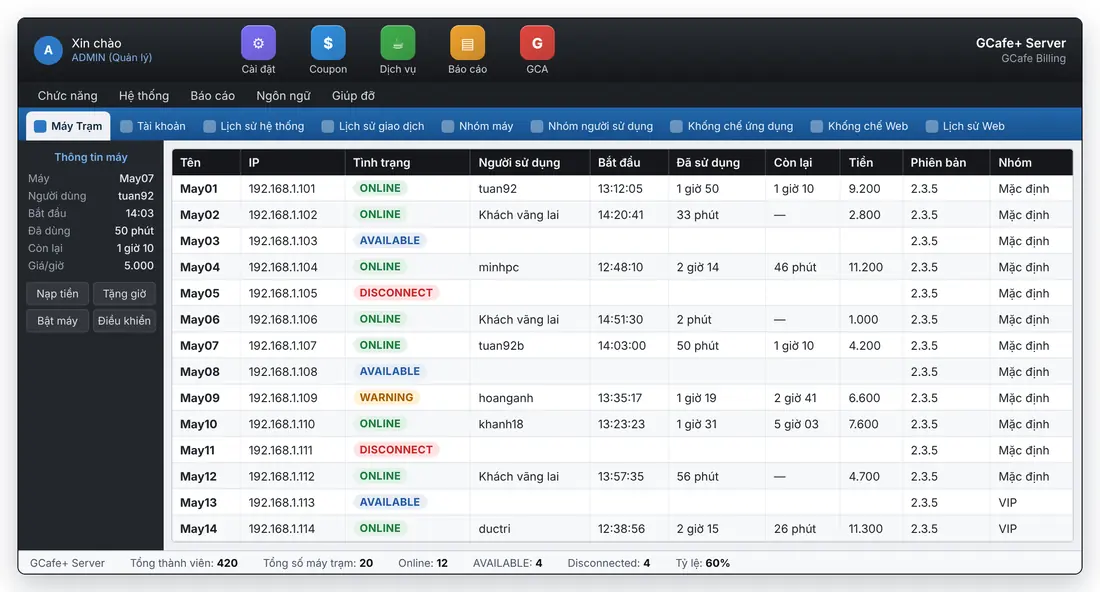
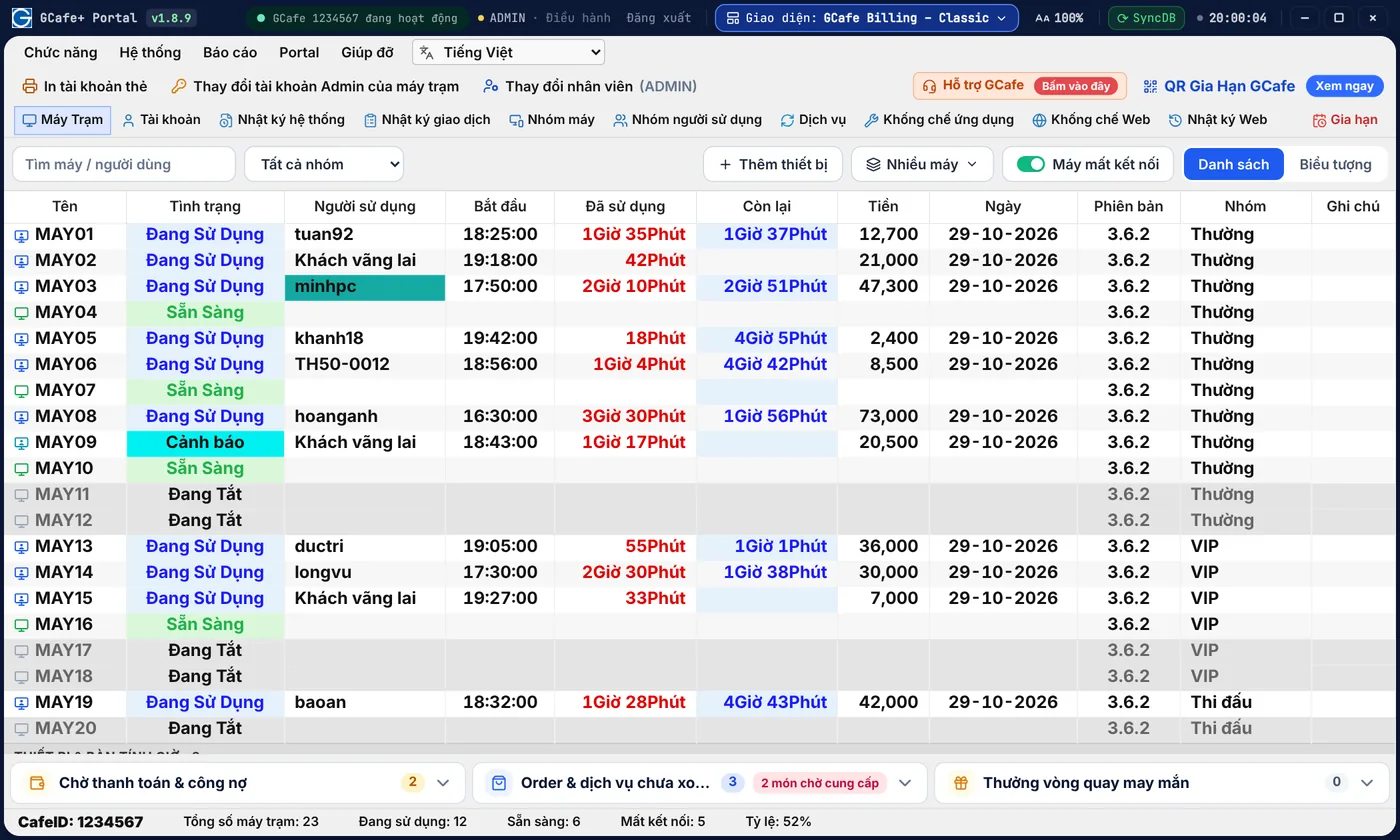
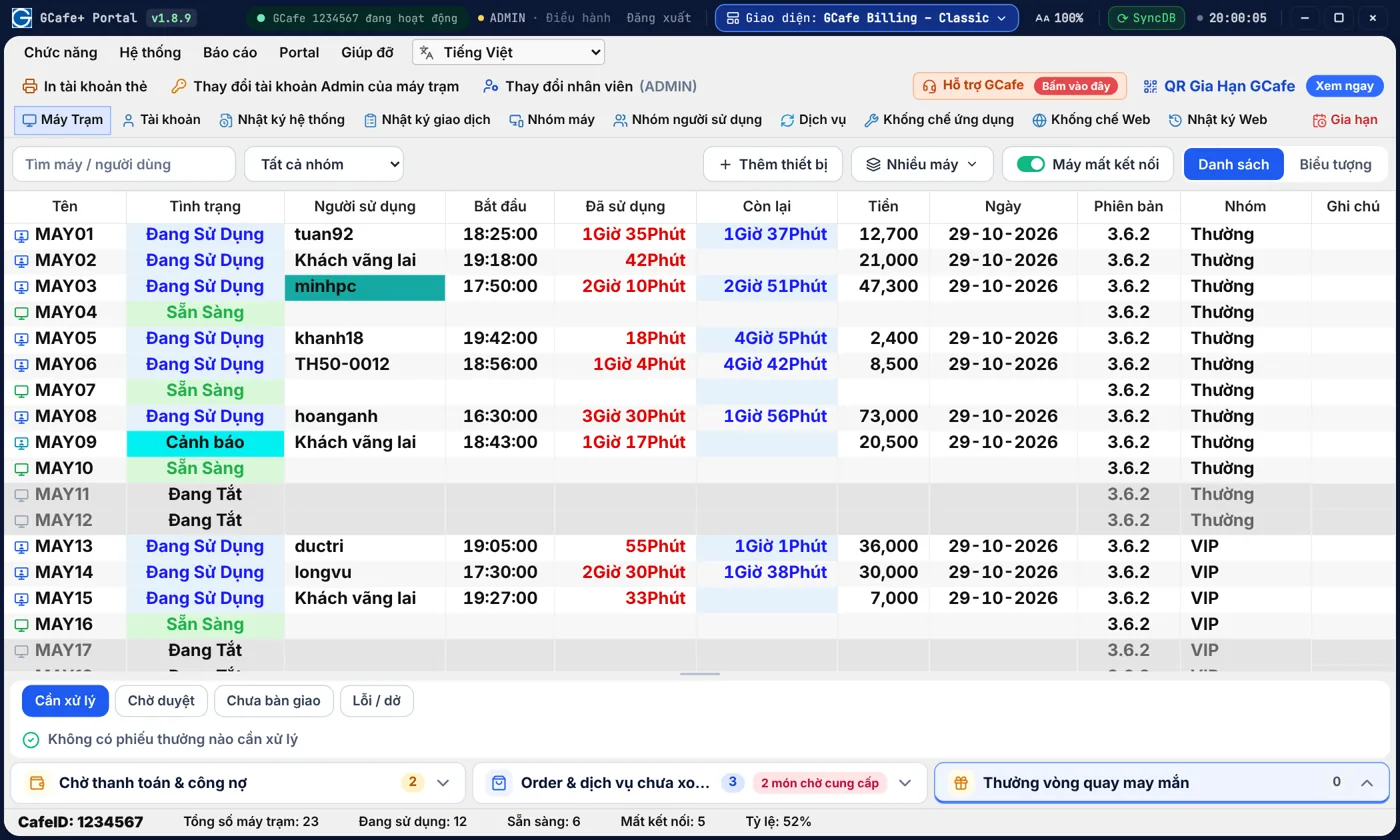
Bảng máy trạm GCafe Billing — Giao diện Classic

Giao diện Classic

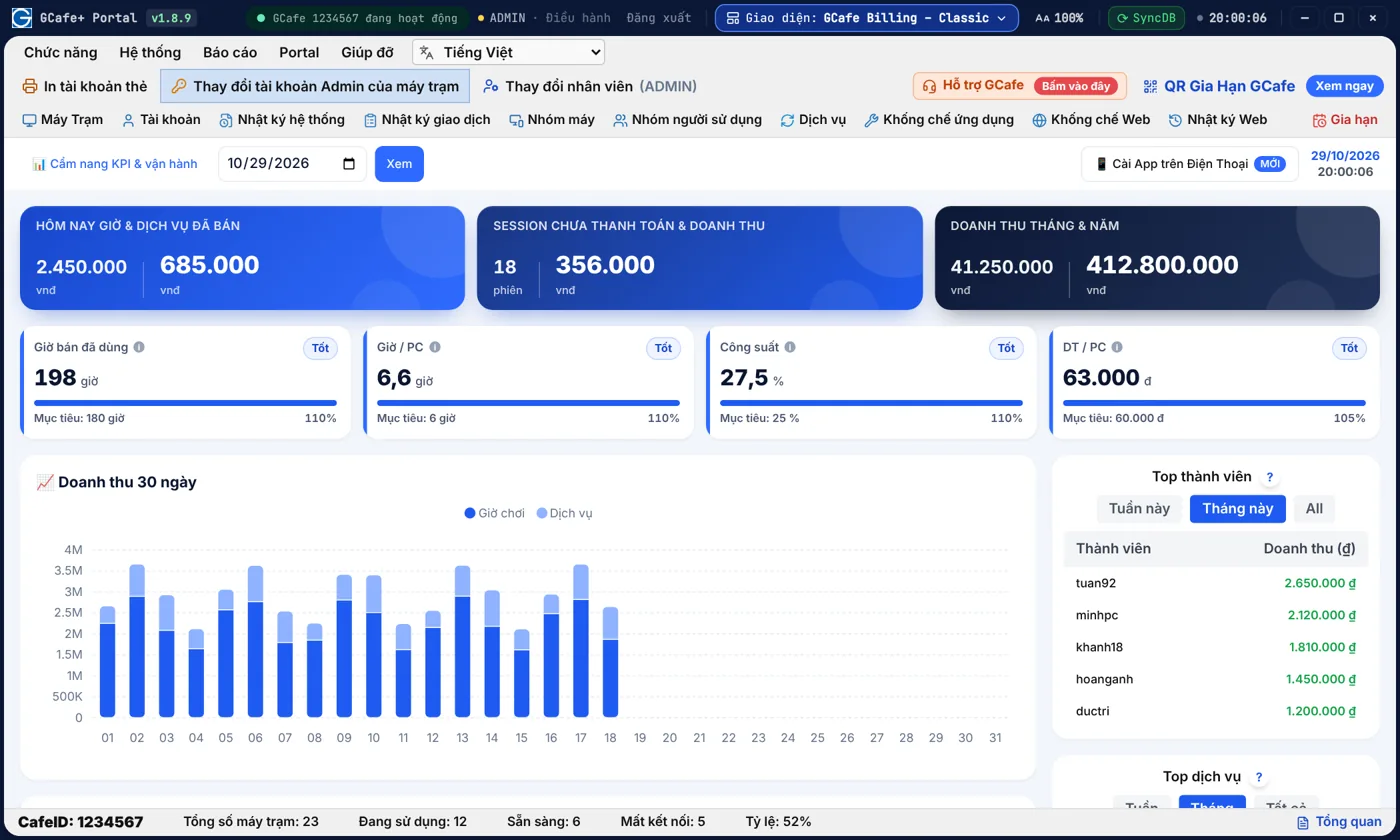
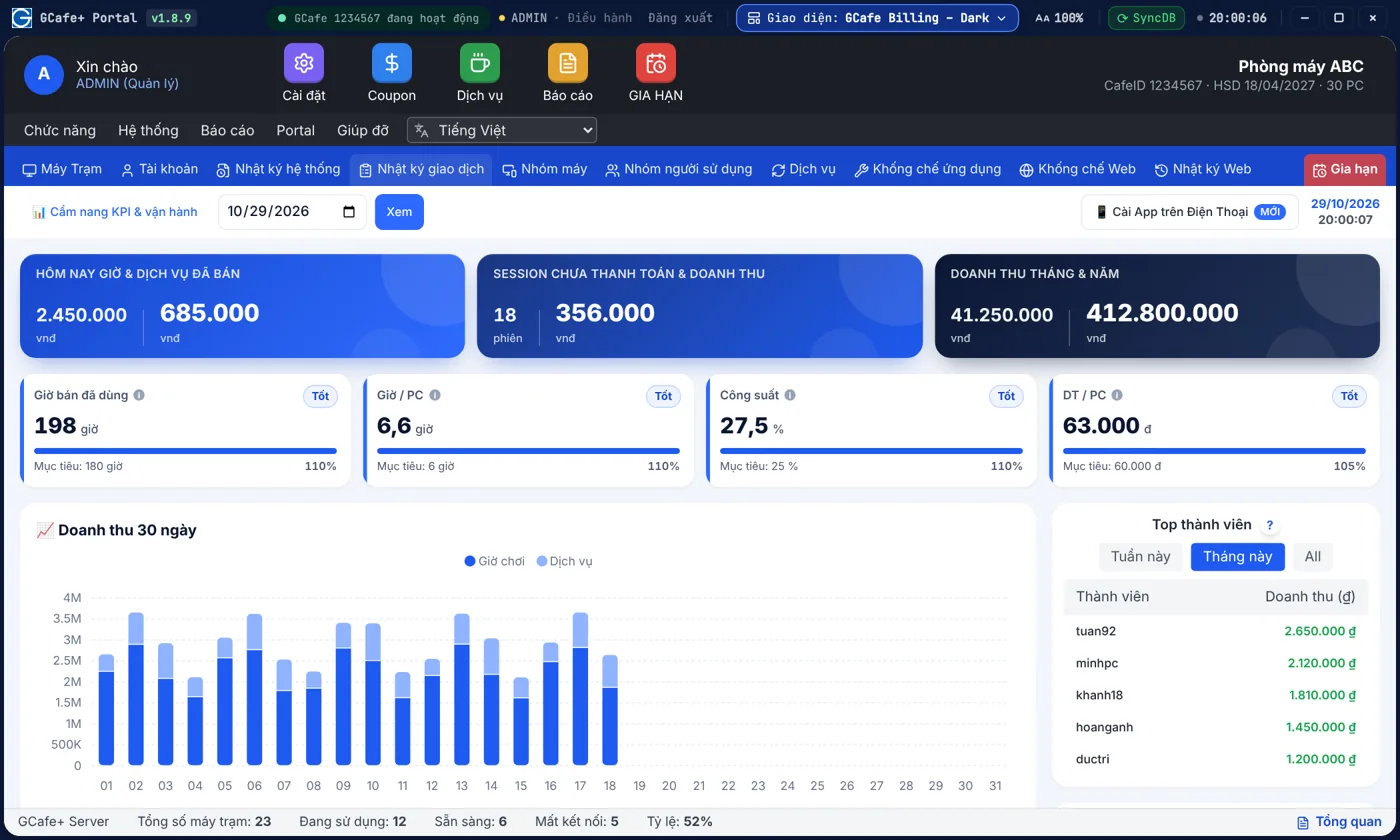
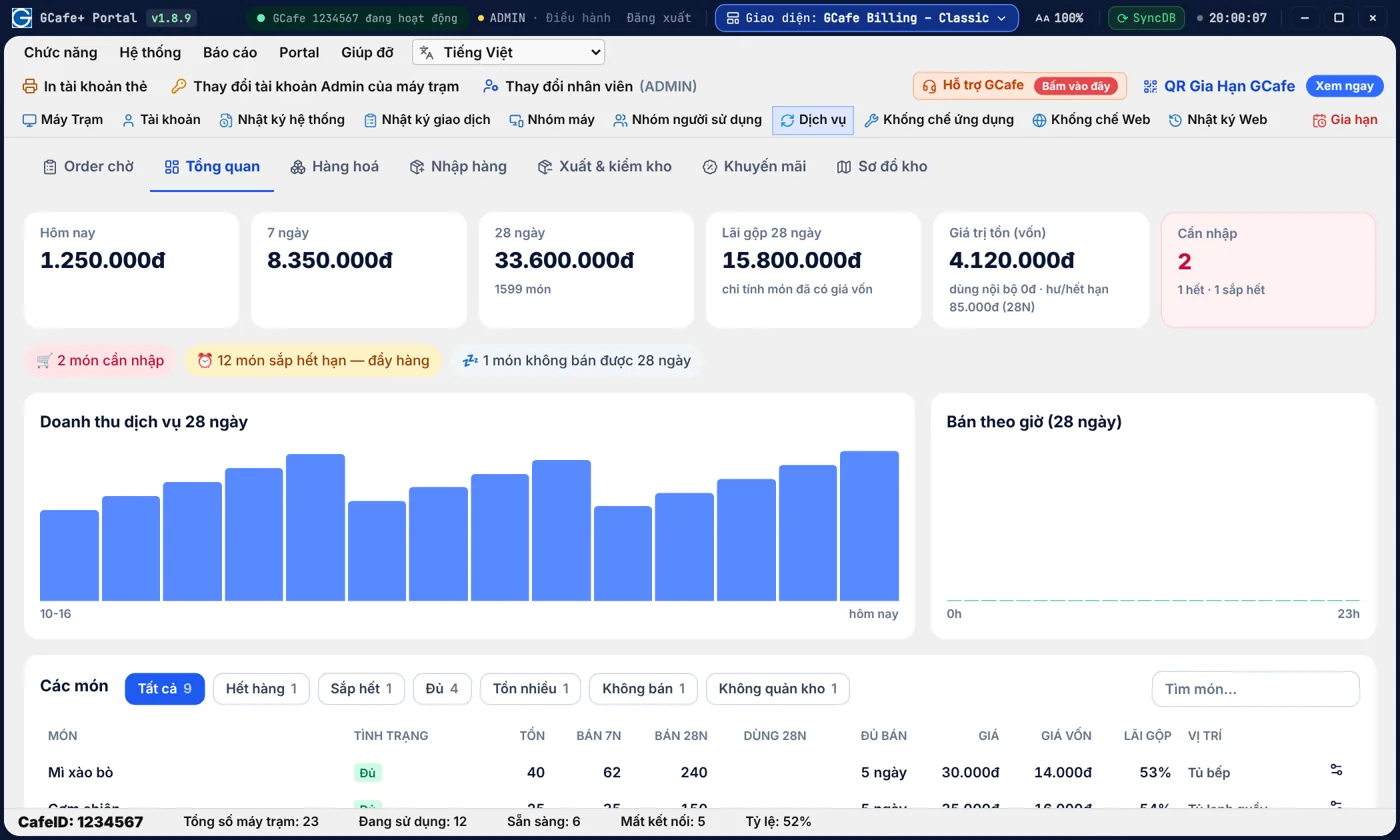
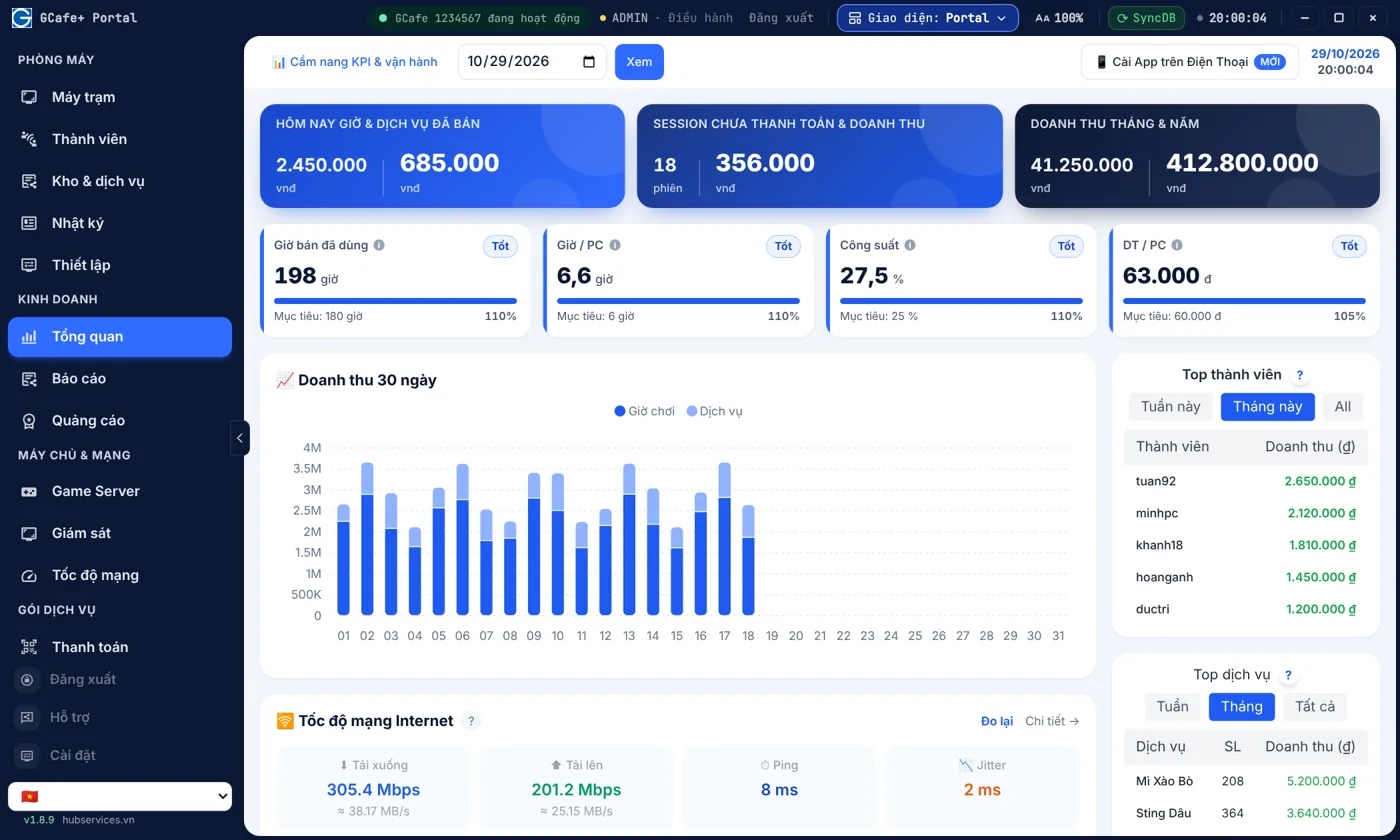
Biết hôm nay quán lời hay lỗ ngay trên máy quầy

Doanh thu giờ chơi, dịch vụ, công suất phòng và khách chi nhiều nhất hiện ngay trên máy quầy, không phải đợi cuối ngày cộng sổ.

  • So sánh doanh thu 30 ngày, thấy ngay ngày nào giảm
  • Biết khung giờ phòng vắng để chạy khuyến mãi
Xem chi tiết →
Tổng quan doanh thu — Giao diện Classic

Giao diện Classic

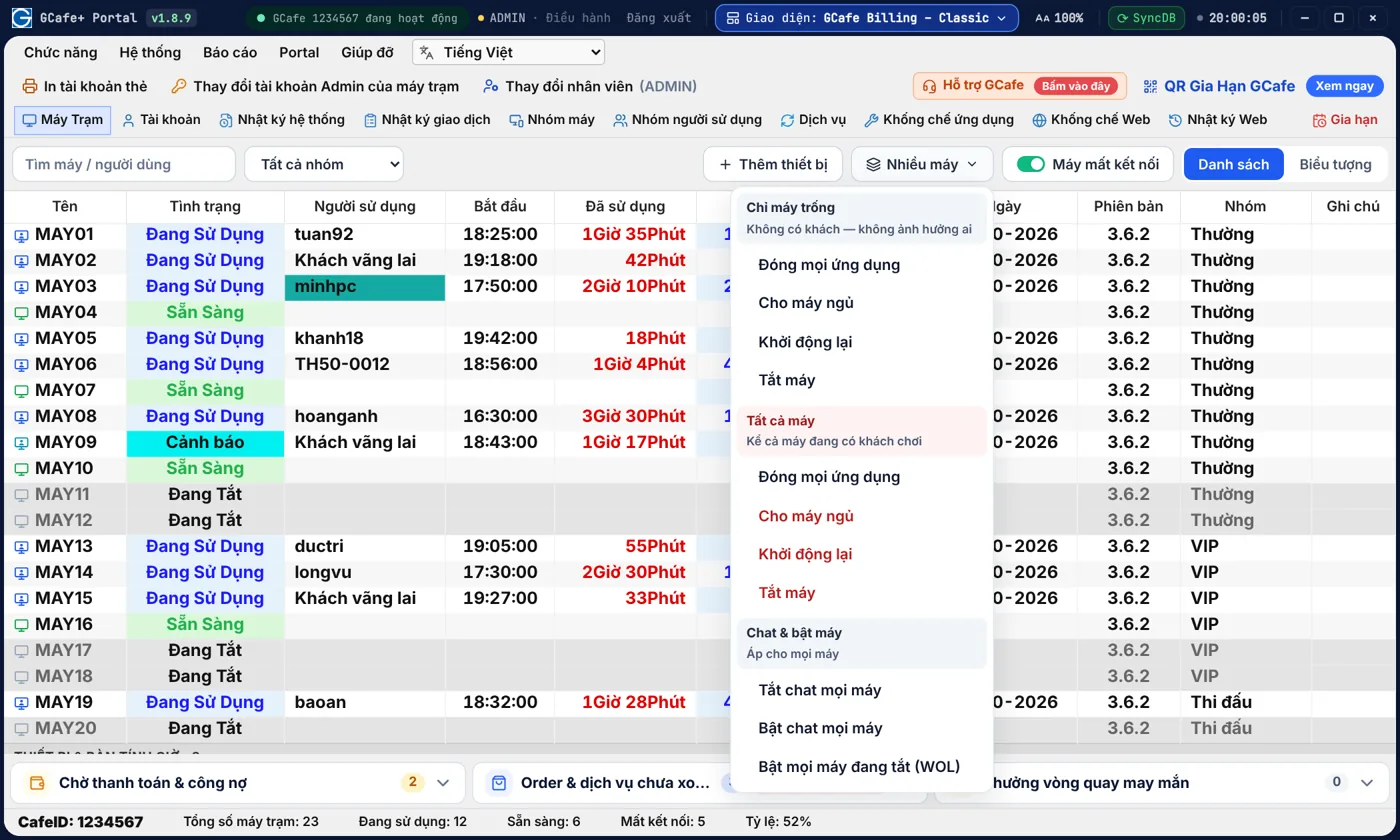
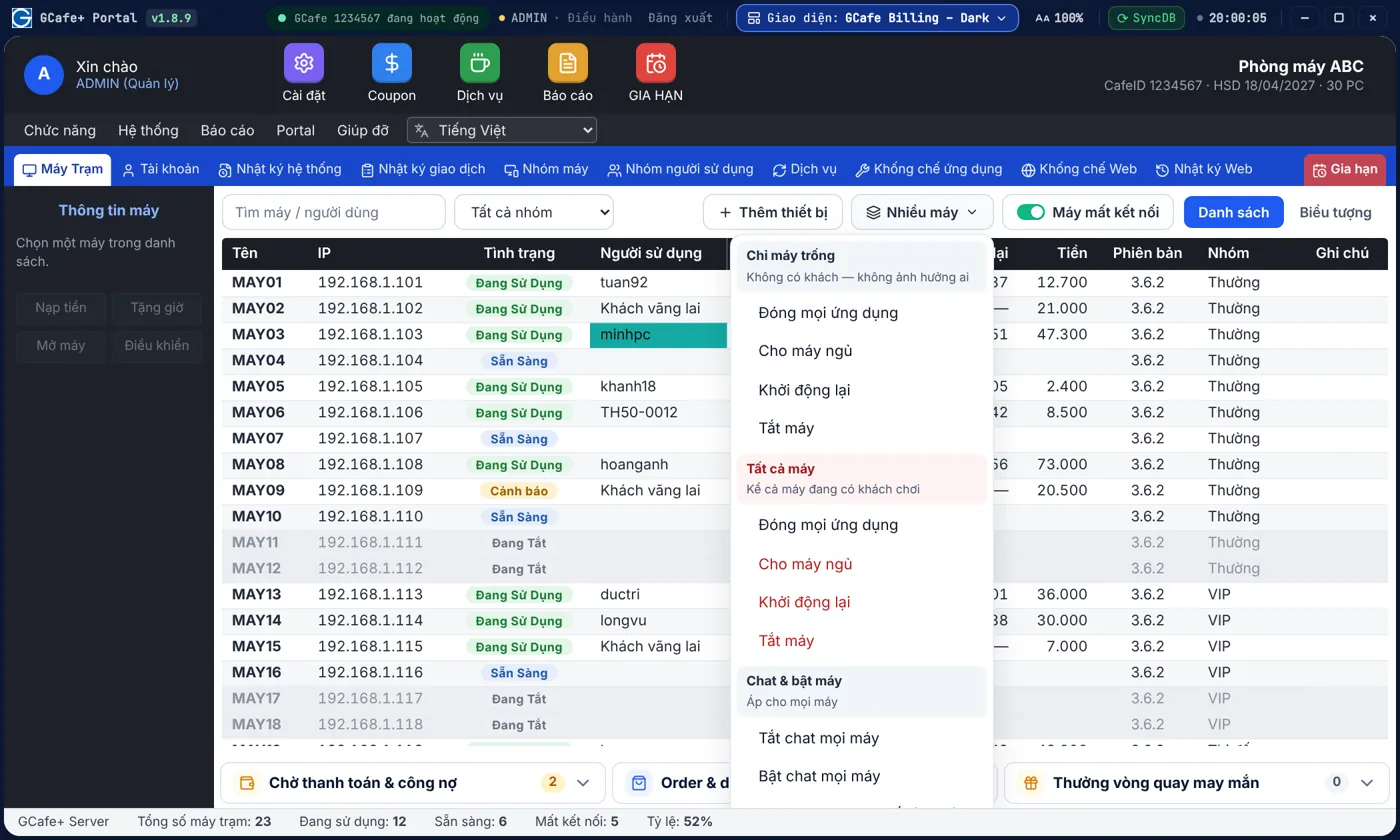
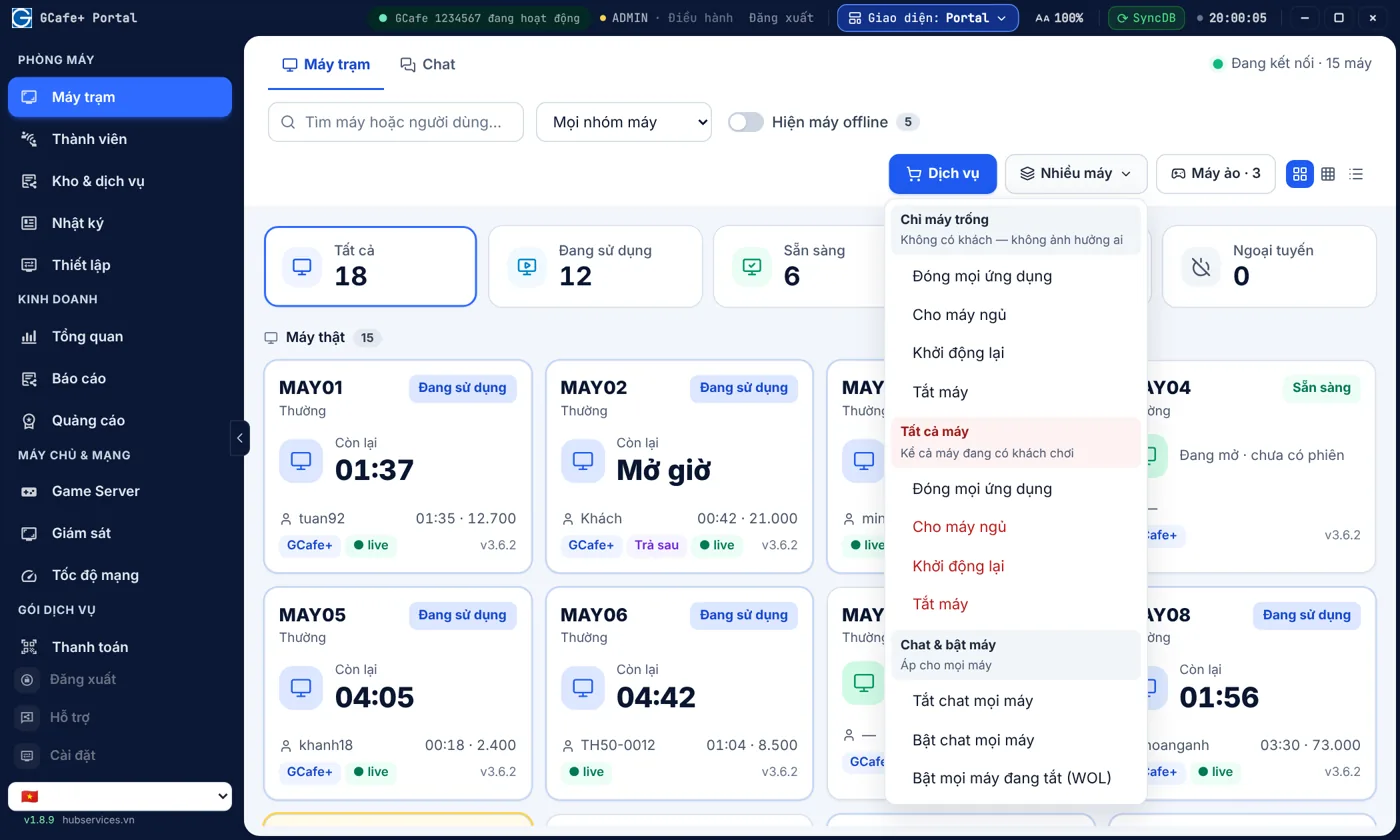
Đóng quán, bảo trì hay nhắc cả phòng — làm một lần cho tất cả máy

Tắt, khởi động lại, đóng ứng dụng hay bật chat cho cả phòng chỉ một lần bấm; máy lỗi thì xem màn hình, điều khiển từ xa tại quầy.

  • Không phải đi từng máy để tắt, khởi động lại
  • Xem màn hình máy khách để hỗ trợ từ quầy
Xem chi tiết →
Điều khiển nhiều máy trạm cùng lúc — Giao diện Classic

Giao diện Classic

Vòng quay may mắn giữ khách quay lại, phần thưởng vẫn do quầy duyệt

Khách nạp tiền được lượt quay, trúng thưởng thì quầy duyệt rồi trao — tạo lý do để khách quay lại mà không phát nhầm.

  • Tạo lý do để khách nạp thêm và quay lại
  • Phiếu thưởng chờ duyệt hiện ngay tại quầy
Xem chi tiết →
Phiếu thưởng vòng quay chờ duyệt — Giao diện Classic

Giao diện Classic

A complete solution

All the software your gaming cafe needs, from the cashier counter to every client PC.

GCafe products share the same data: players top up at the counter, play at the client PC, and you check the results on Portal.

At the counter
Free

GCafe Billing

Internet cafe billing software for charging time, selling services, stock, shift handover, chat and remote control of client PCs.

  • Members, top-up accounts and promo accounts kept separate
  • Prices by PC group and by time slot
  • Top up X get Y, coupons, night combos
  • Virtual clients for cafe tables, pool tables and PlayStation
  • Chat with players: receive top-up requests, top up right in the chat window, with a sound alert
See GCafe Billing →
Game updates
Paid

GCafe Update

Games download and update automatically, 24/7, for the whole room.

  • Multi-source downloads, only the changed parts
  • PC group management, monitoring on your phone
  • Charged per PC, 6-month plan
See GCafe Update →
Client PCs
Free

GCafe Boot

Diskless client PCs that boot from the server over the LAN.

  • One shared image for the whole room
  • Game cache on the server's RAM and SSD
  • Reboot and it's clean, maintain it once
See GCafe Boot →
For owners
Free

GCafe Portal

Know whether your cafe is making or losing money each day, even when you're not there.

  • Revenue dashboard and peak hours
  • Revenue ledger template S1a-HKD (Circular 152/2025)
  • Banners, wallpapers, lucky wheel
See GCafe Portal →
On the client PC
Free

GameMenu

A clean, good-looking game menu. Players turn on a PC and see their games right away.

  • Game grid and quick game search
  • Lucky wheel that gives away play time
  • Video Editor, Image Editor, Chat Hub
  • Built into the new client interface: top up, order services, chat with the counter
See GameMenu →
Many business types, one Billing

GCafe Billing works for cafes, pool halls and PlayStation too.

With virtual clients, each table or device becomes a PC in Billing: open it to charge by the hour and add services, just like a real client PC. Internet cafes and cyber gaming rooms are still where GCafe goes deepest, with GCafe Boot, GCafe Update and GameMenu for client PCs.

Main focus

Internet cafes, cyber gaming rooms

Real client PCs, with GCafe Boot, GCafe Update, GameMenu and Portal. This is still the sector GCafe focuses on most.

  • Billing by PC group and time slot
  • Automatic game updates
  • Diskless client PCs
See GCafe Billing →
Cafe

Virtual cafe tables

Turn each cafe table into a virtual PC. Open the table, charge by the hour and add drinks like you would on a client PC.

  • One table is one virtual PC
  • Add services, take orders at the counter
Pool hall

Virtual pool tables

Create virtual pool tables to charge by playing time and sell drinks and snacks in the same software.

  • One table is one virtual PC
  • Charge by the hour, add services
Console

PlayStation, Xbox, Switch, VR

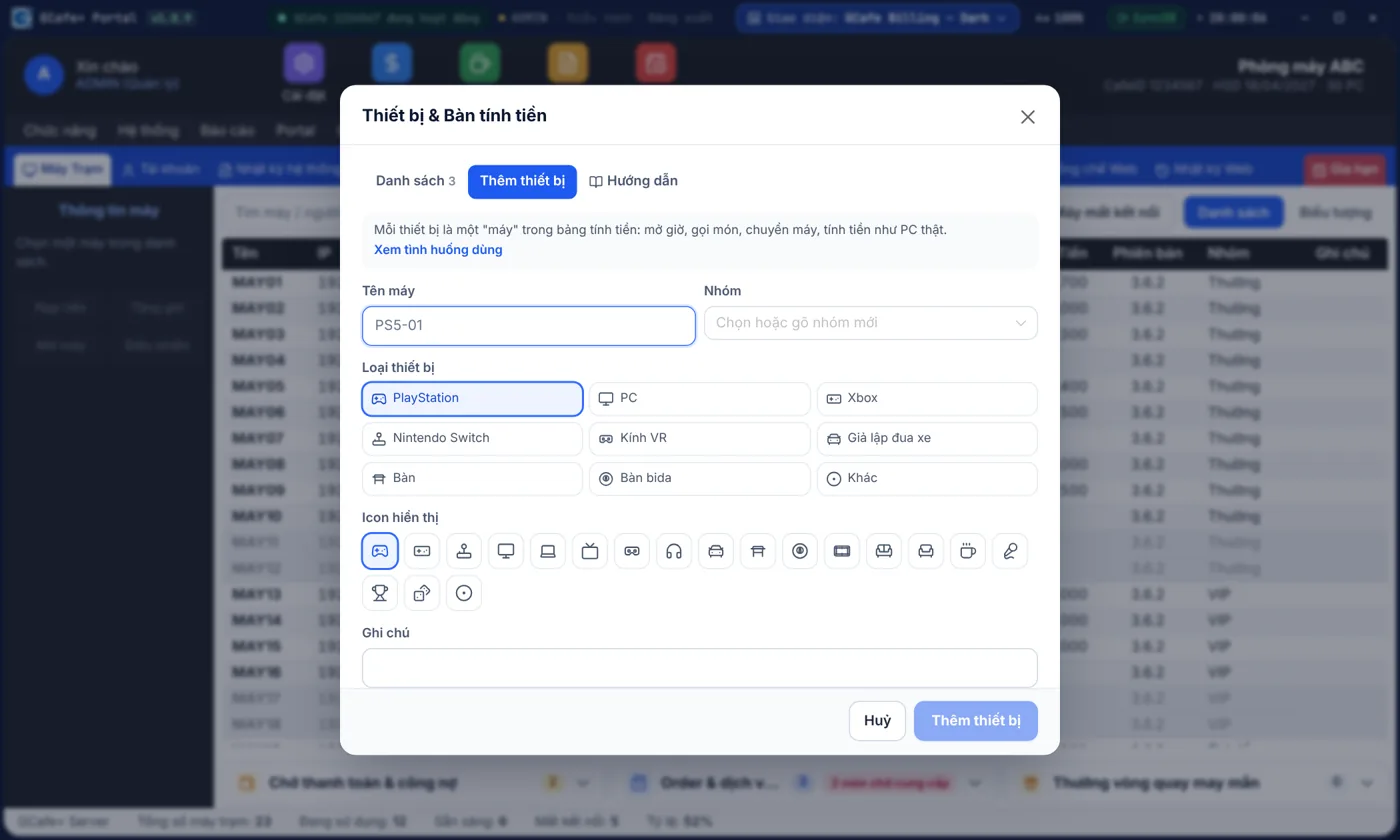
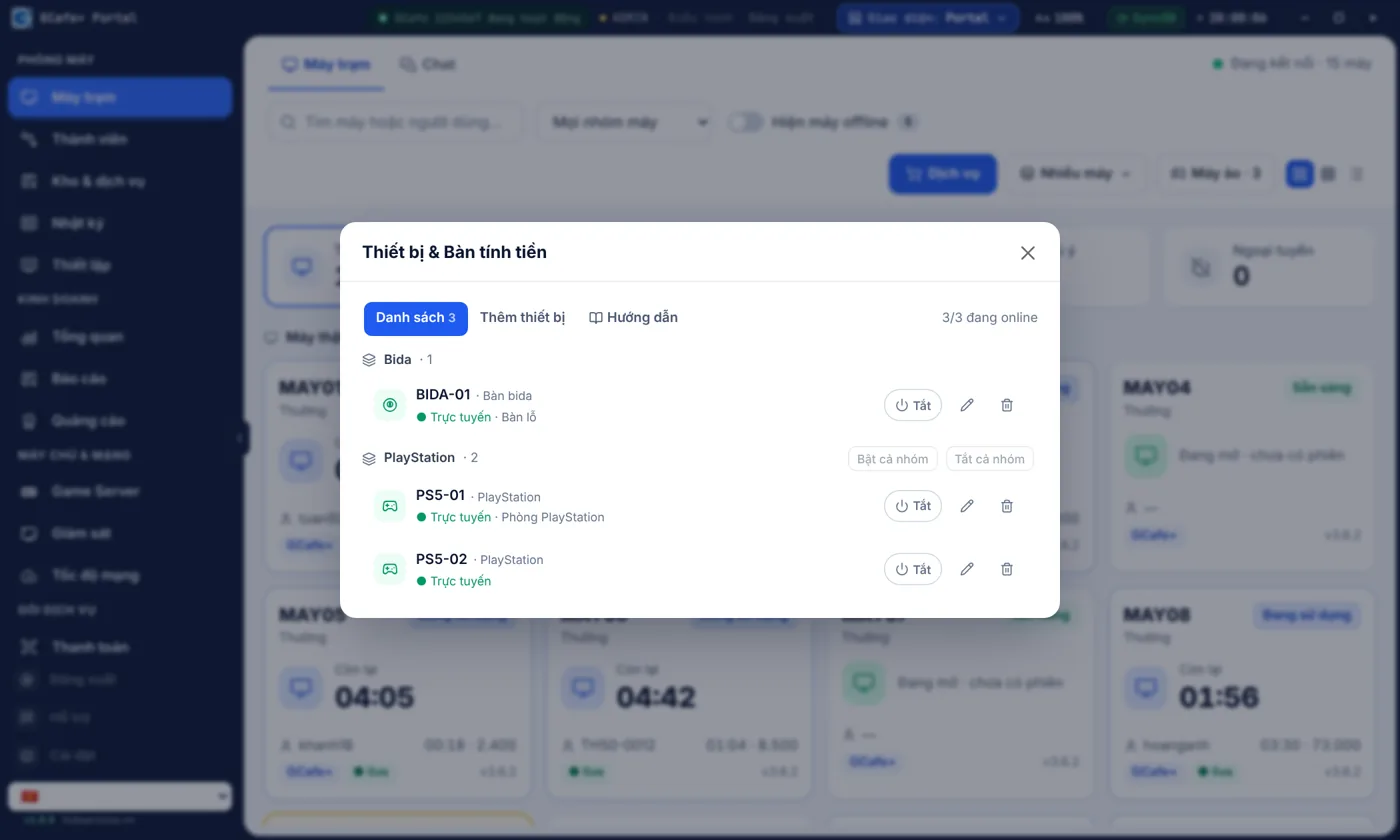
Create virtual PCs for PlayStation, Xbox, Nintendo Switch, VR headsets or racing simulators and charge by the hour like real PCs.

  • Choose the device type and icon
  • Place it in its own PC group
Cafe · Bida · PlayStation

Phòng máy kiêm PlayStation, bida, cafe: một quầy, một phần mềm.

Quán ngày nay hiếm khi chỉ có máy tính. GCafe gom máy trạm, máy PS, bàn bida, bàn cafe về một bảng máy để nhân viên không phải dùng hai phần mềm hay ghi sổ tay.

Có thêm khu PlayStation, bida, VR? Không cần mua thêm phần mềm

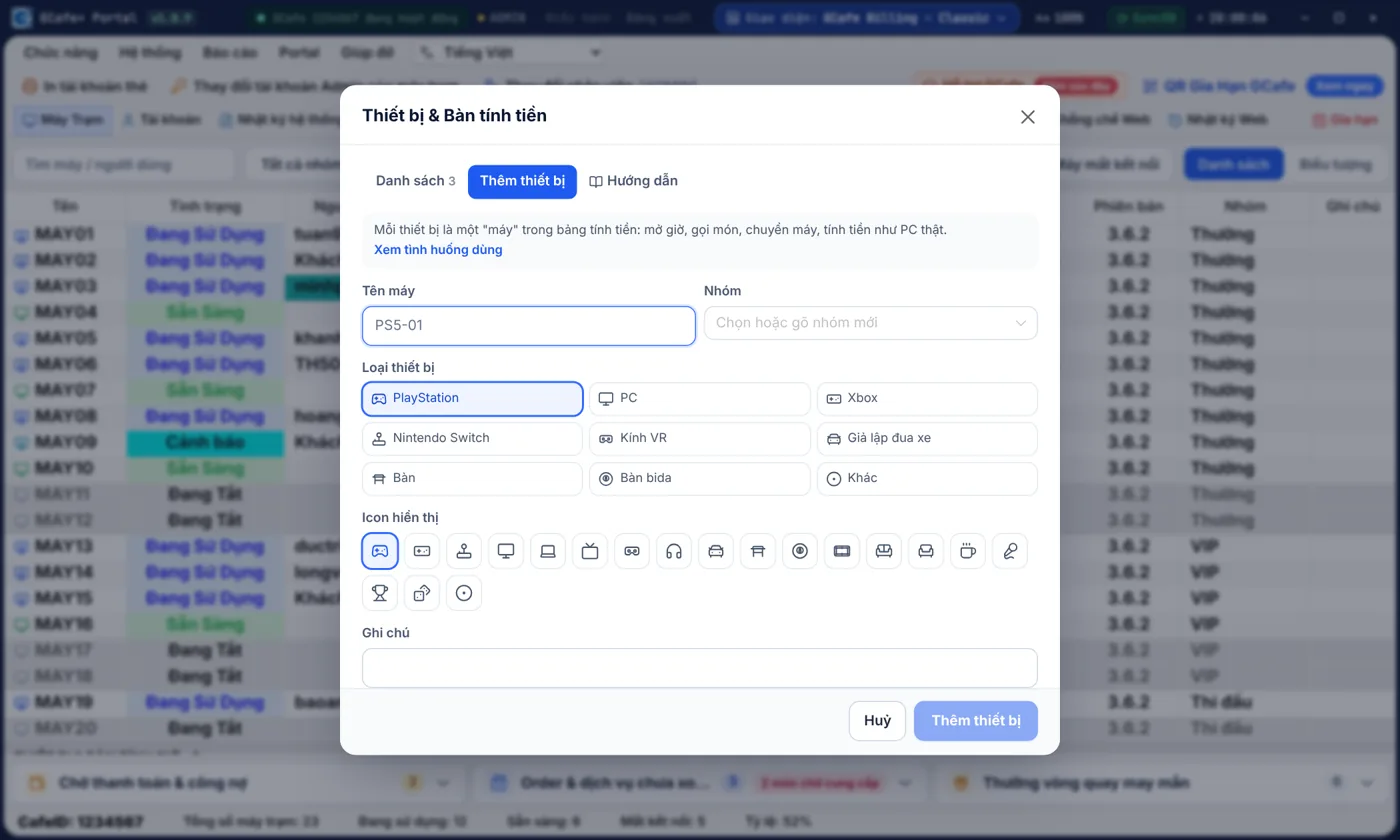
Máy PS, bàn bida, phòng VIP, kính VR là một ô trên bảng máy: mở giờ, gọi nước, chuyển bàn, thu tiền chung một báo cáo.

  • Tiền giờ máy, giờ PS, giờ bida và đồ uống chung một báo cáo
  • Giá riêng cho từng khu: VIP, PS, bida, giờ vàng
Xem chi tiết →
Thêm thiết bị và bàn tính tiền — Giao diện Classic

Giao diện Classic

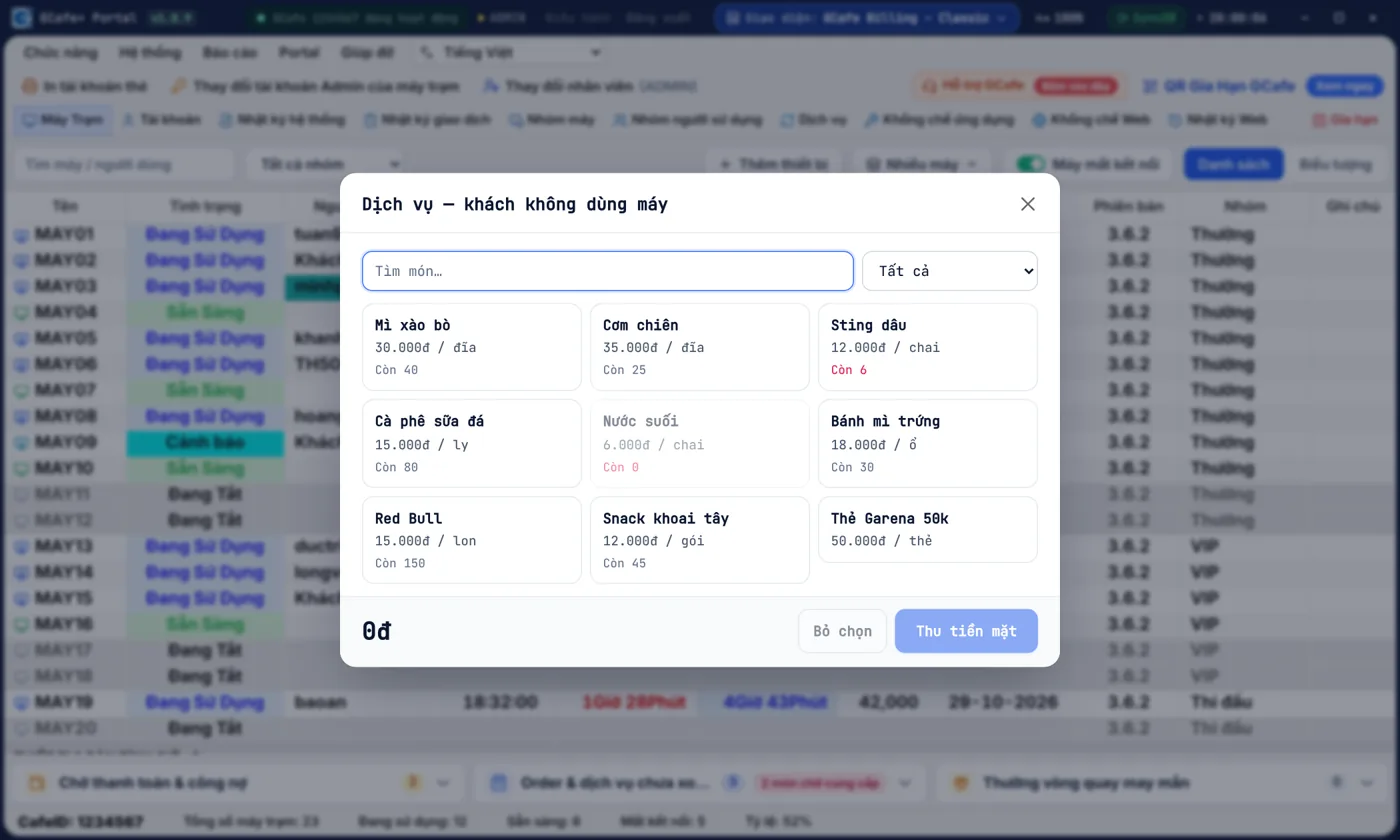
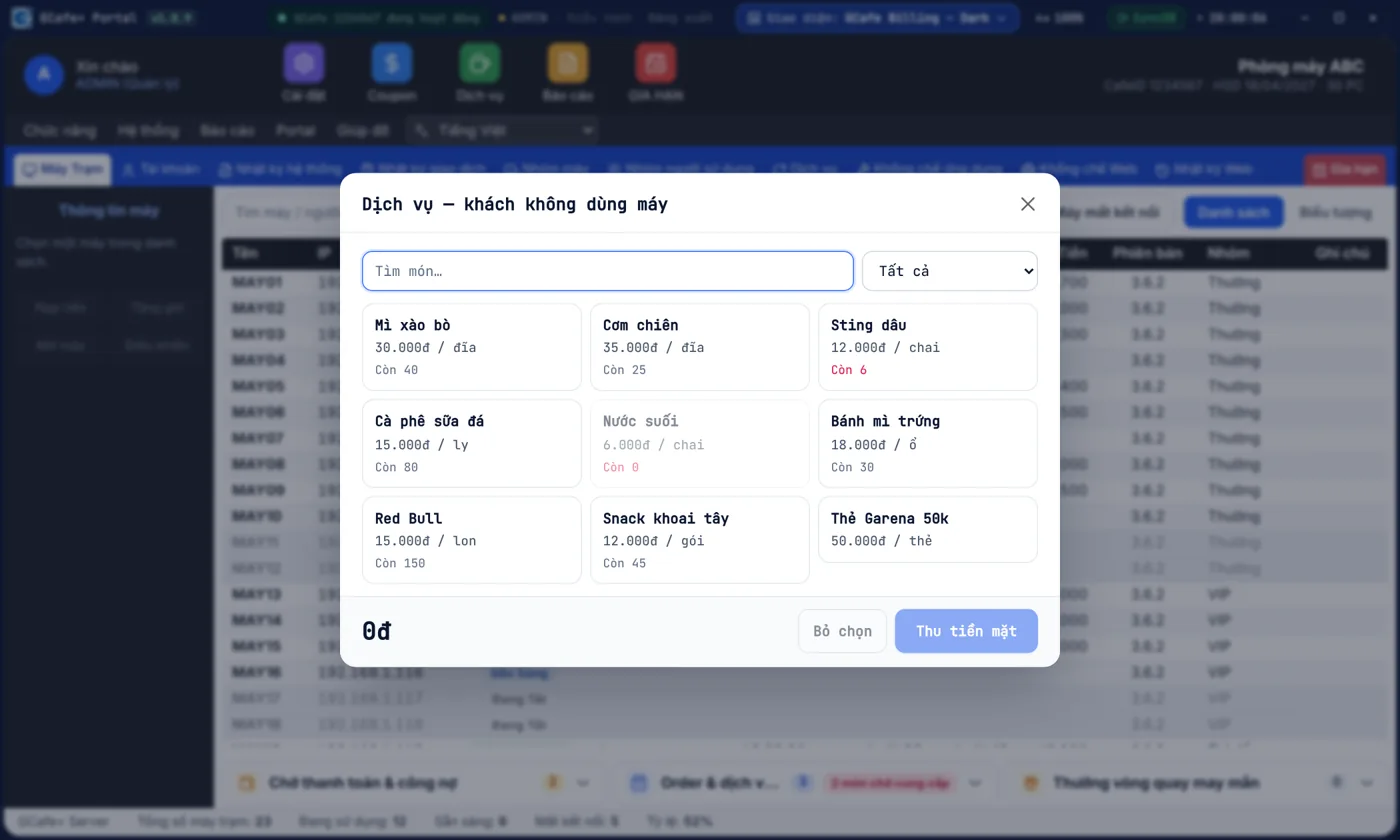
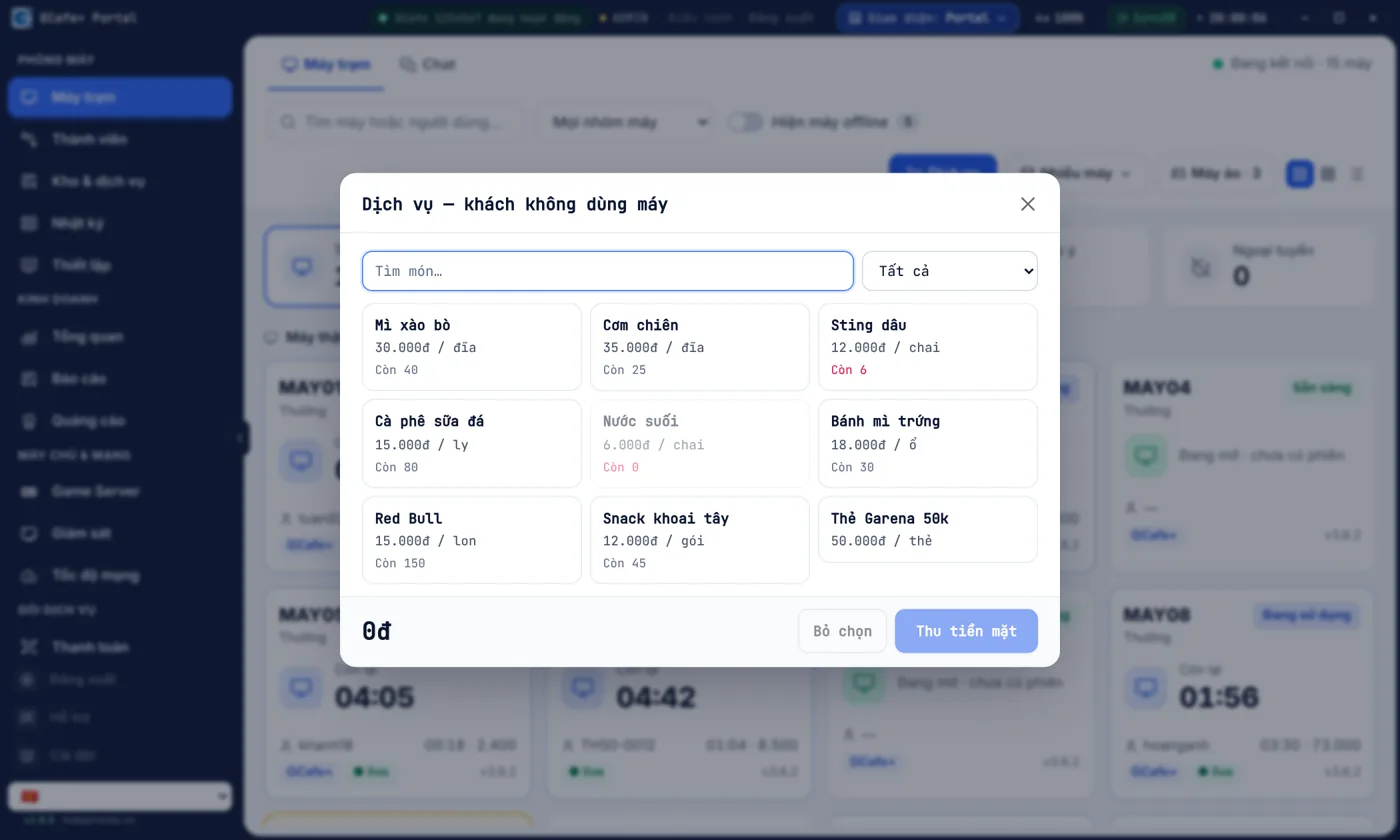
Khách ghé mua chai nước, ổ bánh mì — thu tiền trong vài giây

Khách chỉ ghé mua nước, bánh mì thì chọn món, thu tiền trong vài giây; kho tự trừ, khuyến mãi tự áp.

  • Không phải mở phiên máy chỉ để bán đồ
  • Món hết hàng hiện ngay, không bán nhầm
Xem chi tiết →
Bán tại quầy cho khách không dùng máy — Giao diện Classic

Giao diện Classic

Kho, thẻ & khuyến mãi

Quầy bar, kho và khuyến mãi chạy trơn tru — bán được nhiều đồ hơn mỗi ca.

Đồ ăn, nước uống là nguồn lời lớn của quán nhưng cũng dễ thất thoát nhất. GCafe tách việc cho quầy bar, theo dõi kho, nhắc hàng sắp hết hạn và tự đề xuất khuyến mãi để bán kịp.

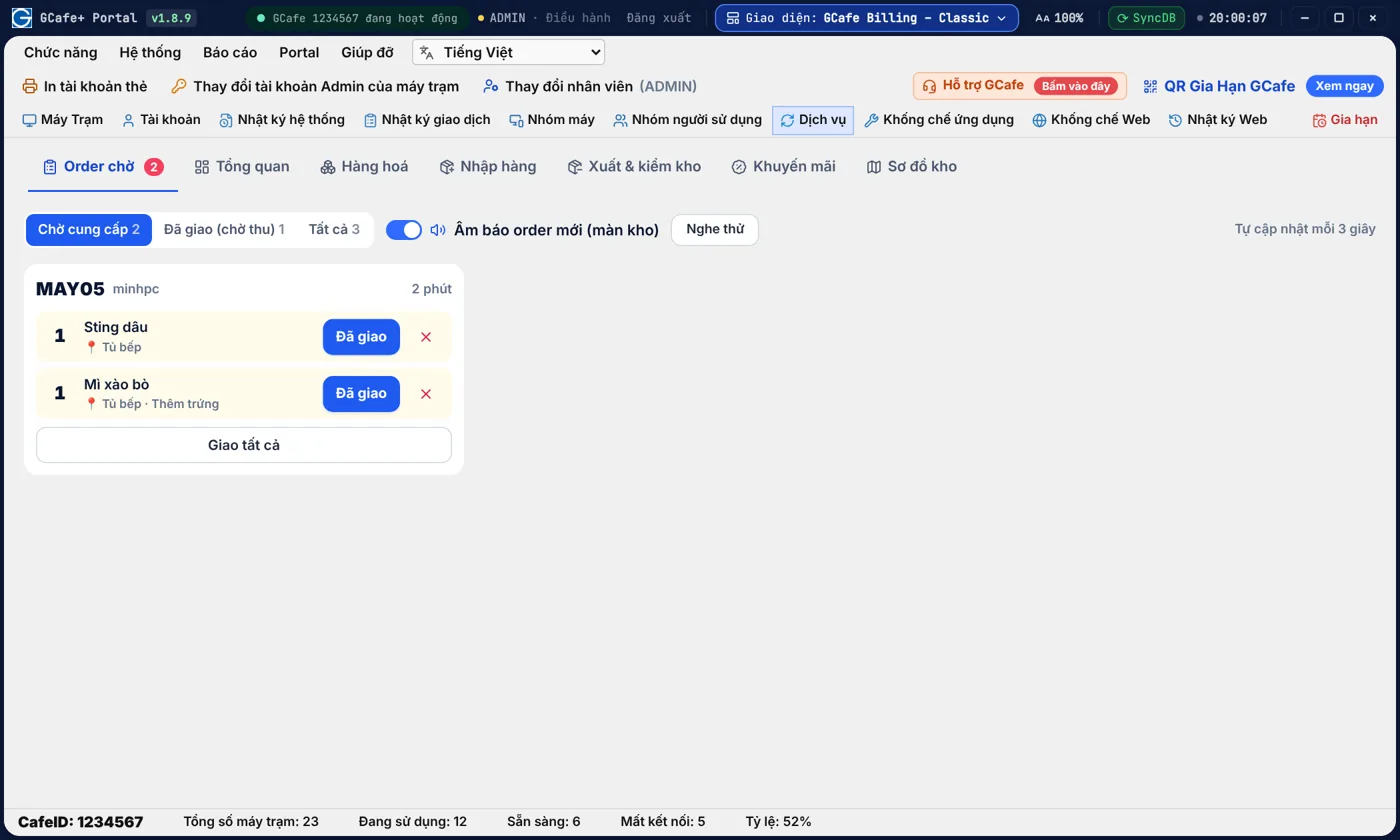
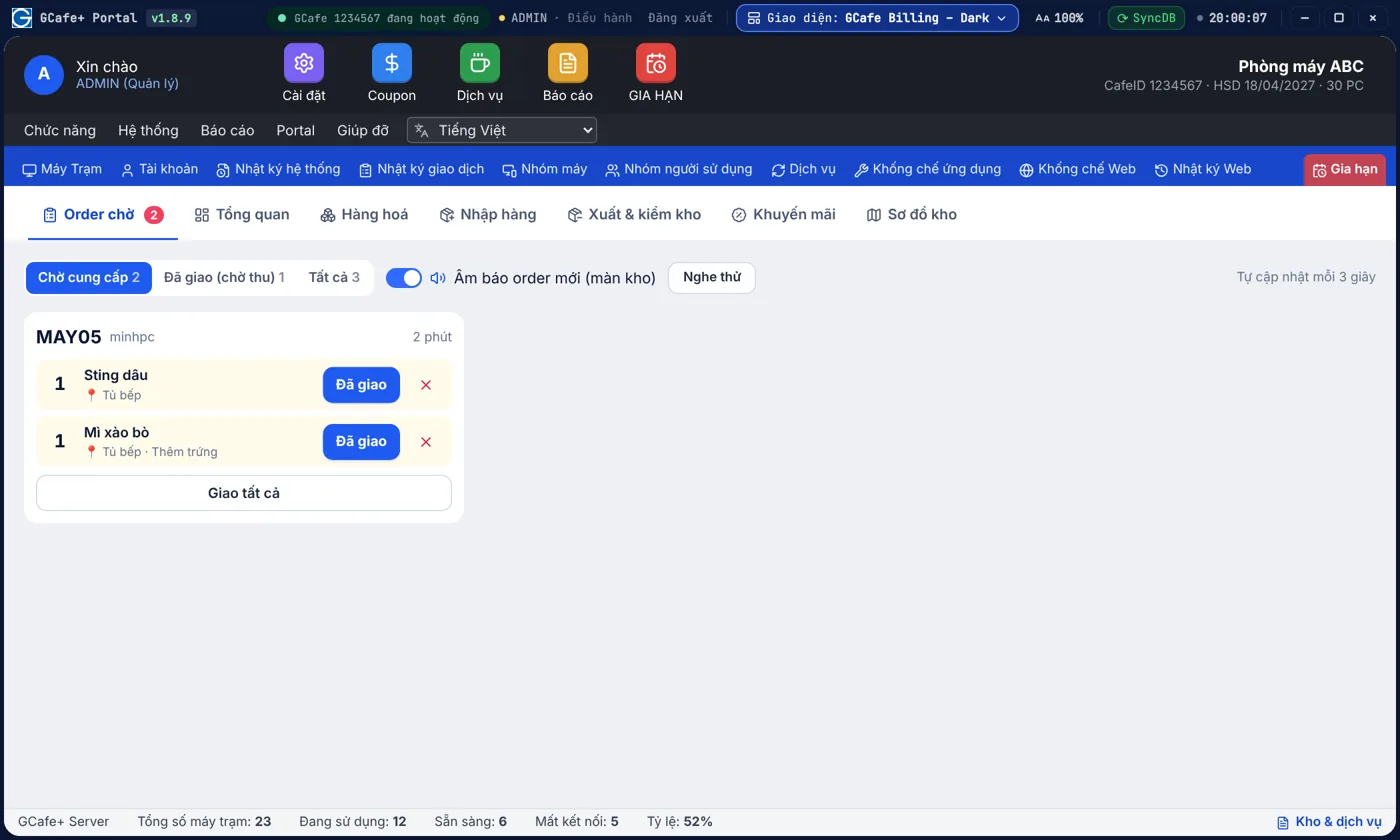
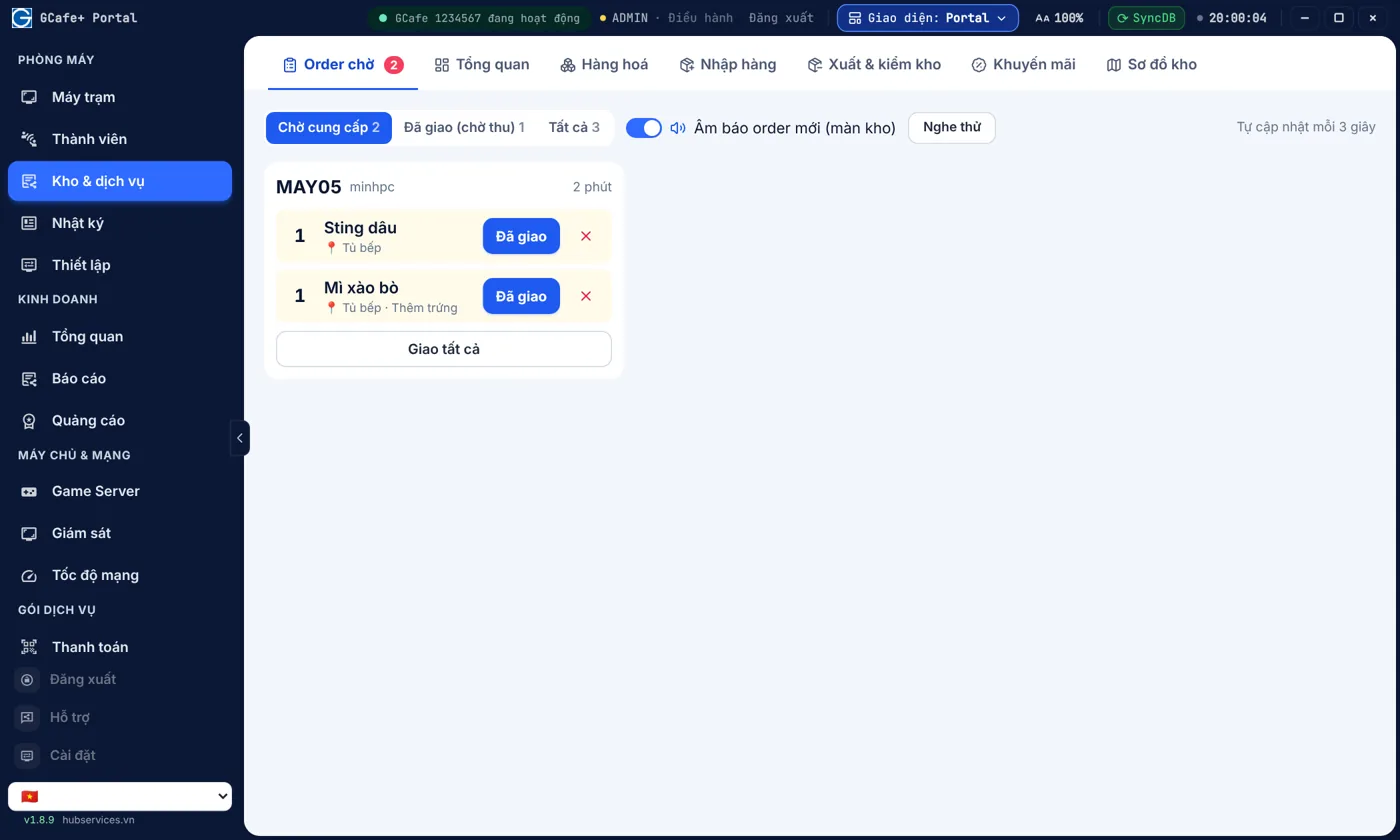
Quầy bar nhận order riêng, thu ngân không phải chạy qua lại

Khách gọi món từ máy là quầy bar thấy ngay kèm âm báo, pha xong bấm "Đã giao" — thu ngân chỉ lo tiền.

  • Âm báo khi có order mới, không sót món giờ cao điểm
  • Thu ngân lo tiền, quầy bar lo món — không giẫm chân nhau
Xem chi tiết →
Màn hình Order chờ cho quầy bar — Giao diện Classic

Giao diện Classic

Kho có kiểm kê, sơ đồ kho và cảnh báo hàng tồn

Nhắc món sắp hết, kiểm kê lưu chênh lệch để biết thất thoát, sơ đồ kho giúp nhân viên mới tìm hàng ngay.

  • Nhắc nhập hàng trước khi hết, không mất khách gọi món
  • Kiểm kê, lưu chênh lệch từng lần để biết thất thoát
Xem chi tiết →
Tổng quan kho dịch vụ — Giao diện Classic

Giao diện Classic

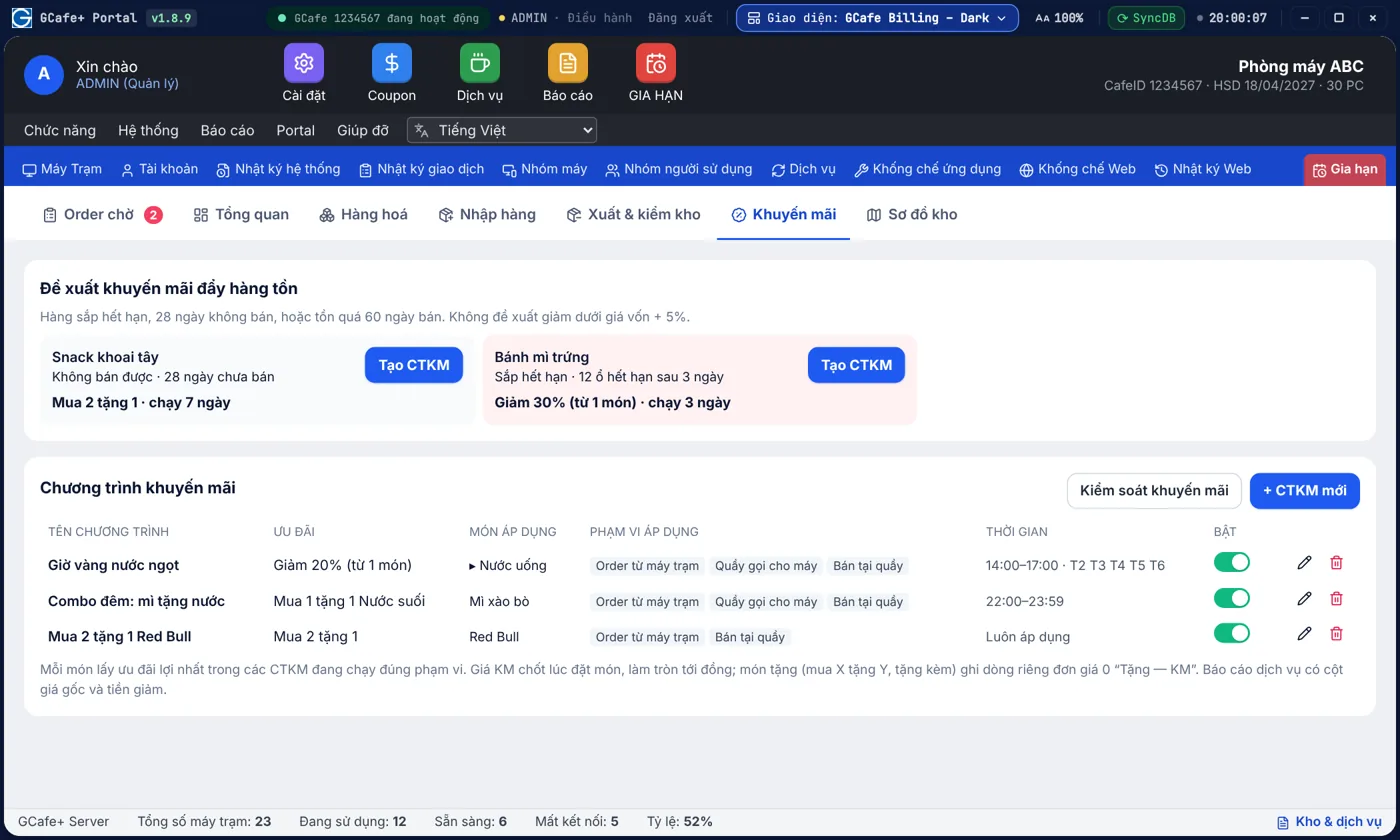
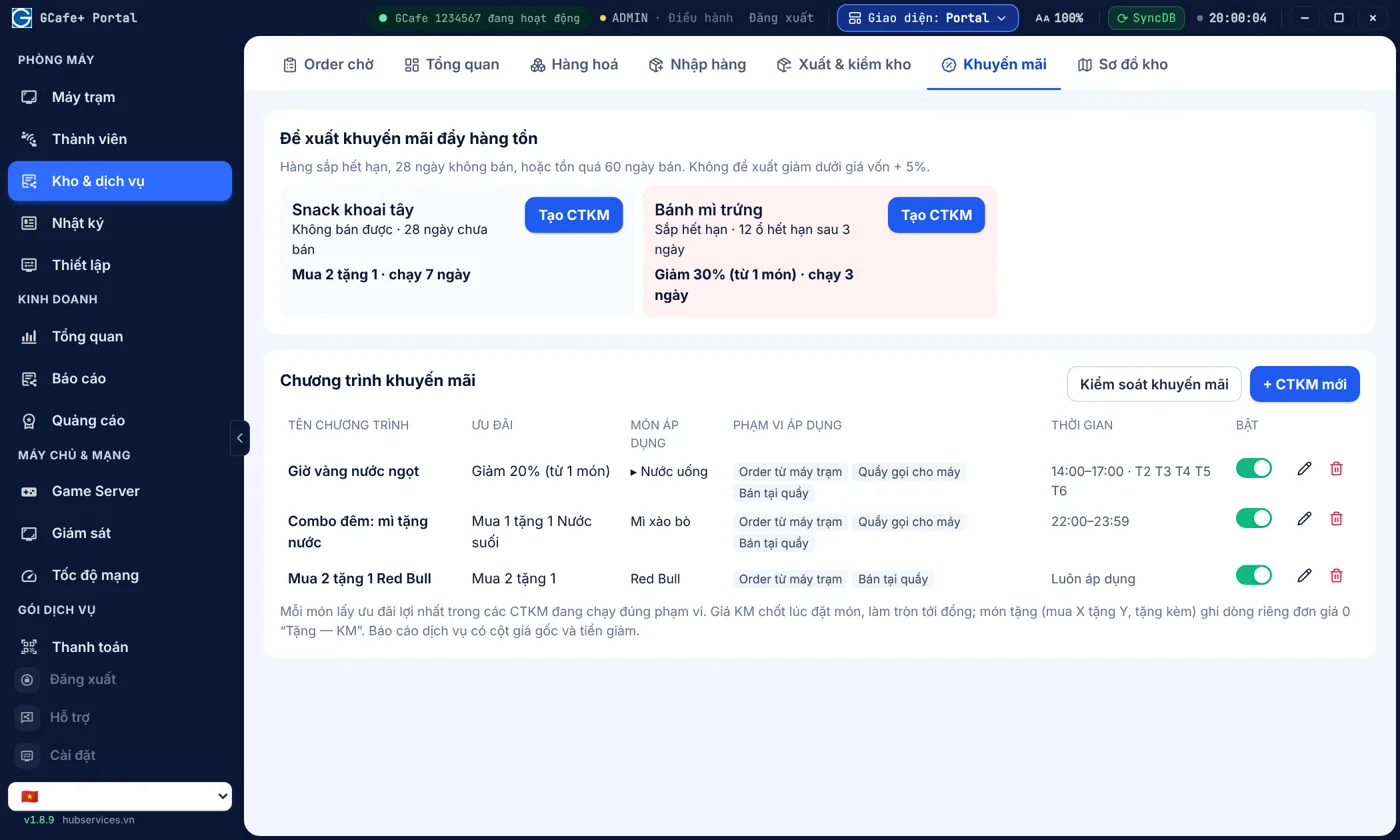
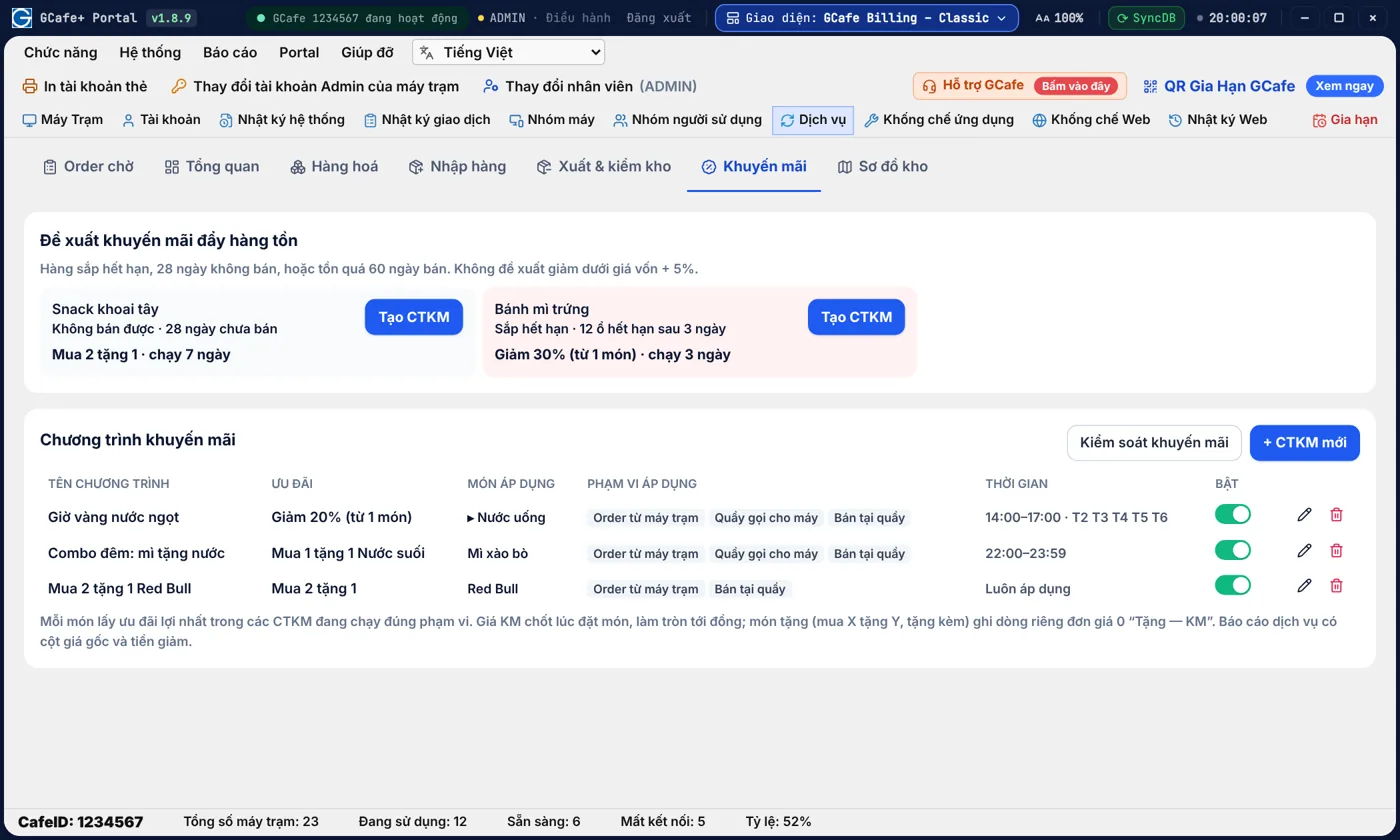
Hàng sắp hết hạn? GCafe nhắc và đề xuất khuyến mãi để bán kịp

GCafe xem hạn dùng và tốc độ bán của từng món rồi đề xuất khuyến mãi để bán kịp — không bao giờ giảm dưới giá vốn + 5%.

  • Bớt hàng hết hạn phải bỏ, thu hồi vốn sớm
  • Mỗi gợi ý kèm lý do: sắp hết hạn, lâu không bán, tồn quá nhiều
Xem chi tiết →
Đề xuất khuyến mãi đẩy hàng tồn — Giao diện Classic

Giao diện Classic

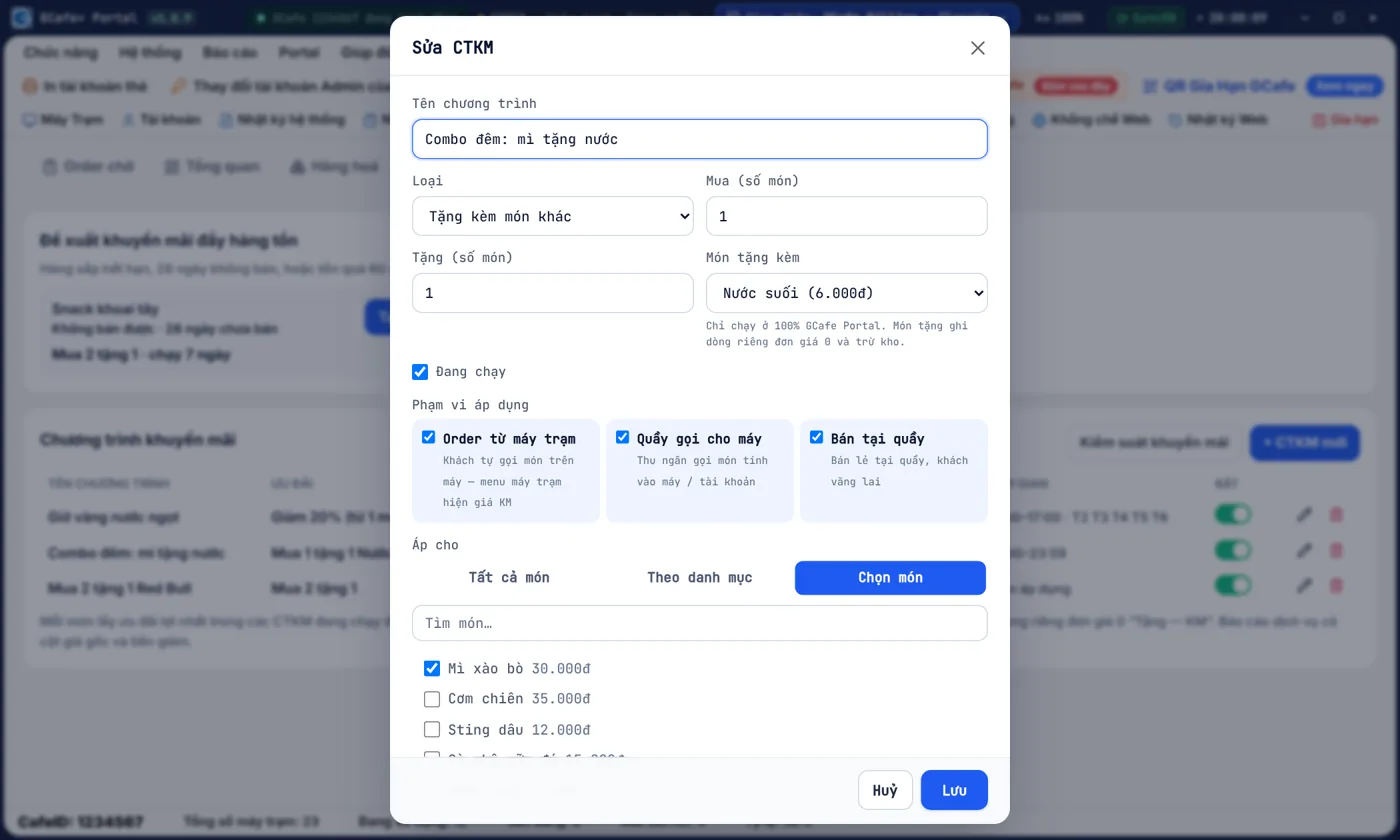
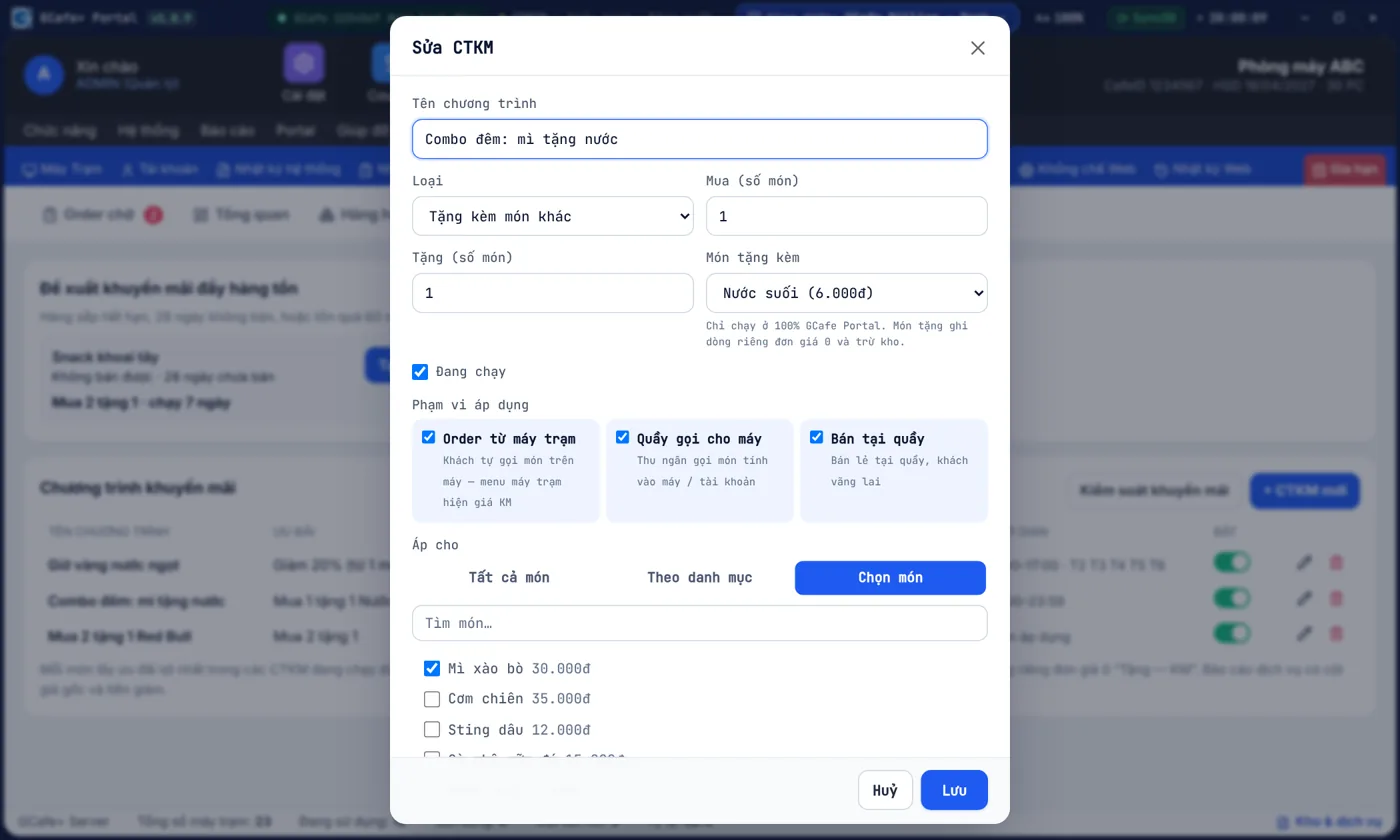
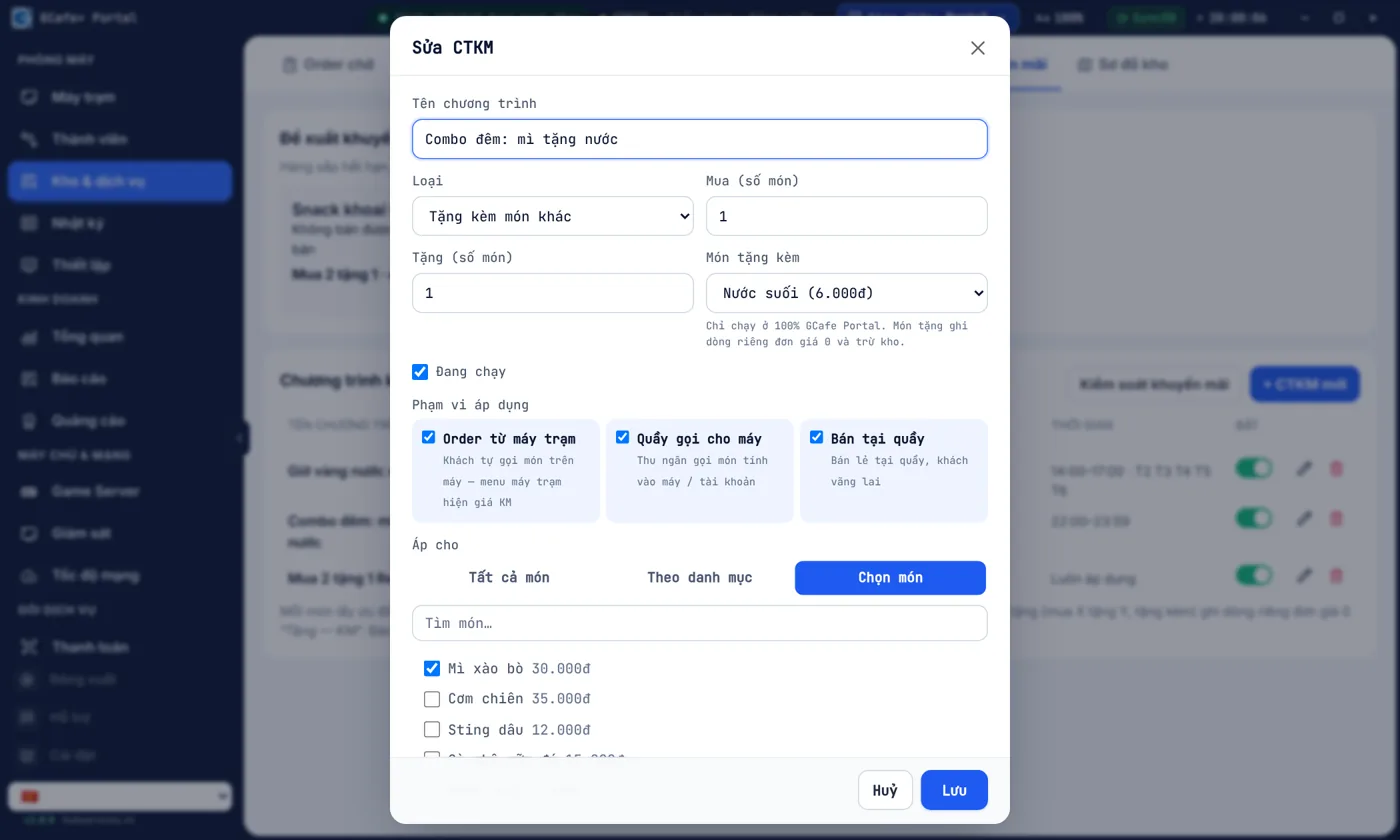
Combo tặng kèm mì tôm + nước, ghi đúng cách hàng khuyến mại

Combo mua mì tặng nước kéo khách gọi đủ bộ; món tặng ghi dòng riêng đơn giá 0 đ như cách ghi hàng khuyến mại, kho vẫn trừ đúng.

  • Tặng kèm món khác, mua X tặng Y, giảm %, đồng giá
  • Món tặng tách dòng riêng giá 0 đ, không lẫn vào doanh thu
Xem chi tiết →
Tạo combo tặng kèm món khác — Giao diện Classic

Giao diện Classic

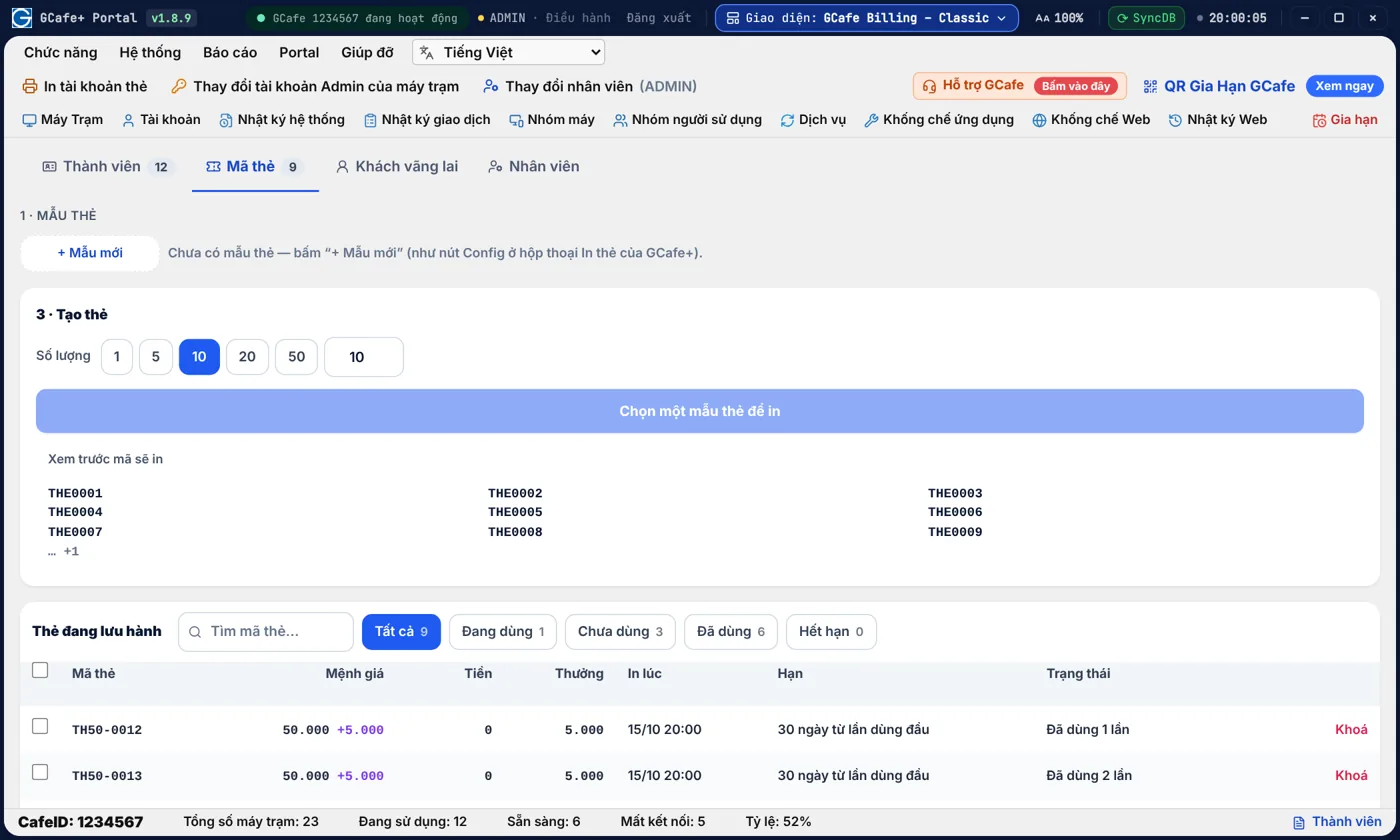
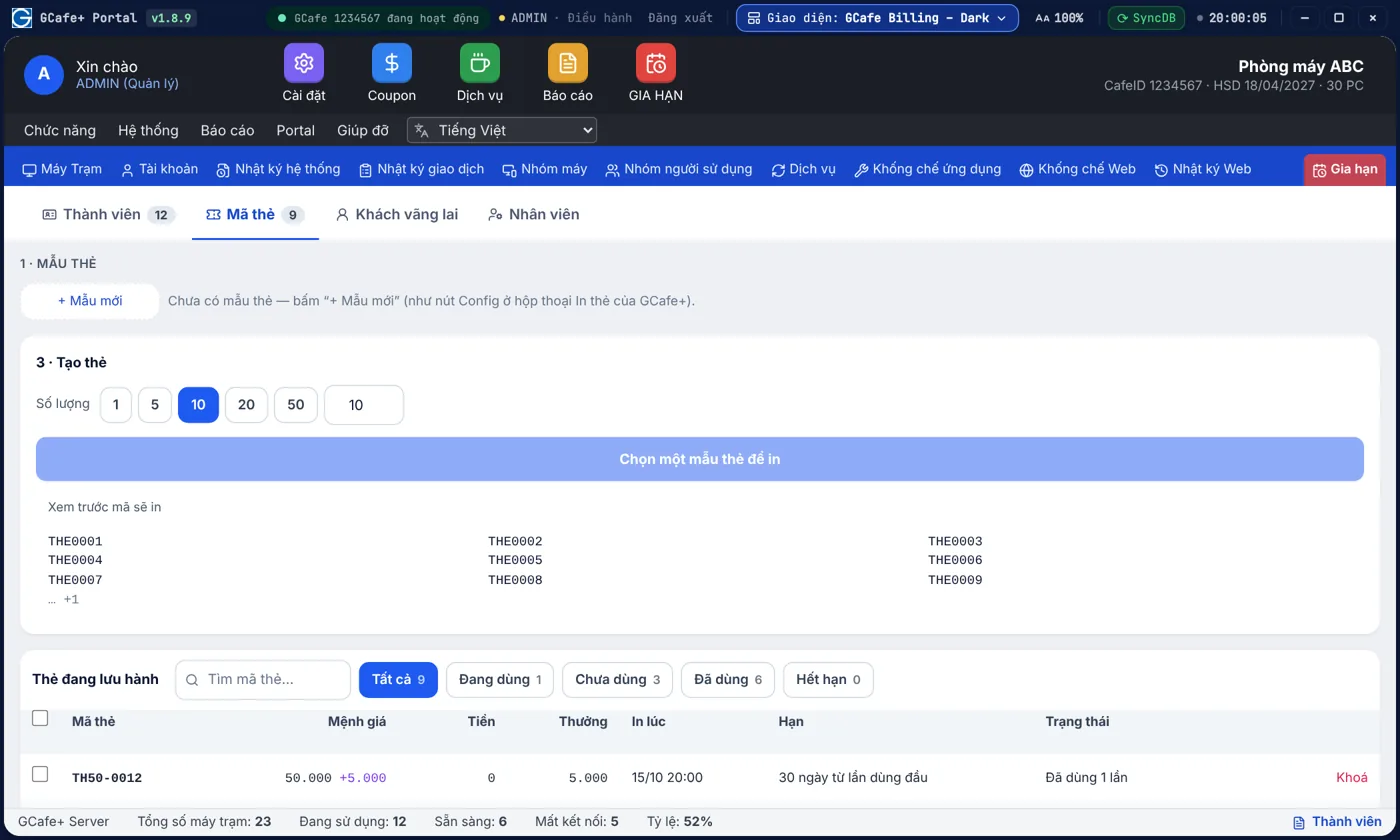
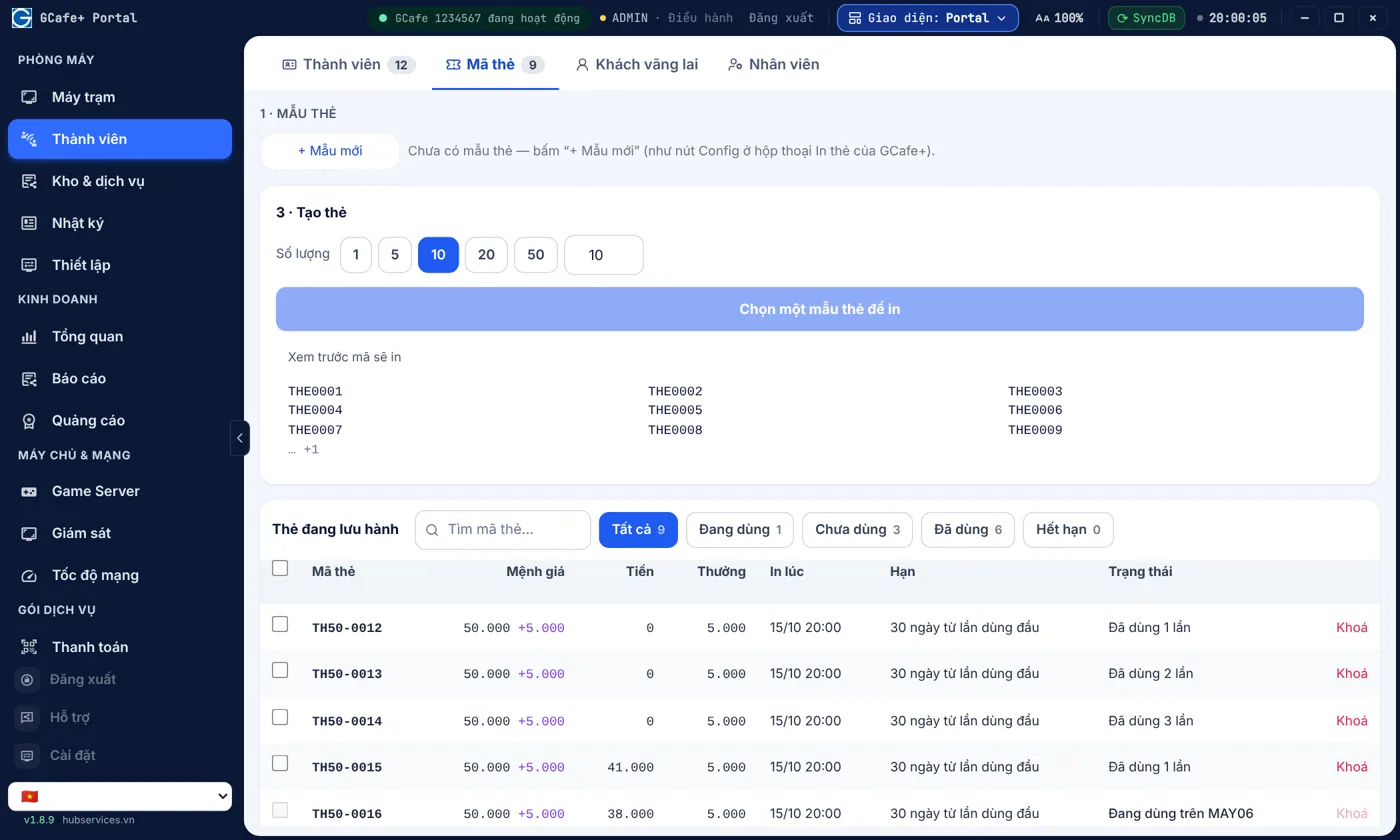
Thẻ coupon giờ chơi, dịch vụ: in sẵn là bán được

In thẻ giờ chơi, thẻ dịch vụ bán trước để có tiền ngay; khoá thẻ lộ mã, xem lịch sử từng thẻ.

  • Bán trước giờ chơi, có tiền mặt ngay
  • Thẻ cộng tiền thưởng để khách mua nhiều hơn
Xem chi tiết →
Thẻ coupon — Giao diện Classic

Giao diện Classic

Trên điện thoại

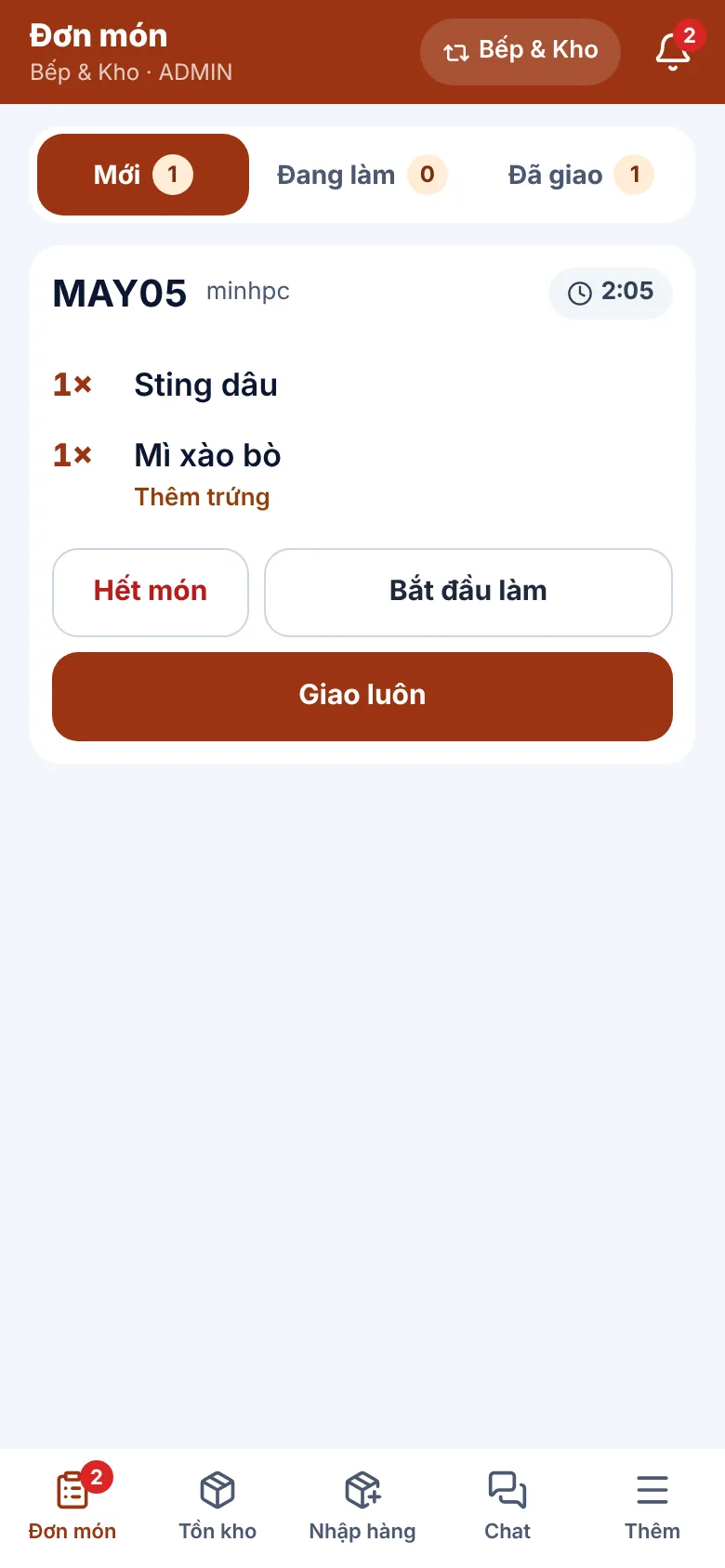
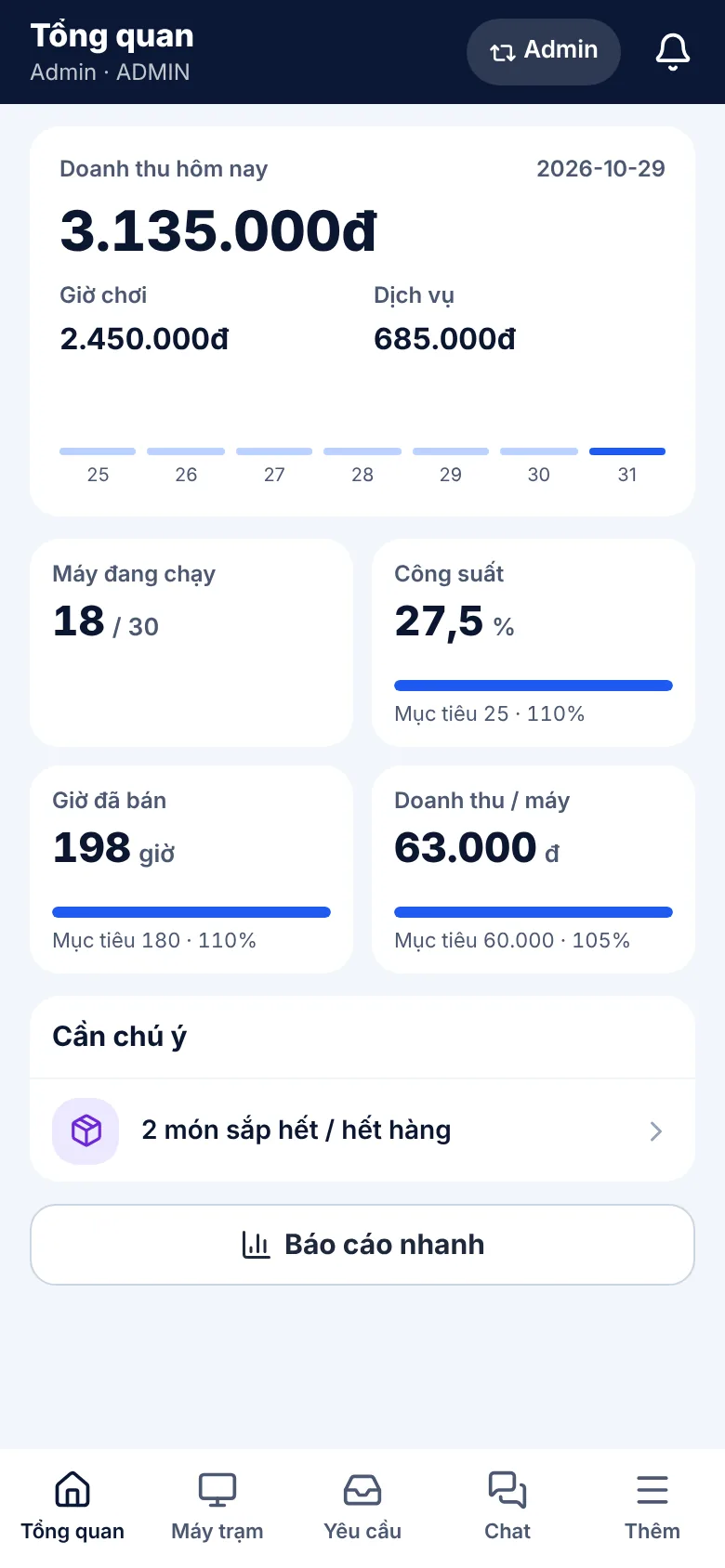
Chủ quán đi vắng vẫn nắm quán; nhân viên không phải chạy về quầy.

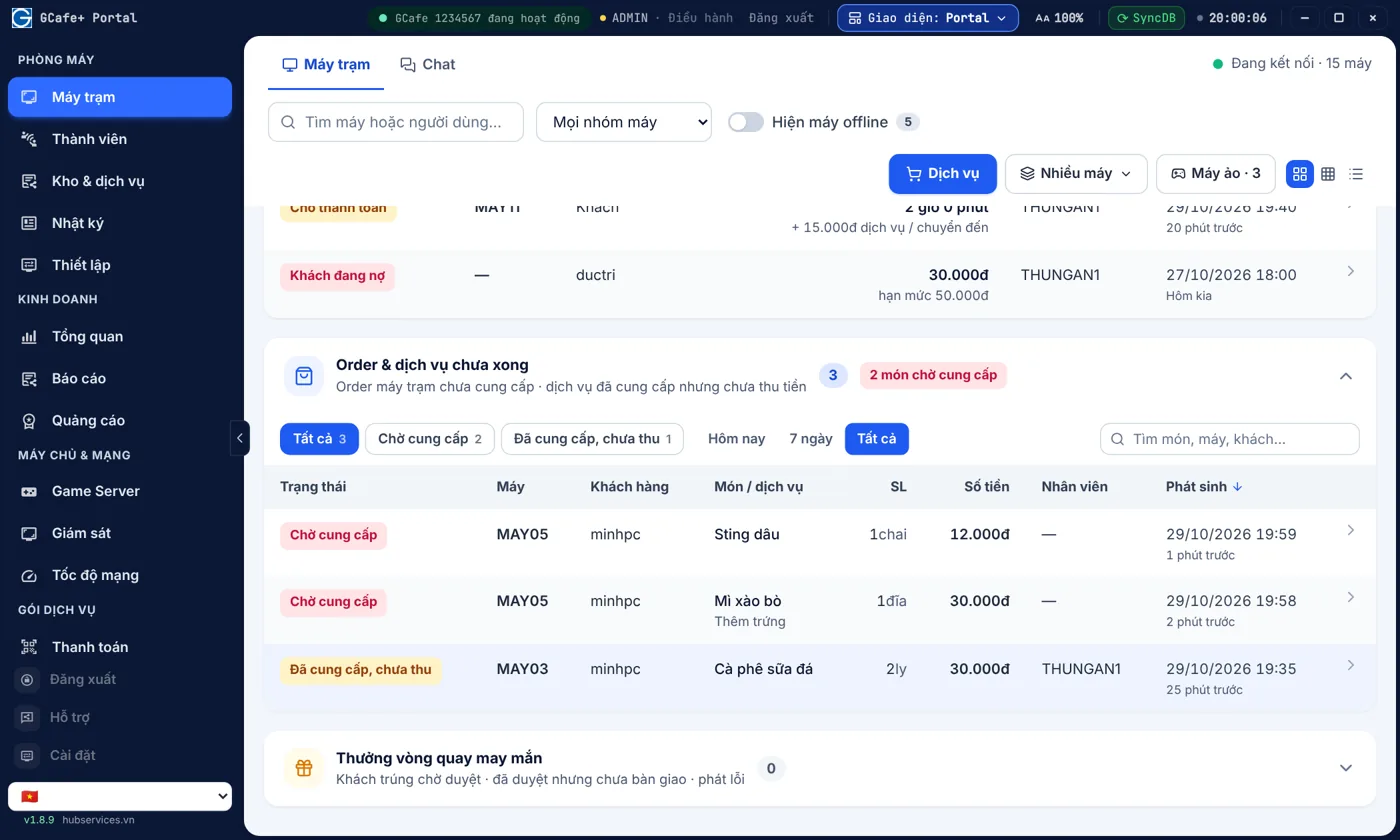
Mở GCafe Portal trên điện thoại, mỗi vai trò — Admin, Thu ngân, Bếp & Kho — có một giao diện riêng.

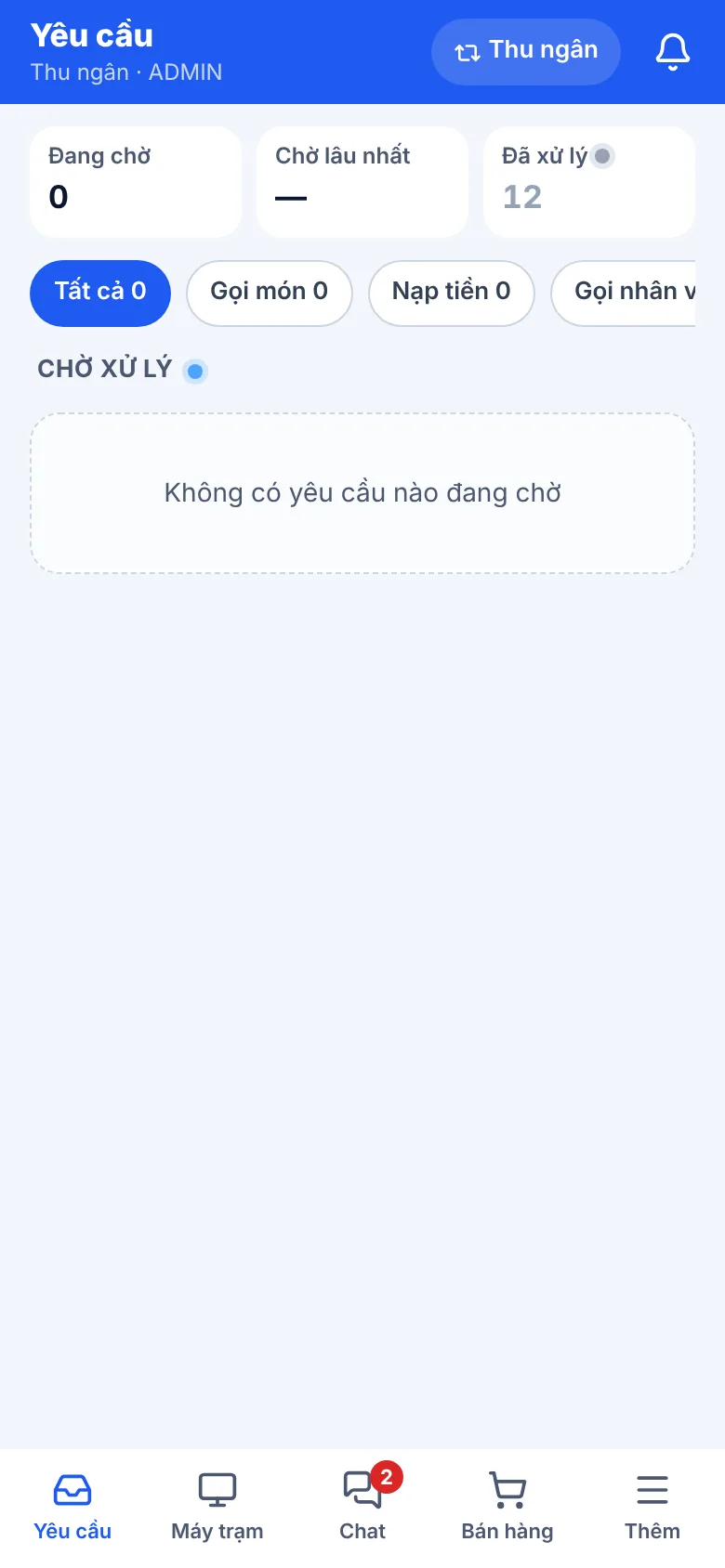
Mỗi người một giao diện điện thoại, chỉ thấy đúng việc của mình

Admin xem doanh thu từ xa, thu ngân nhận yêu cầu nạp tiền và order, Bếp & Kho nhận món và nhập hàng bằng mã vạch — mỗi người một giao diện.

  • Chủ quán theo dõi quán từ xa
  • Khách nhắn là nhân viên thấy, phục vụ nhanh hơn
Xem chi tiết →
Giao diện điện thoại vai trò Admin

Admin

Quảng cáo trên máy trạm

Biến từng máy trạm thành bảng quảng cáo của quán.

Khách nhìn màn hình máy suốt buổi chơi. Banner, hình nền và vòng quay may mắn giúp quán giới thiệu combo, giải đấu, chương trình nạp tiền ngay trước mắt khách — chỉnh tất cả trong mục Quảng cáo của GCafe Portal.

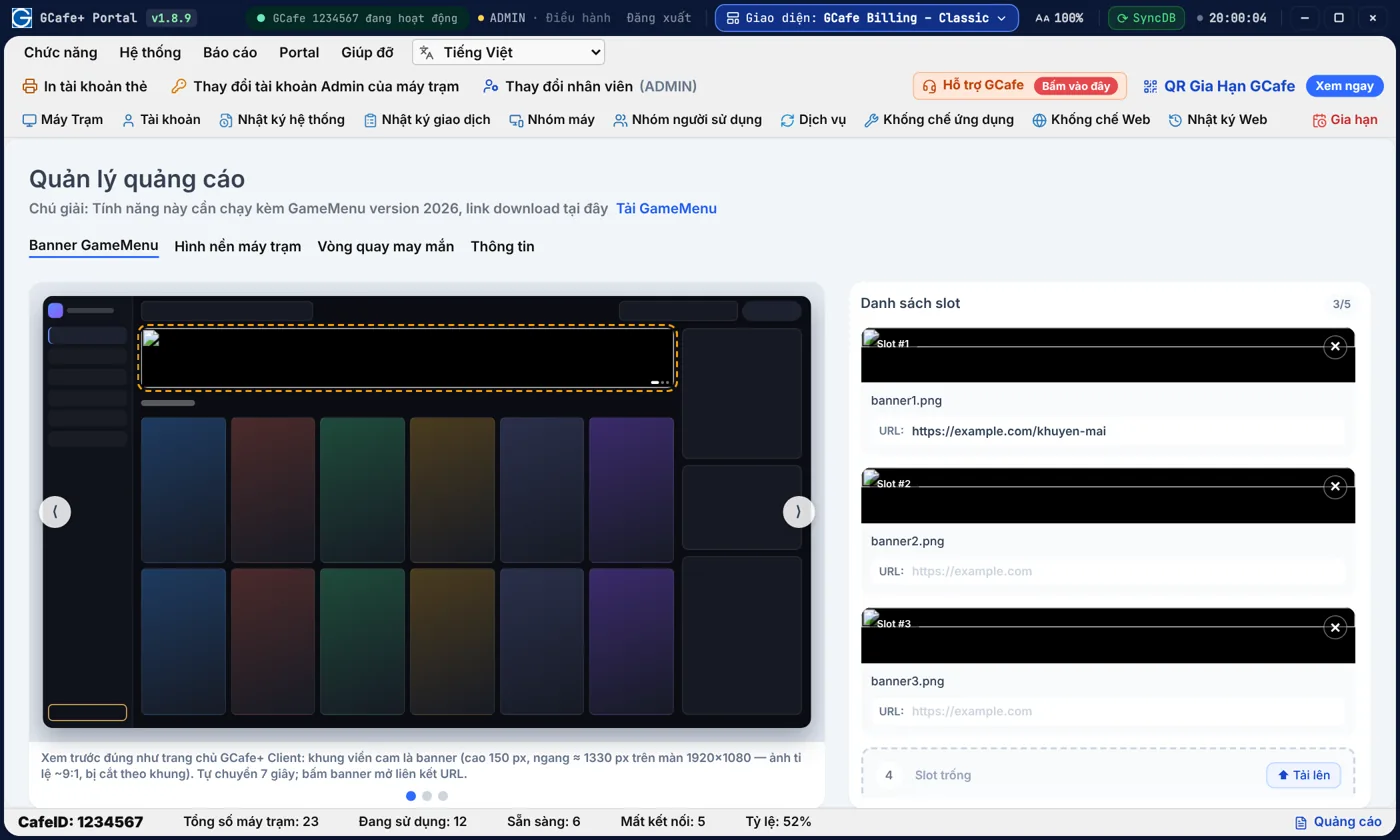
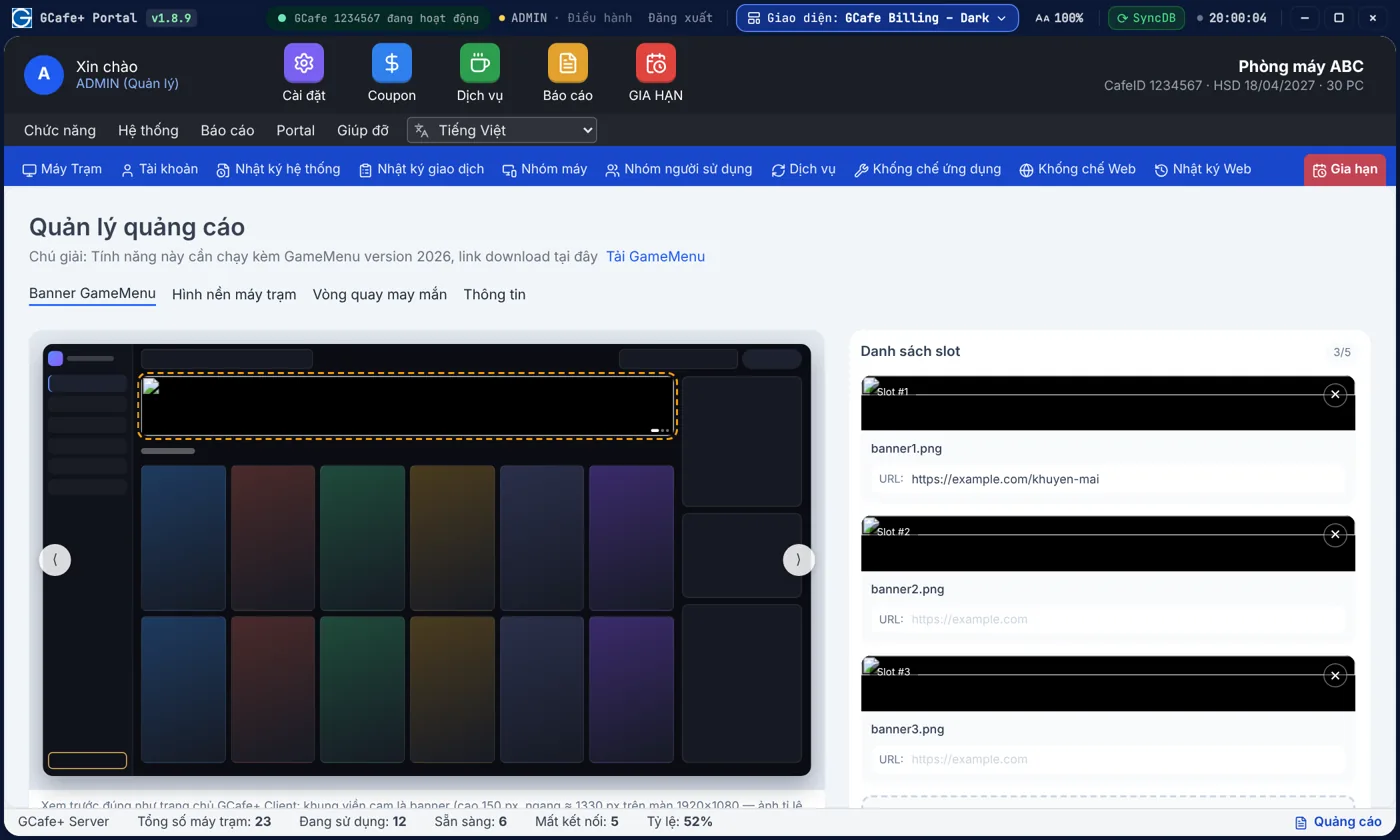
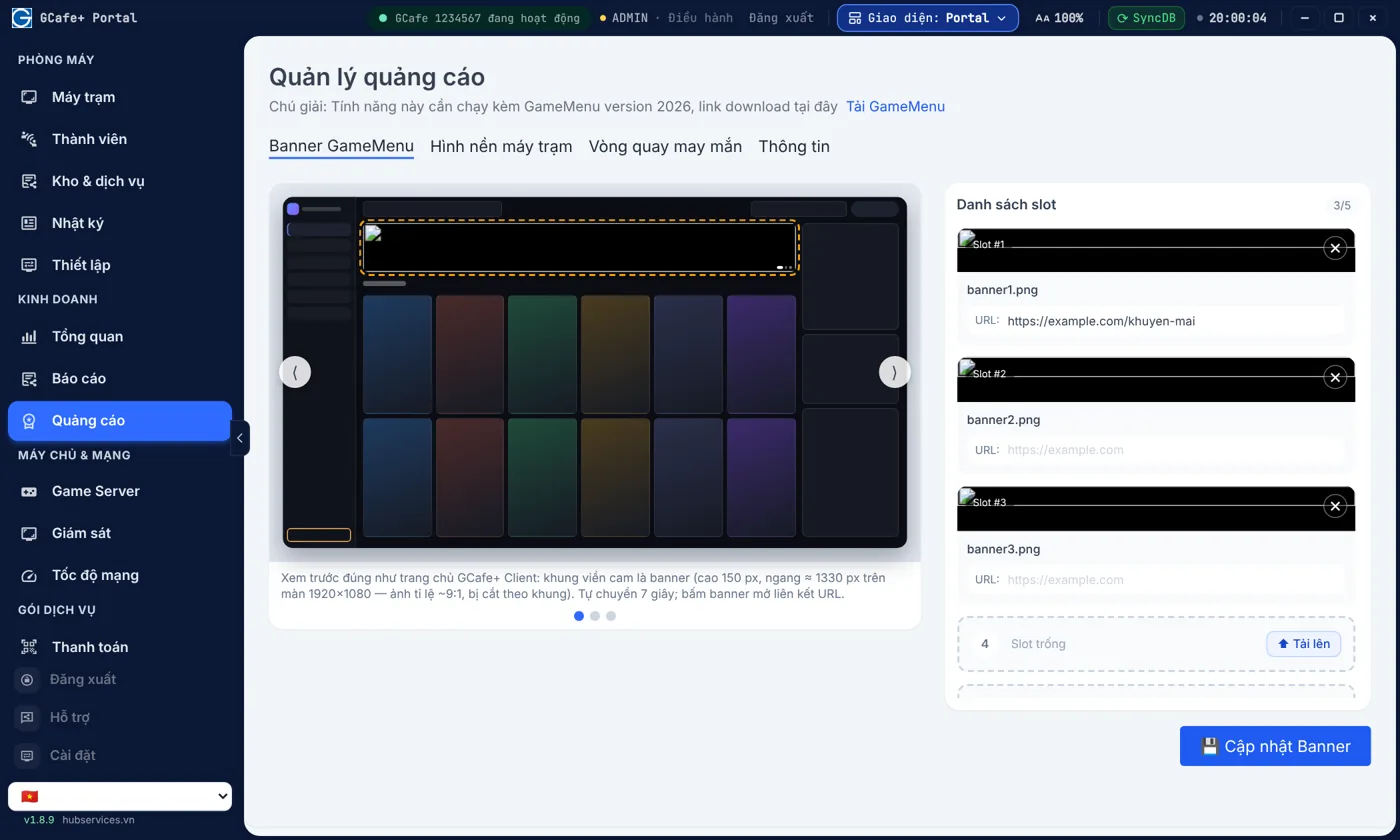
Mọi khách ngồi máy đều thấy chương trình của quán

Banner combo, giải đấu, nạp tiền tặng giờ hiện ngay trang chủ máy trạm — chỗ khách nào cũng nhìn.

  • Quảng cáo miễn phí ngay trên máy khách đang ngồi
  • Mỗi banner một link: fanpage, form đăng ký giải đấu
Xem chi tiết →
Quản lý banner quảng cáo — Giao diện Classic

Giao diện Classic

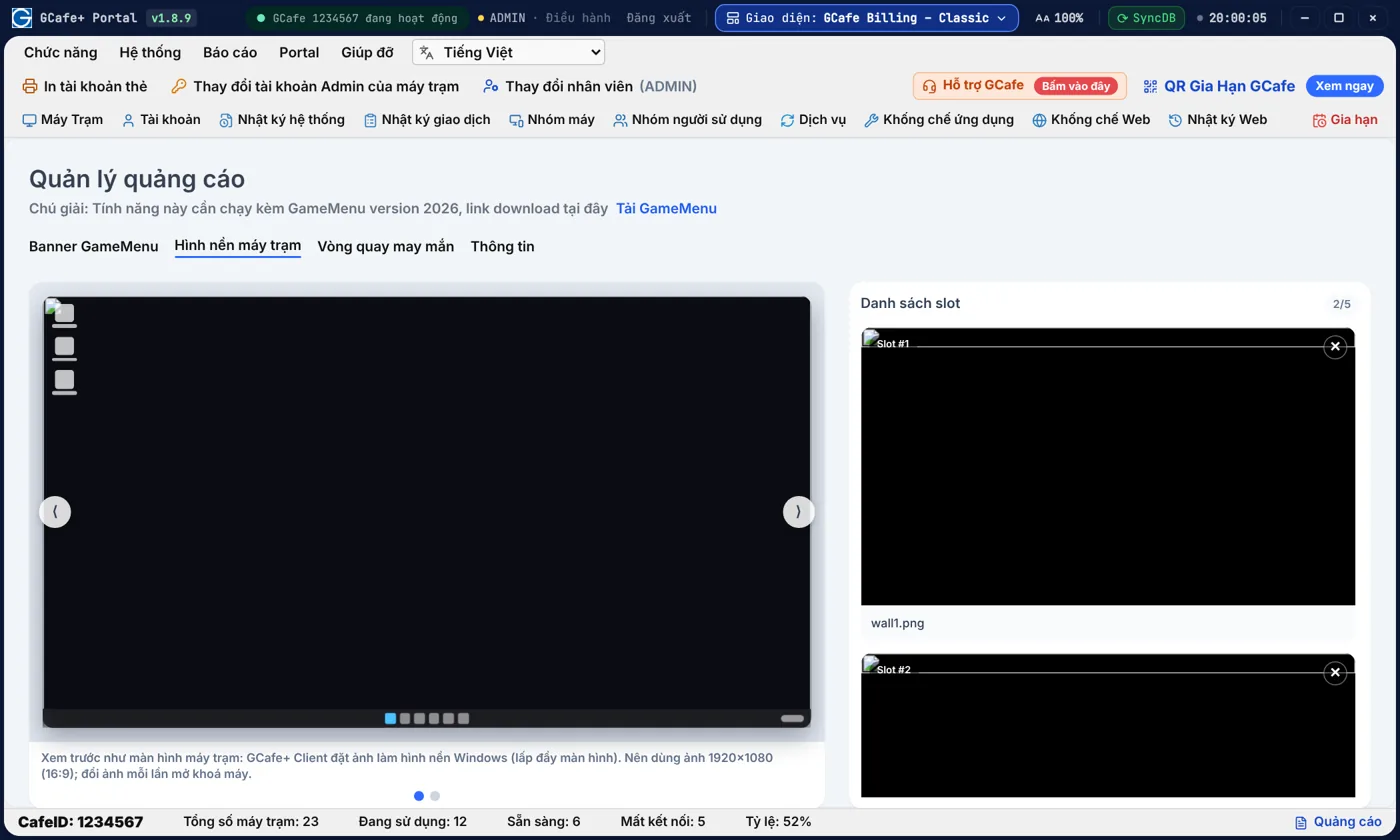
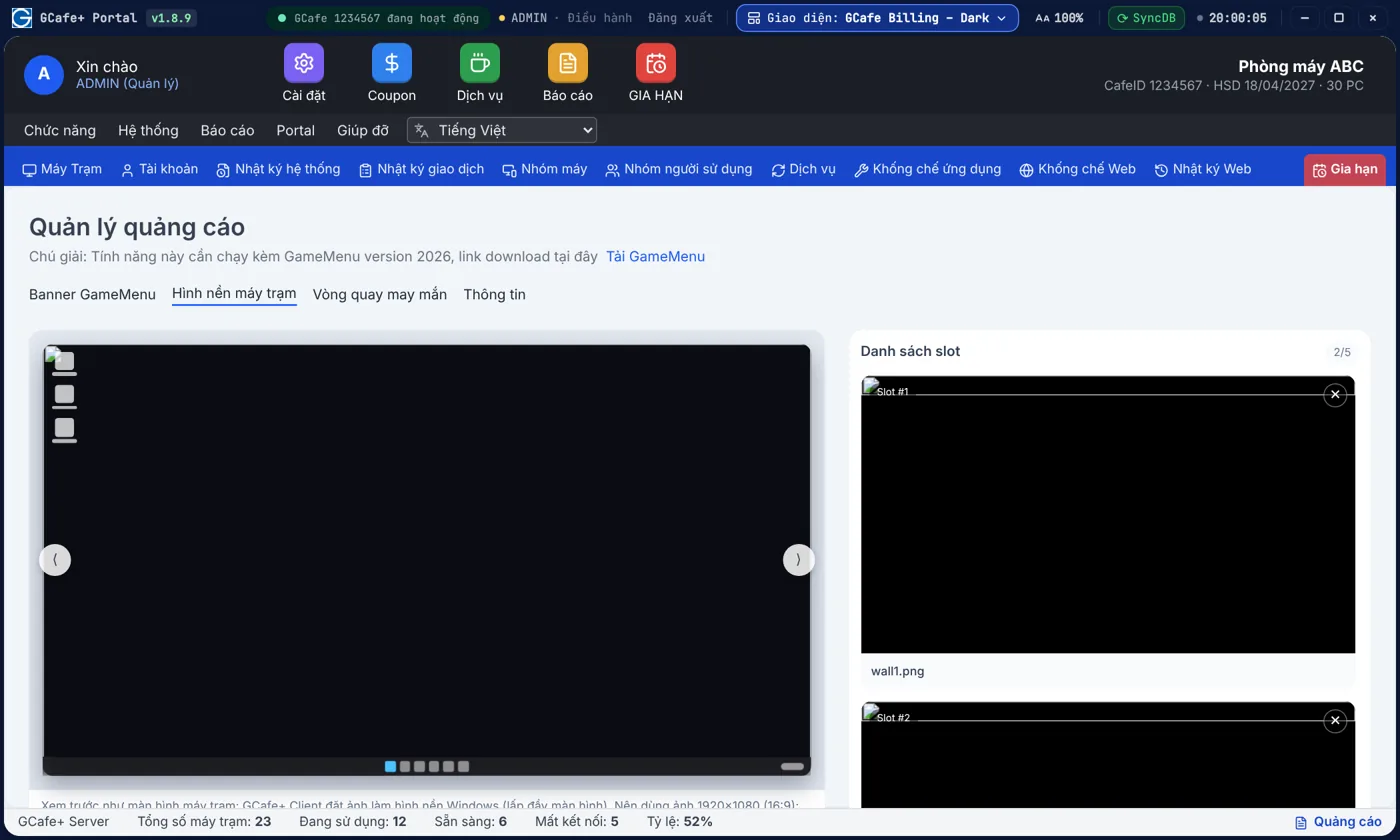
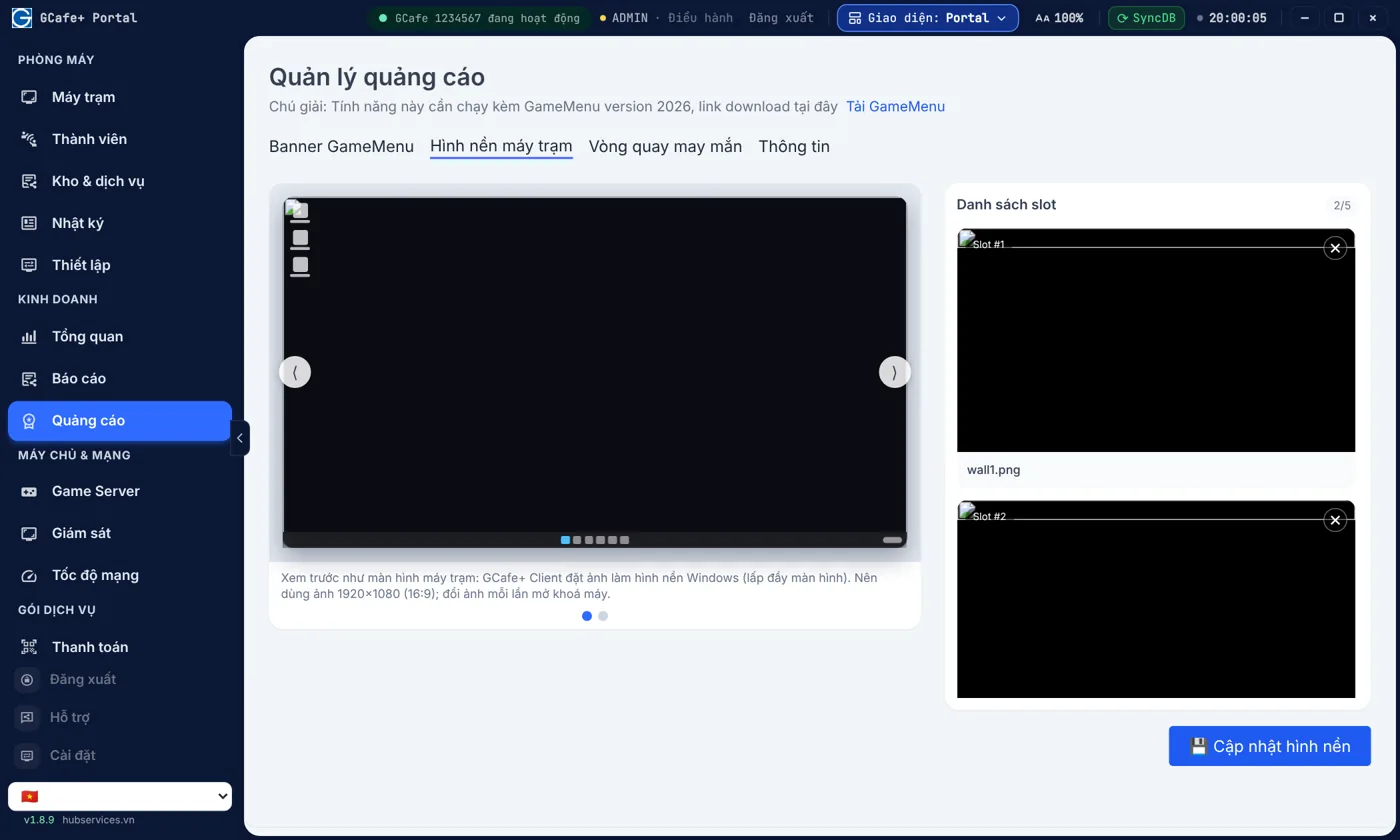
Hình nền máy trạm mang thương hiệu quán

Hình nền mang logo và chương trình của quán, tự đổi mỗi lần mở khoá máy, áp cho mọi máy một lần.

  • Quán trông chuyên nghiệp, có thương hiệu riêng
  • Đổi chương trình theo tháng, theo sự kiện
Xem chi tiết →
Quản lý hình nền máy trạm — Giao diện Classic

Giao diện Classic

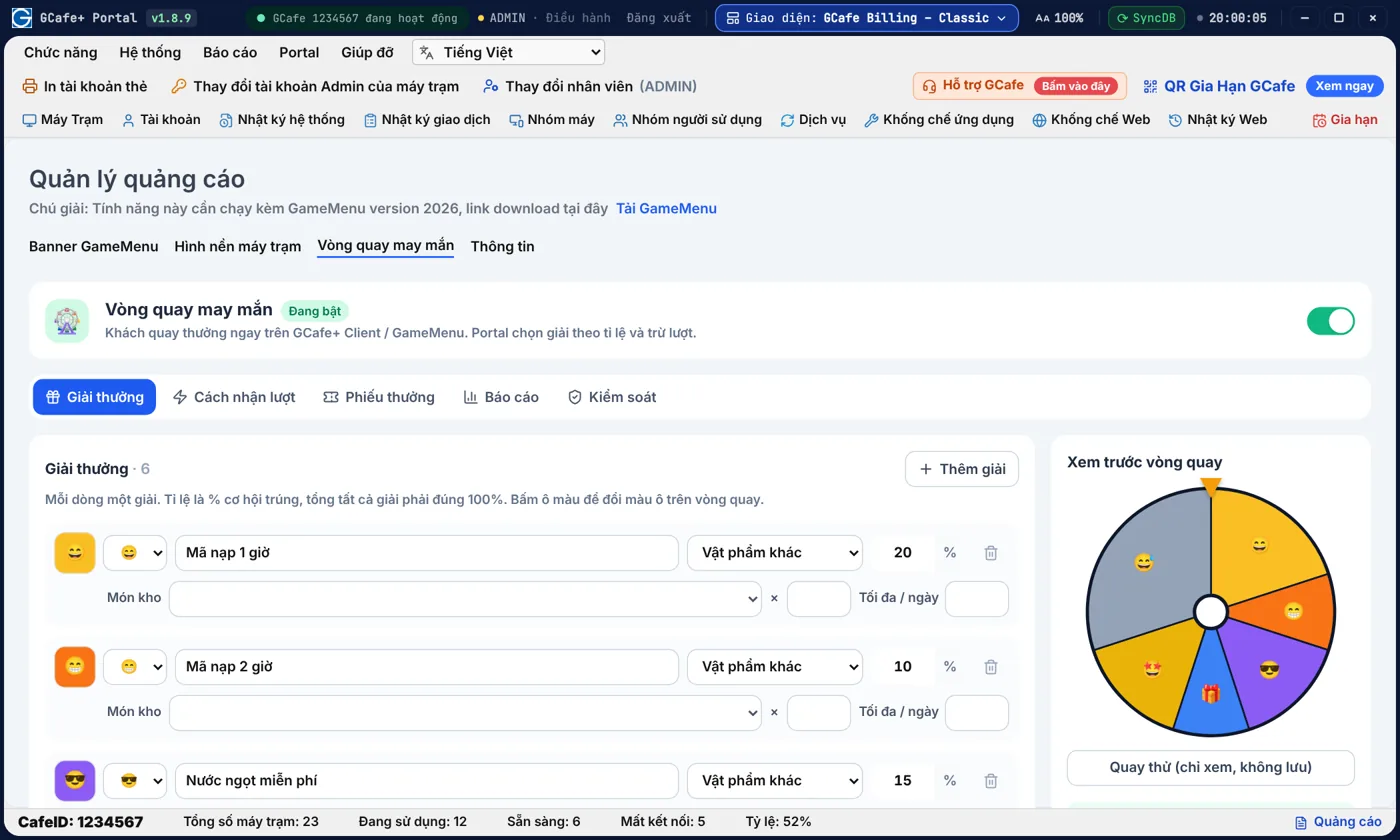
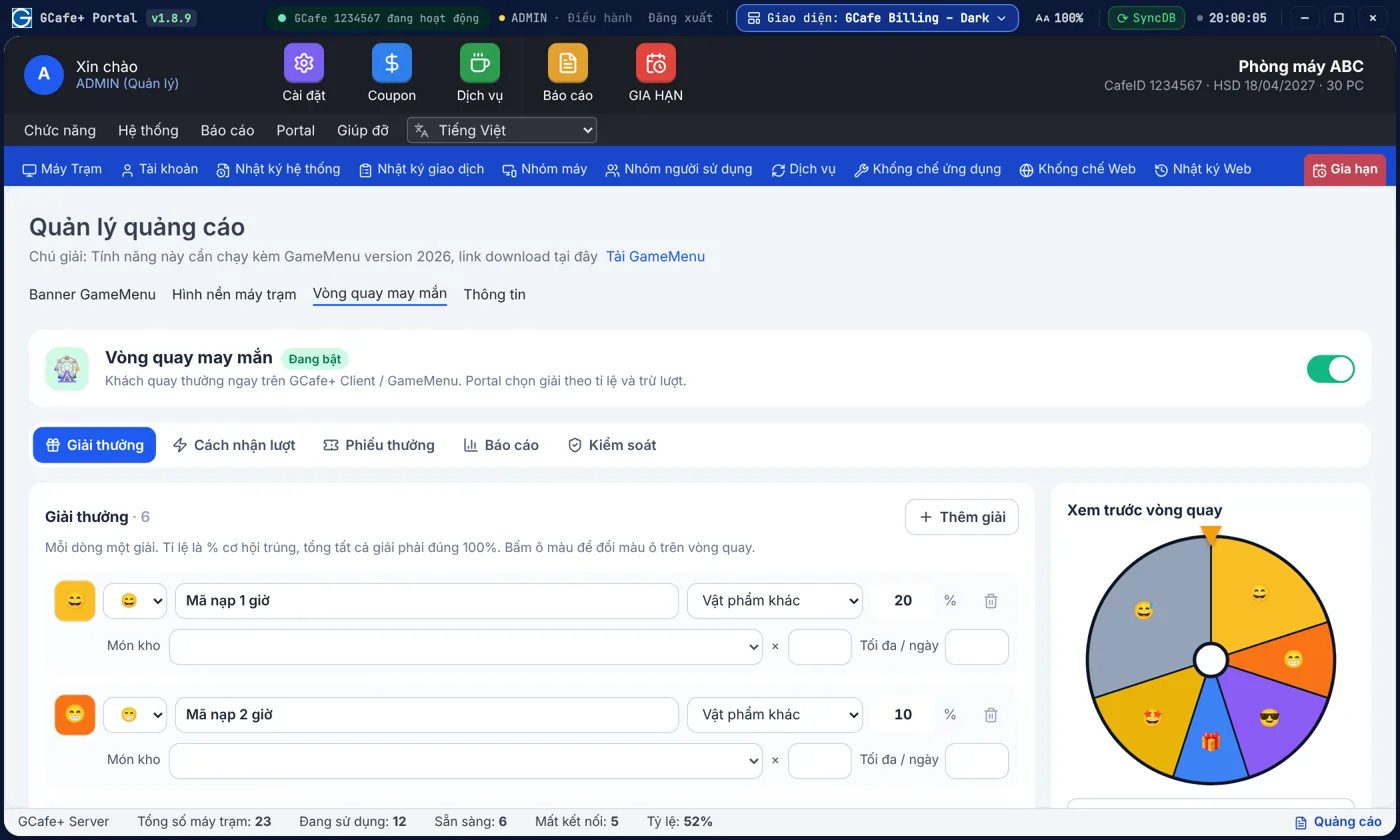
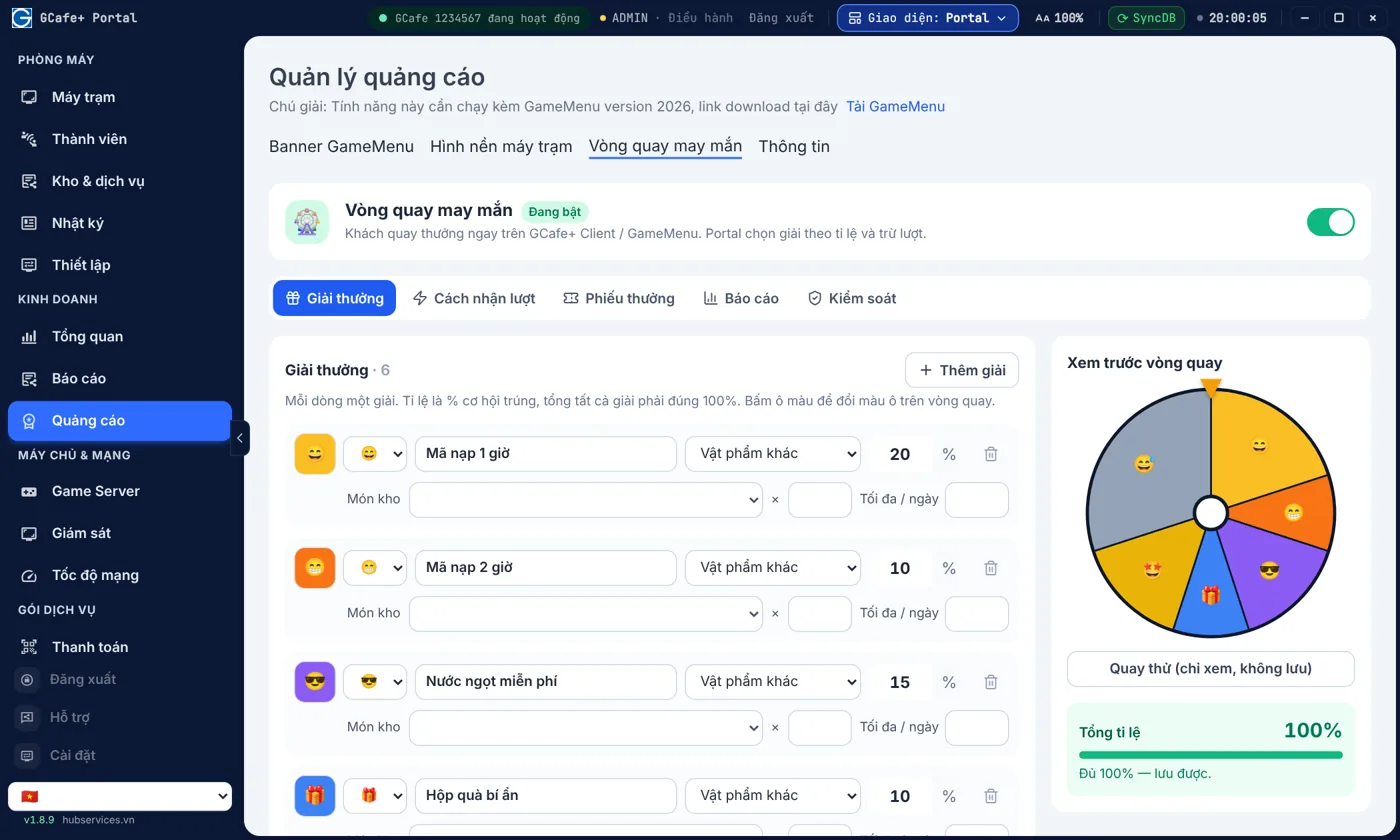
Tự thiết kế vòng quay vừa túi tiền của quán

Quán tự chọn giải, tỉ lệ trúng và giới hạn mỗi ngày để vòng quay vừa vui vừa không vượt ngân sách.

  • Kiểm soát chi phí giải thưởng mỗi ngày
  • Gắn lượt quay với nạp tiền, giờ chơi
Xem chi tiết →
Thiết lập vòng quay may mắn — Giao diện Classic

Giao diện Classic

Thương hiệu quán

Máy trạm mang tên quán của bạn, không phải tên phần mềm.

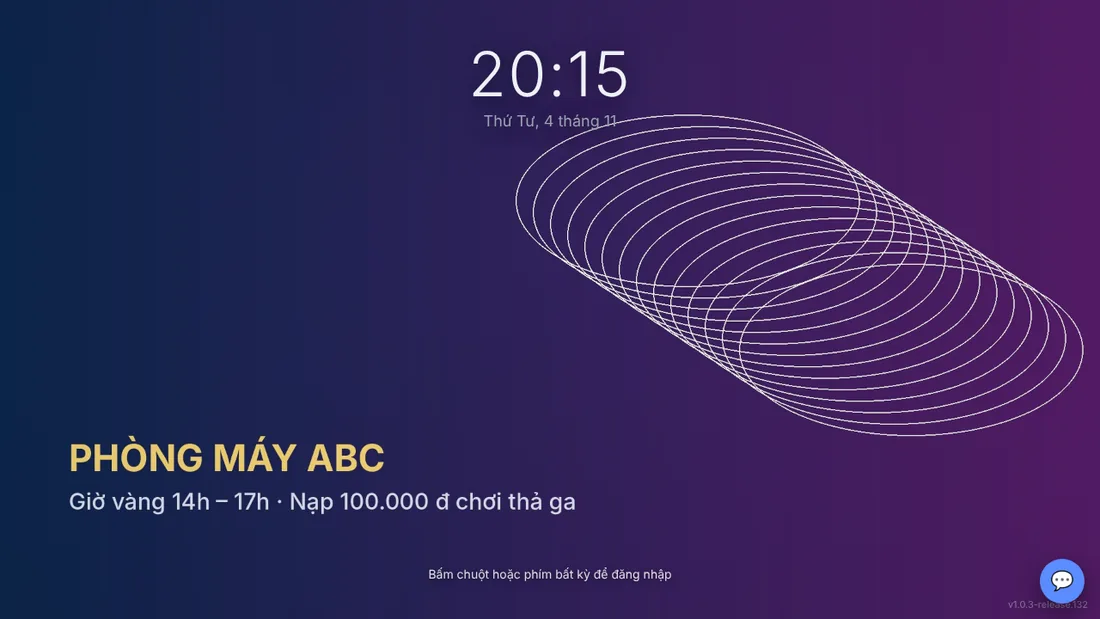
Logo, tên quán, tông màu và nền màn hình khoá — cấu hình một lần trong GCafe Portal, mọi máy trạm GCafe+ Client cùng đổi.

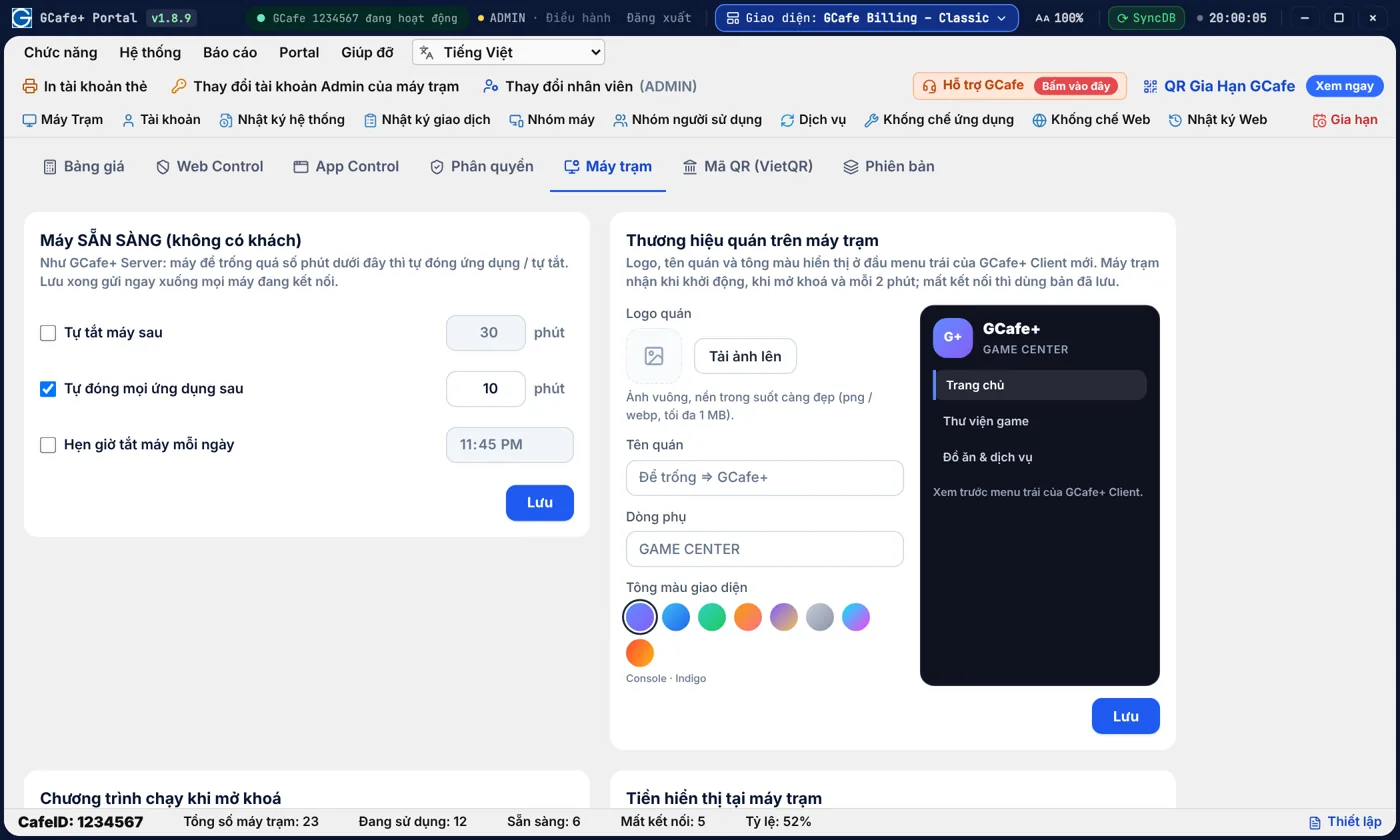
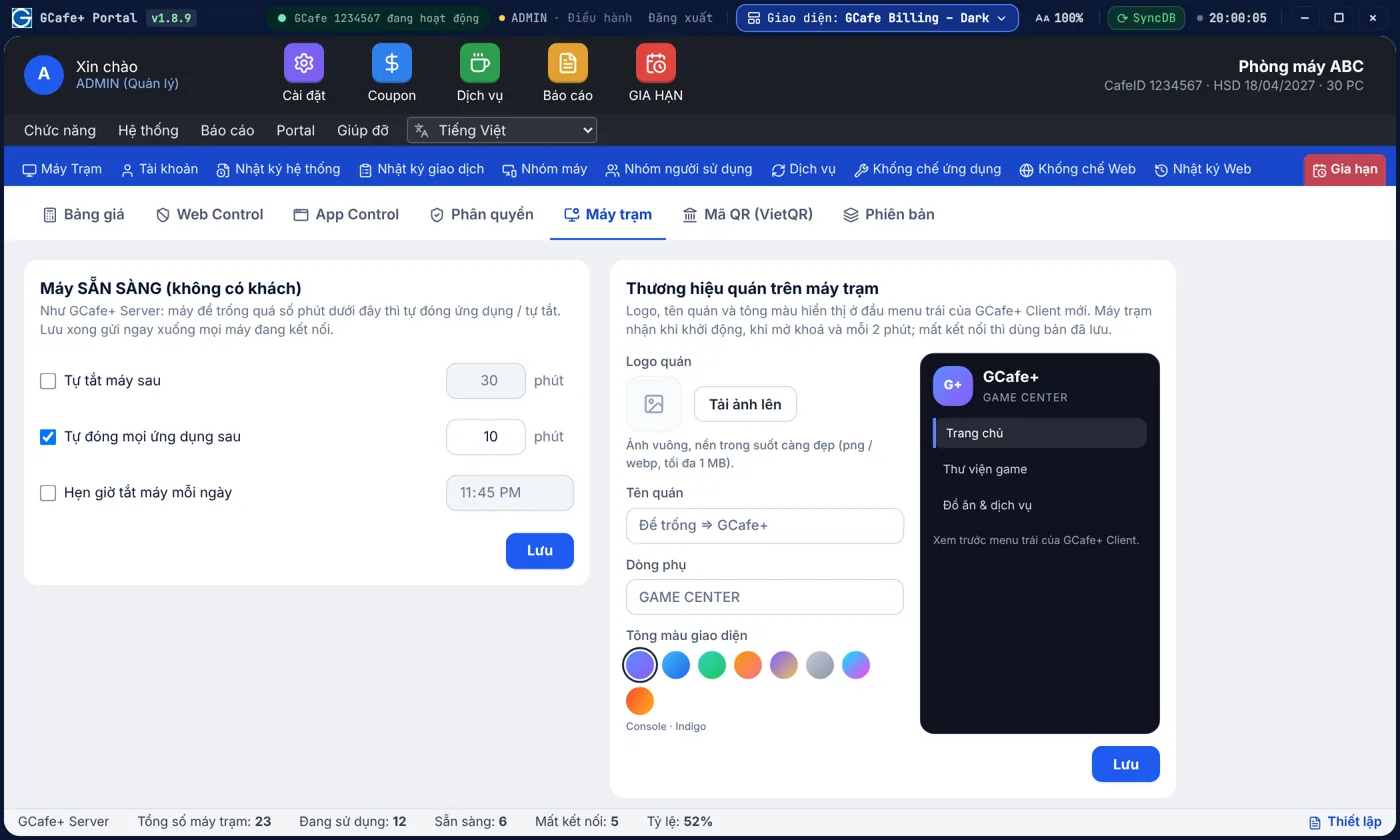
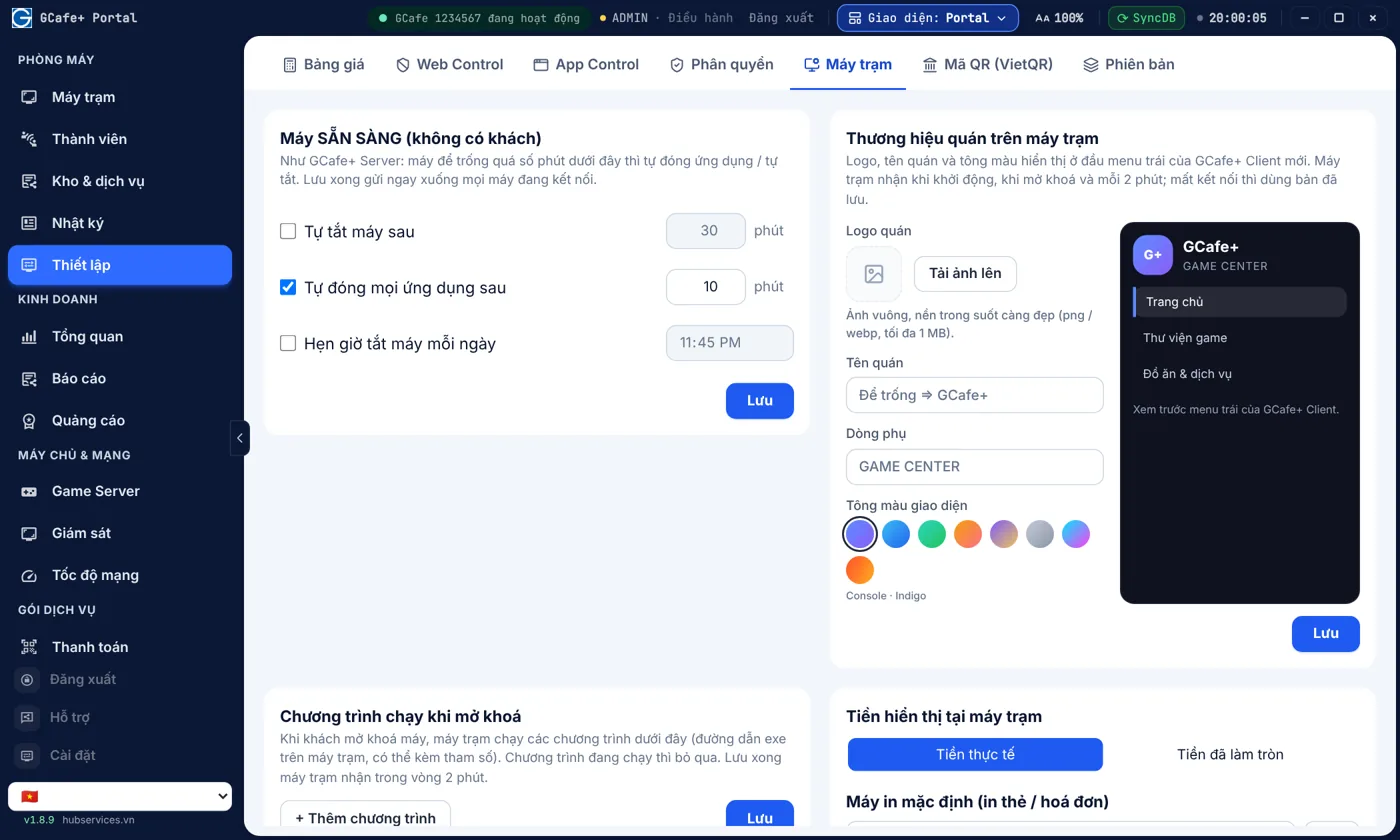
Logo, tên quán, tông màu: chỉnh một lần, mọi máy trạm đổi theo

Tải logo, đặt tên quán, chọn tông màu một lần — mọi máy trạm đổi theo trong vòng 2 phút.

  • Không phải đi từng máy để đổi
  • Xem trước đúng như trên GCafe+ Client
Xem chi tiết →
Cấu hình thương hiệu quán trên máy trạm — Giao diện Classic

Giao diện Classic

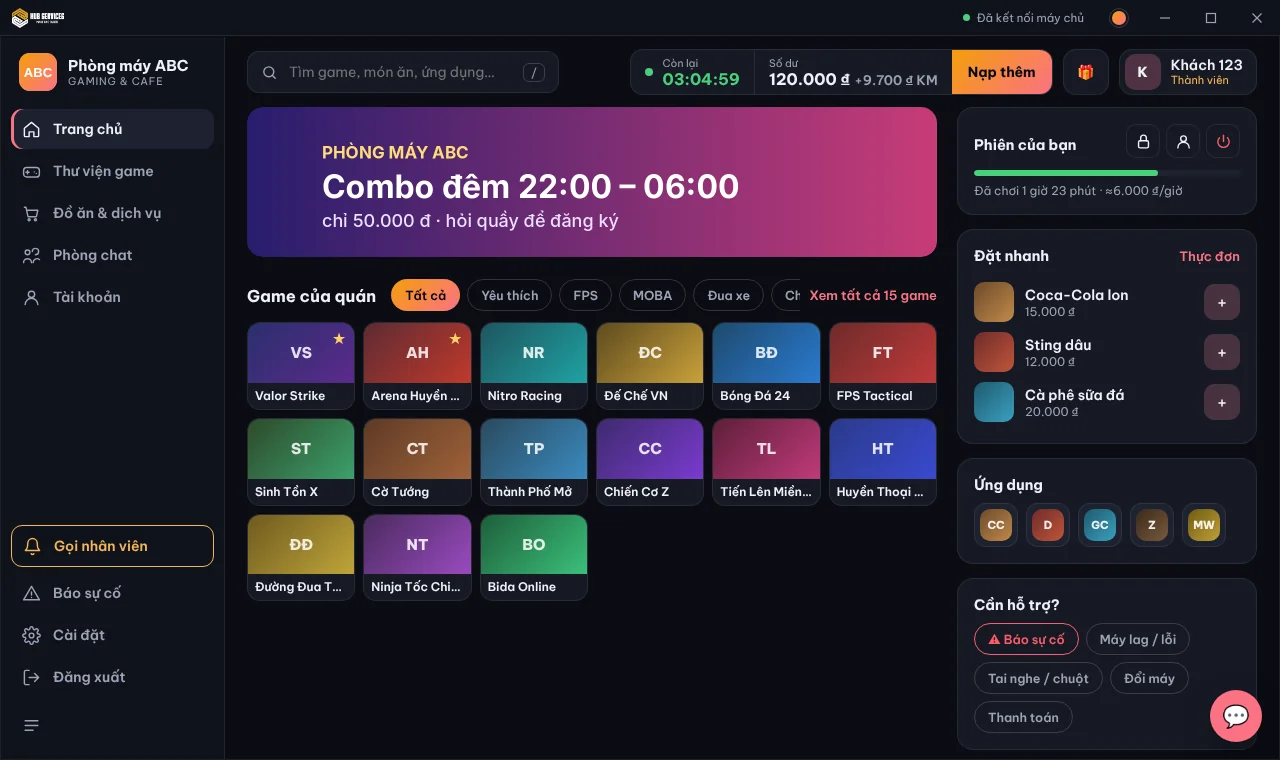
Khách thấy thương hiệu quán từ lúc mở máy đến lúc chơi

Từ màn hình khoá đến GCafe+ Client, khách luôn thấy tên, logo và chương trình của quán.

  • Màn hình khoá: tên quán, khuyến mãi, nền ảnh / video
  • GCafe+ Client: logo, tên, tông màu riêng
Xem chi tiết →
GCafe+ Client mang logo và tên Phòng máy ABC

GCafe+ Client

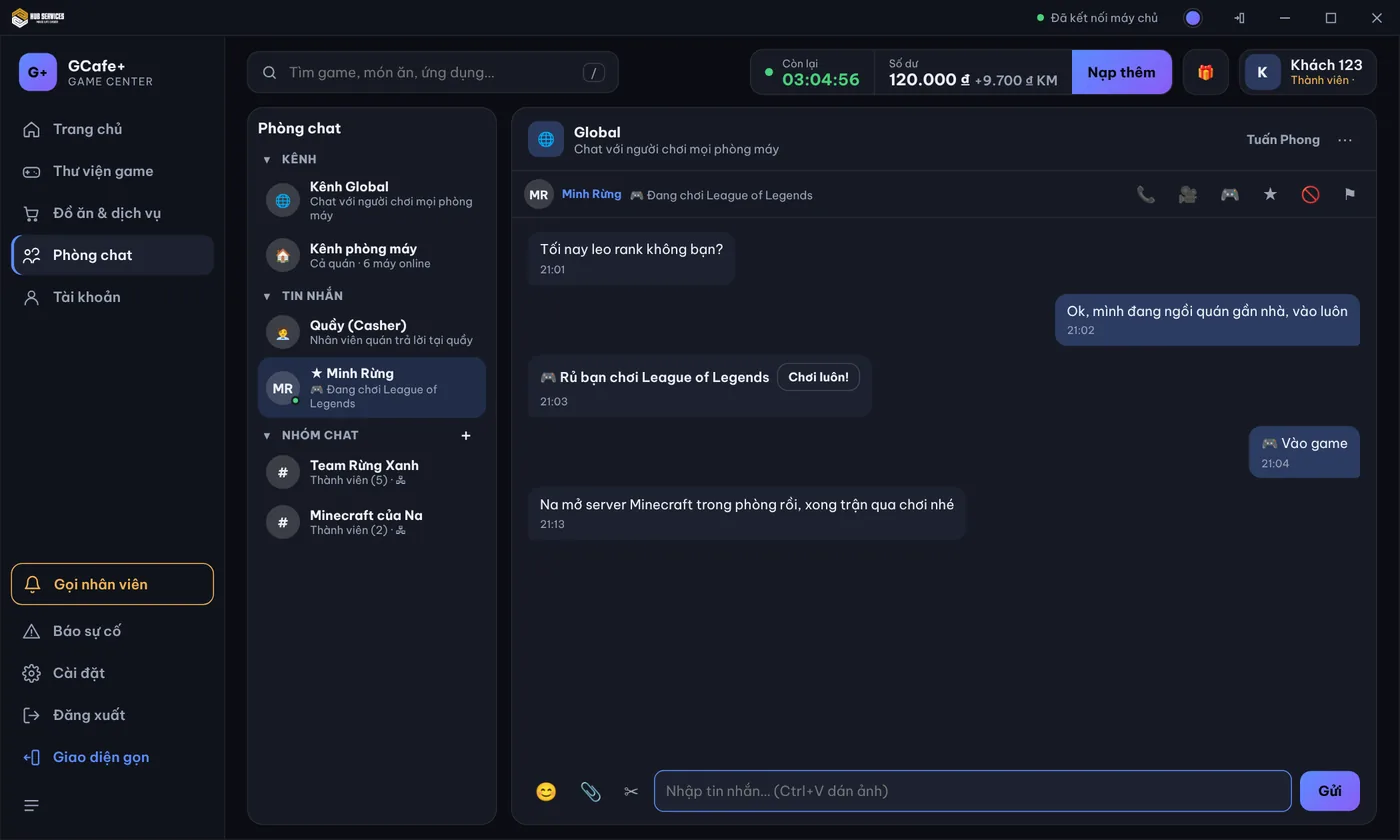
New chat in GCafe Billing

Players ask for a top-up, and the counter clicks Top up right in the chat window.

Players don't need to call staff or walk to the counter. They send a message from the client PC, the counter receives it in GCafe Billing, handles it fast, and a sound alerts staff when a player sends a chat.

The counter gets top-up requests and clicks Top up right in the chat window

The Chat tab groups conversations by PC. When a player asks for a top-up, the counter sees the amount and the current balance, then clicks Top up or Decline. See more on the GCafe Billing page.

  • A sound alert when a player sends a chat, so staff don't miss a message
  • Pick a quick top-up amount or type the amount to top up
  • Ready-made replies such as "Got it, the counter has received it" or "Staff is on the way to your PC"
  • Old requests are marked, so you only handle the latest one
GCafe Billing Chat tab: list of PCs that sent messages, a top-up request card with Top up and Decline buttons, quick top-up amounts and a chat window with quick replies
GCafe Billing: Chat tab with a player's top-up request

On the player's side: top up, call the counter and chat right on the client PC

Players check their remaining time, balance and reward points, and top up using the amounts your cafe sets. If they need anything, they message the counter and never leave their seat.

  • Top up by preset amount, scan a QR code or call the counter for a cash top-up
  • Redeem a coupon card right on the account page
  • Quick messages: report an issue, PC lag/error, headset/mouse, change PC, payment, call staff
  • Quick top-up buttons for several amounts right in the chat window with the counter
Account page on the new GCafe+ client PC: time left, balance, top-up amounts, QR code, coupon redemption, history and a chat window with the counter and quick messages
The player's account page on the new client PC
GCafe+ Client bản mới

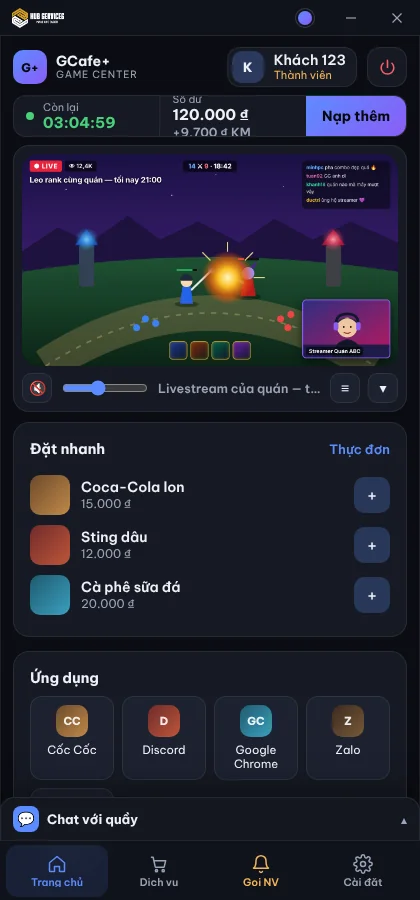
Một Client cho mọi kiểu quán: có GameMenu, không GameMenu, hay đang dùng phần mềm game khác.

GCafe+ Client tương thích với mọi cách quán đang cập nhật game, và cho quán chọn có hay không hiển thị GameMenu — một Client phục vụ được mọi kiểu quán.

Khách tự tìm game, tự gọi đồ, tự nạp thêm — quầy đỡ bị gọi

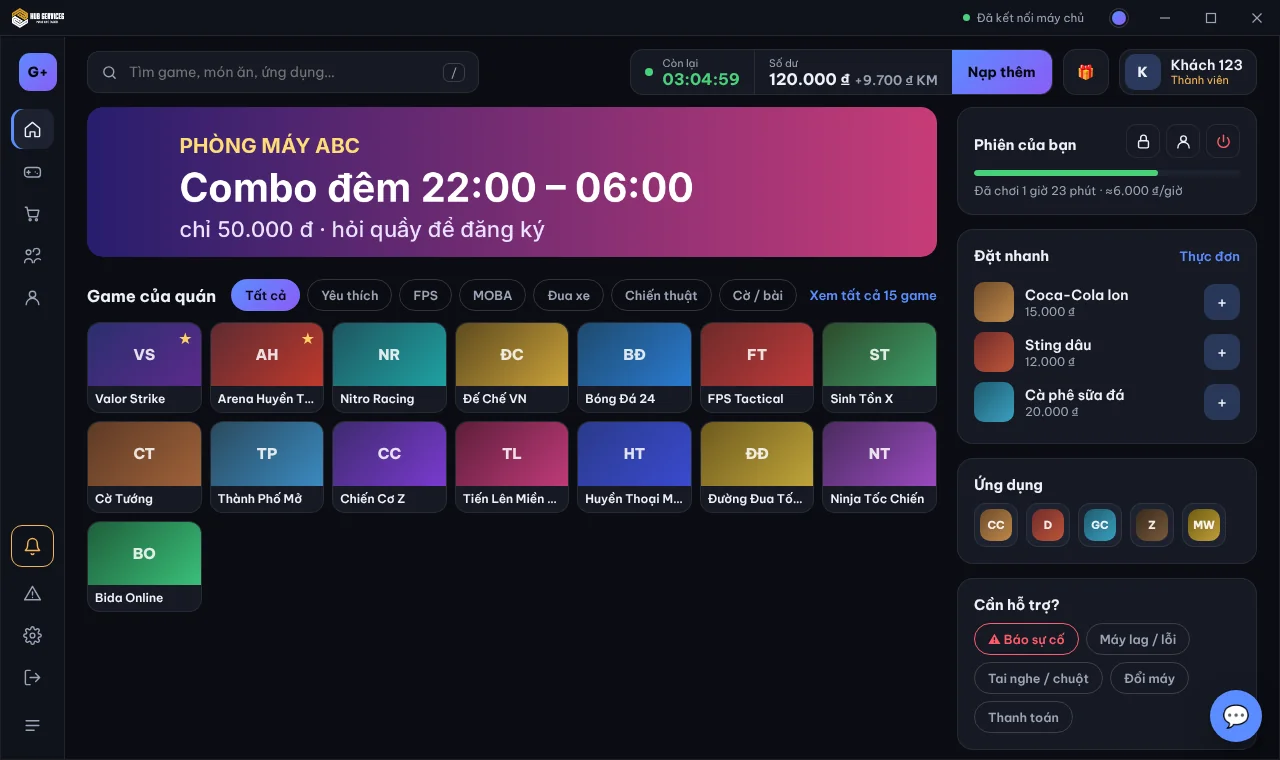
Khách tự tìm game, gọi món, nạp thêm giờ, báo sự cố ngay tại máy — nhân viên bớt bị gọi giờ cao điểm.

  • Bớt việc vặt cho nhân viên giờ cao điểm
  • Khách gọi thêm đồ dễ hơn, quán bán được nhiều hơn
Xem chi tiết →
GCafe+ Client có GameMenu, thanh menu thu gọn
GCafe+ Client — có GameMenu

Game cập nhật từ phần mềm nào, GCafe+ Client cũng nhận ra và hiện trên Menu Game

Game cập nhật từ hệ thống nào cũng được nhận diện và hiện trên Menu Game; quán chọn hiển thị hoặc không hiển thị GameMenu.

  • Nhận diện game bất kể game được cập nhật từ hệ thống nào
  • Tuỳ chọn hiển thị hoặc không hiển thị GameMenu
Xem chi tiết →
GCafe+ Client giao diện gọn: khung video phát livestream của quán
GCafe+ Client — chế độ không GameMenu
New on GCafe

Turn your café into the place gamers want to come back to

Global Chat connects players at every GCafe café, virtual LAN enables inter-café tournaments, a chat channel for the whole café, and a counter look that suits you.

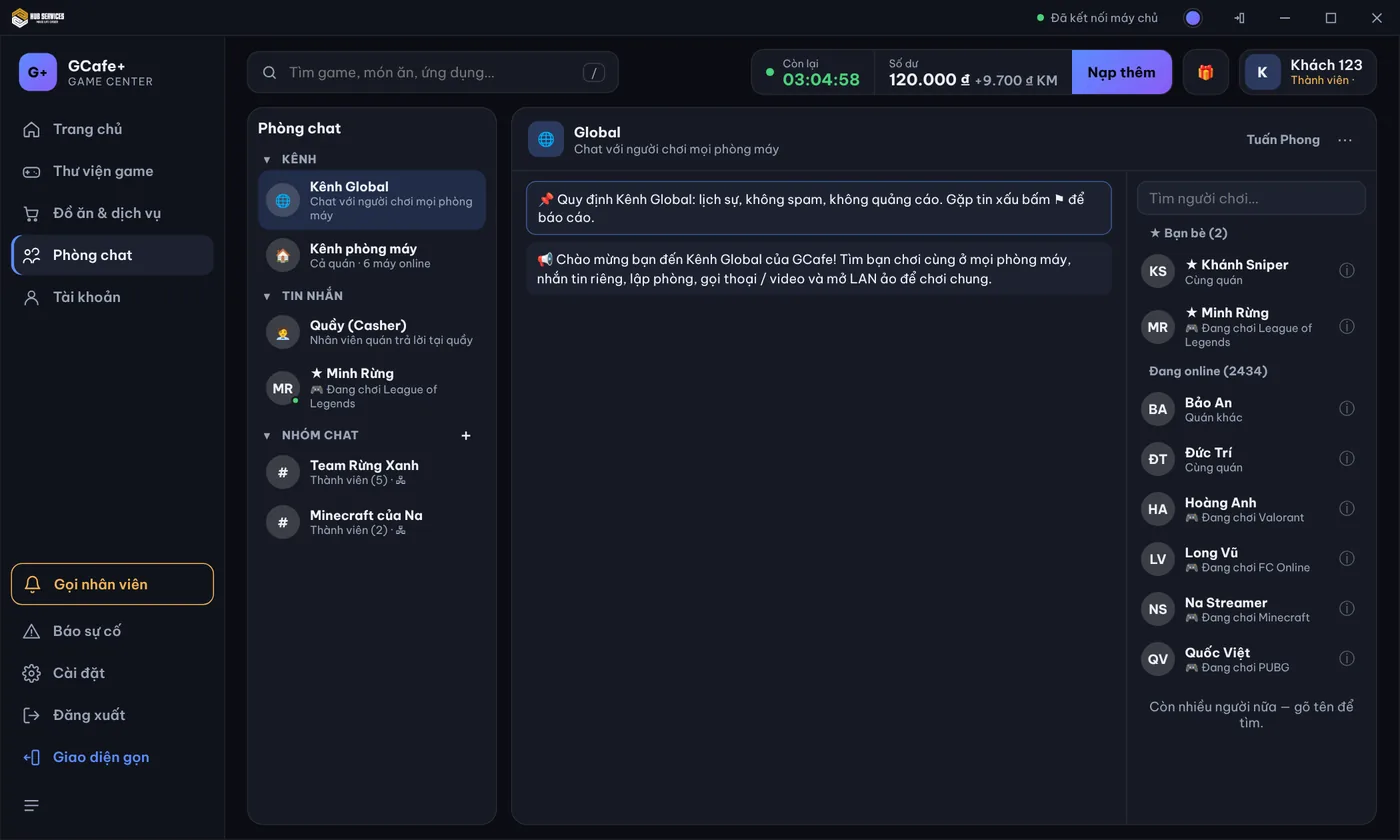
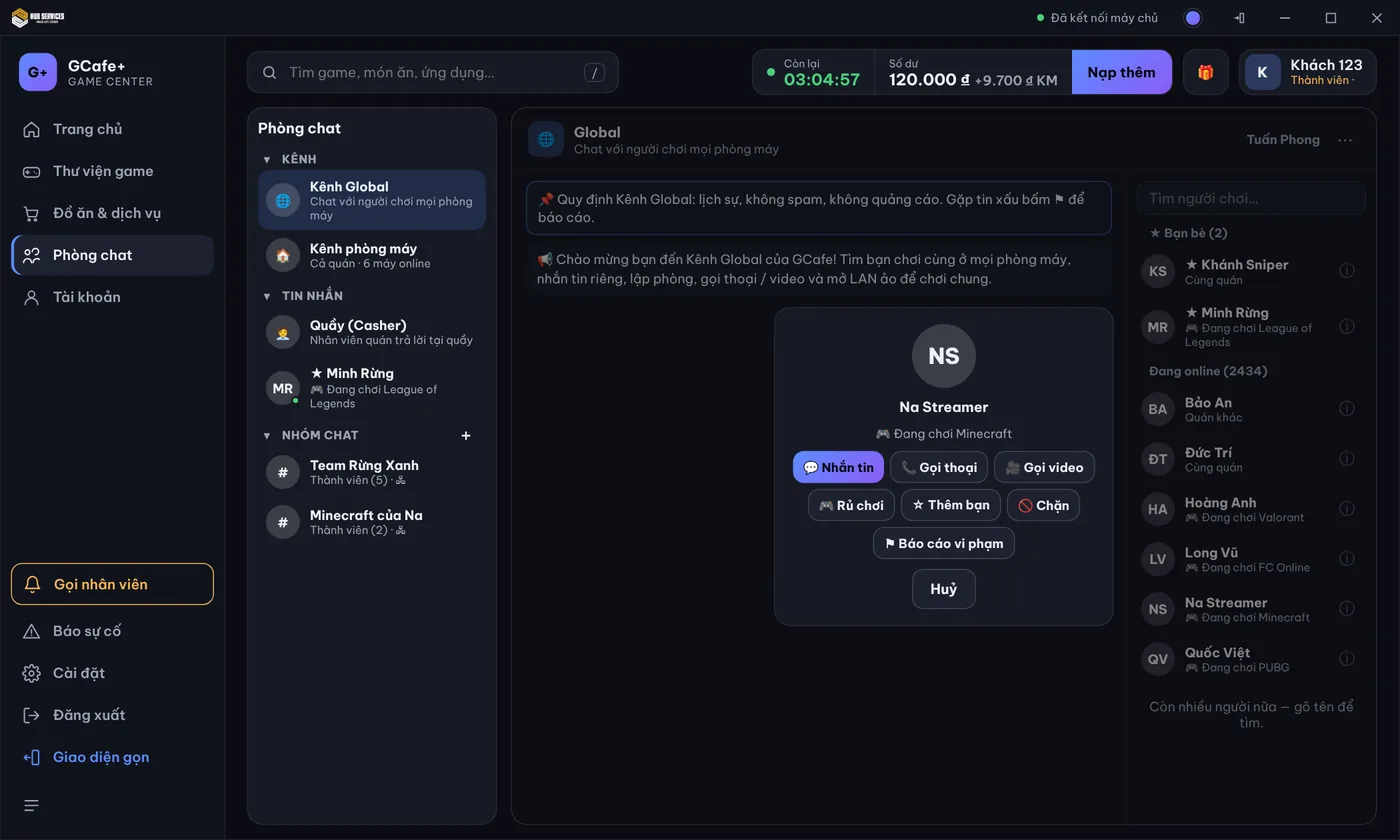
See who is online and what they're playing

Players chat, video call and invite friends at other GCafe cafés into a match right on GameMenu.

  • Announcements and events from GCafe pinned at the top
  • Friends belong to the account: still there at any GCafe café
See details →
See who is online and what they're playing — Global channel and the list of players online

Global channel and the list of players online

Inter-café tournaments with no venue to rent

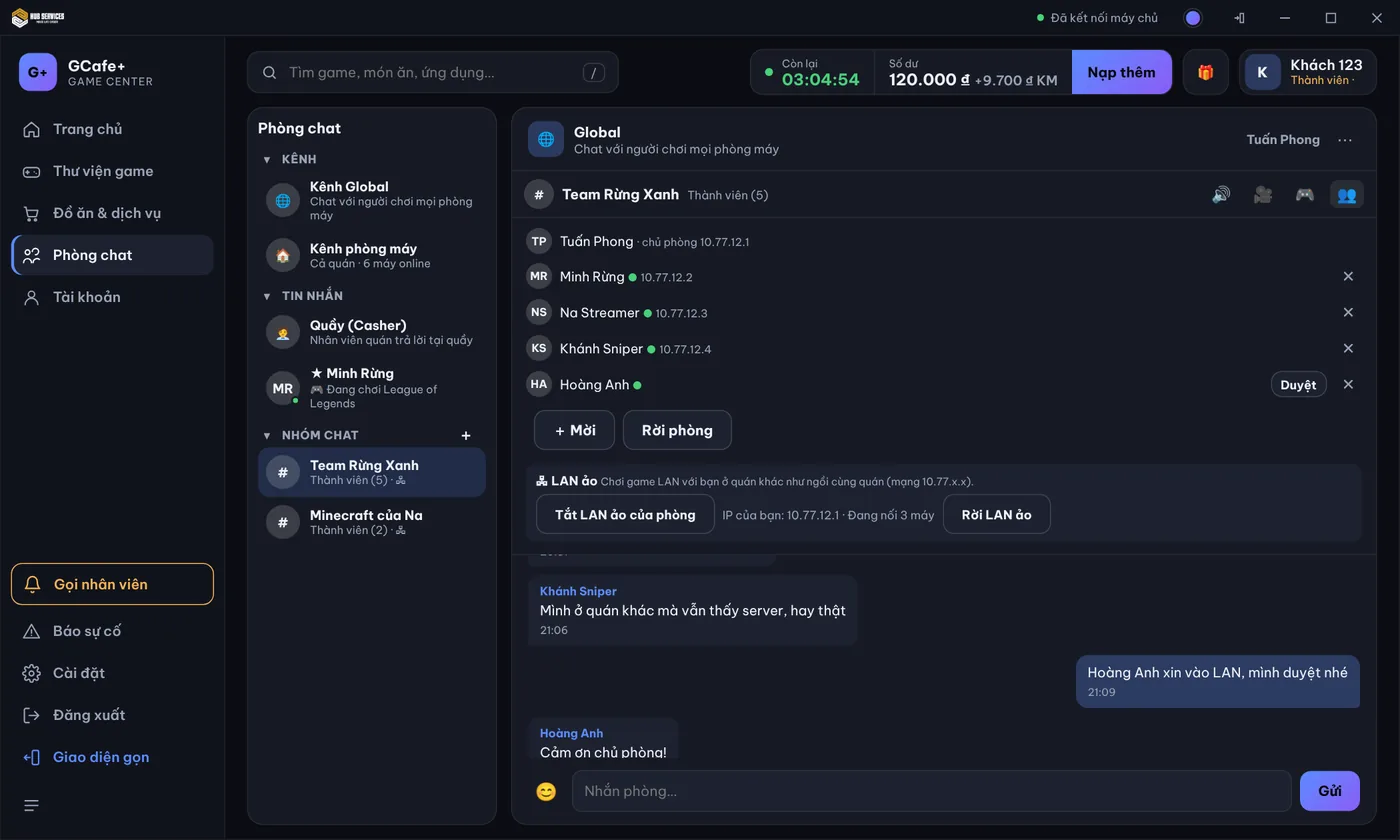
Two cafés across town play LAN games together as if side by side: inter-café tournaments, streamers hosting private servers for fans.

  • The room owner approves each member joining the LAN
  • See how many PCs are on the LAN right in the room
See details →
Inter-café tournaments with no venue to rent — Room with virtual LAN on: the owner approves requests

Room with virtual LAN on: the owner approves requests

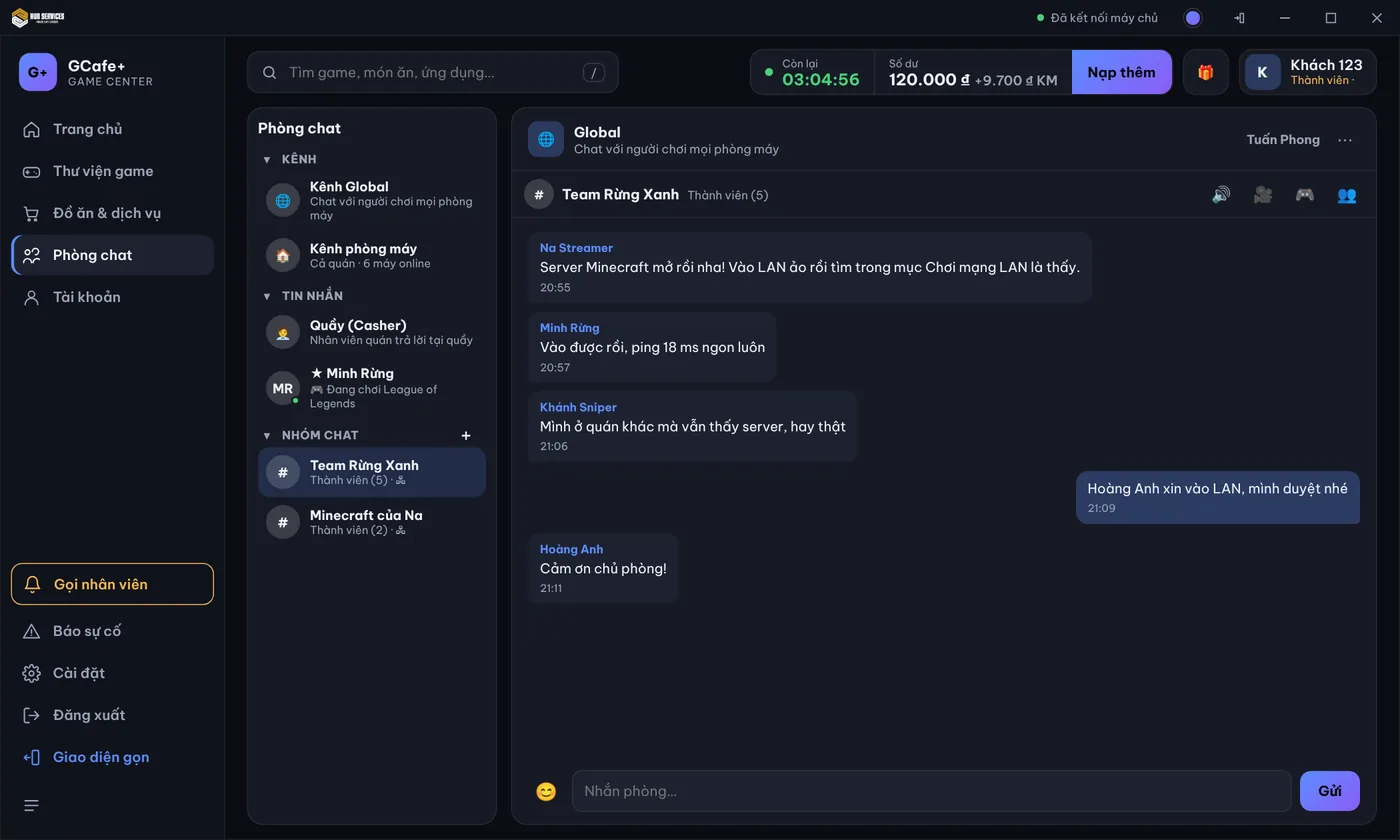
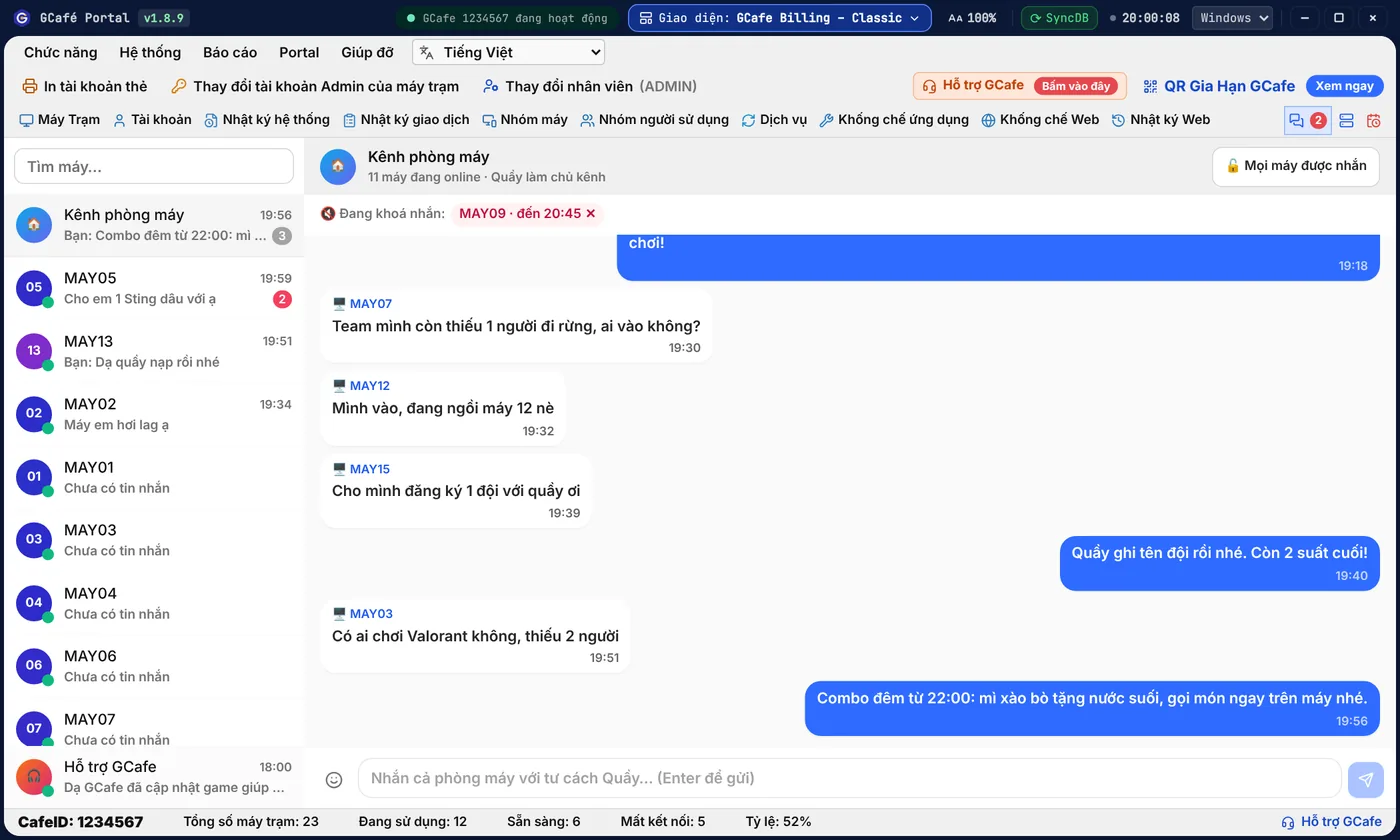
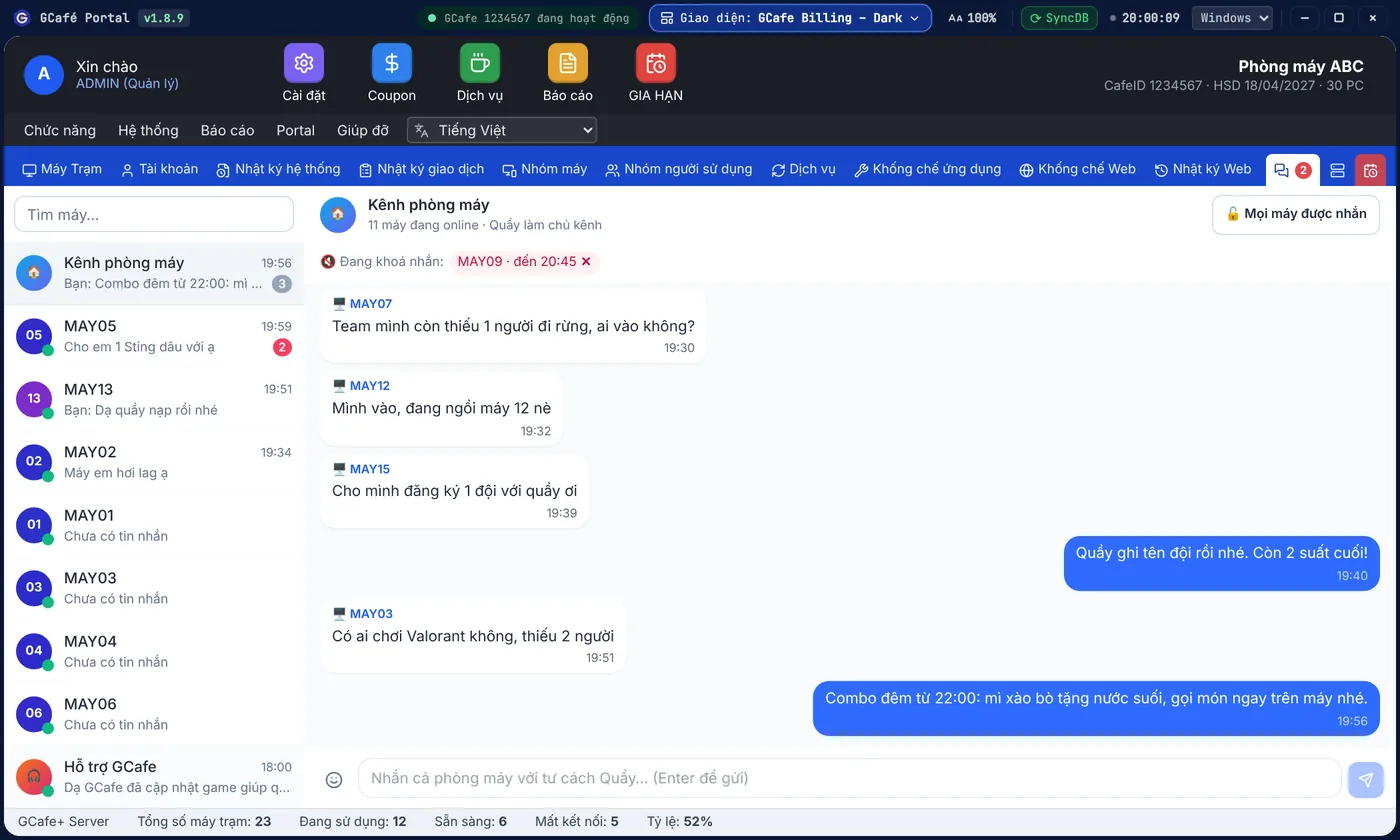
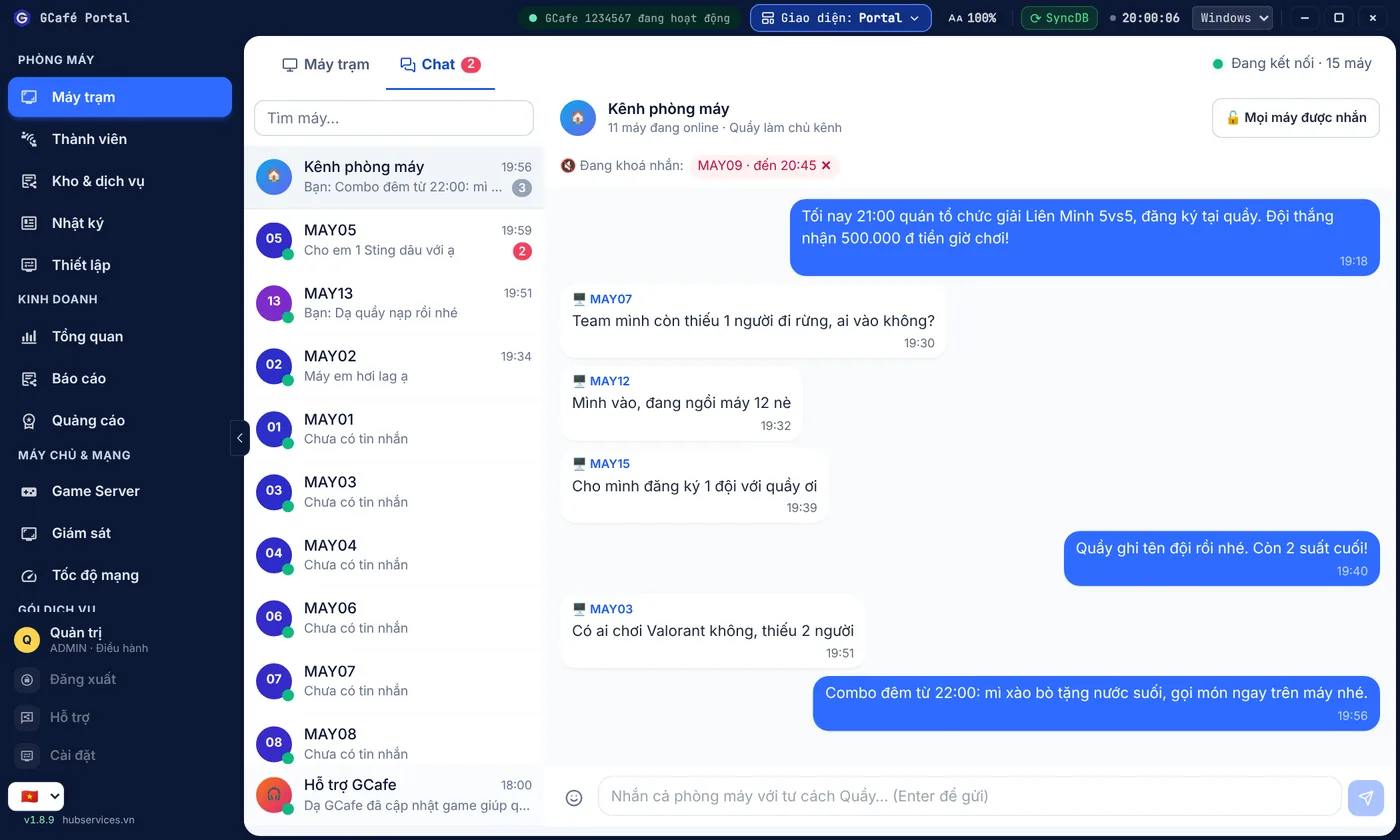
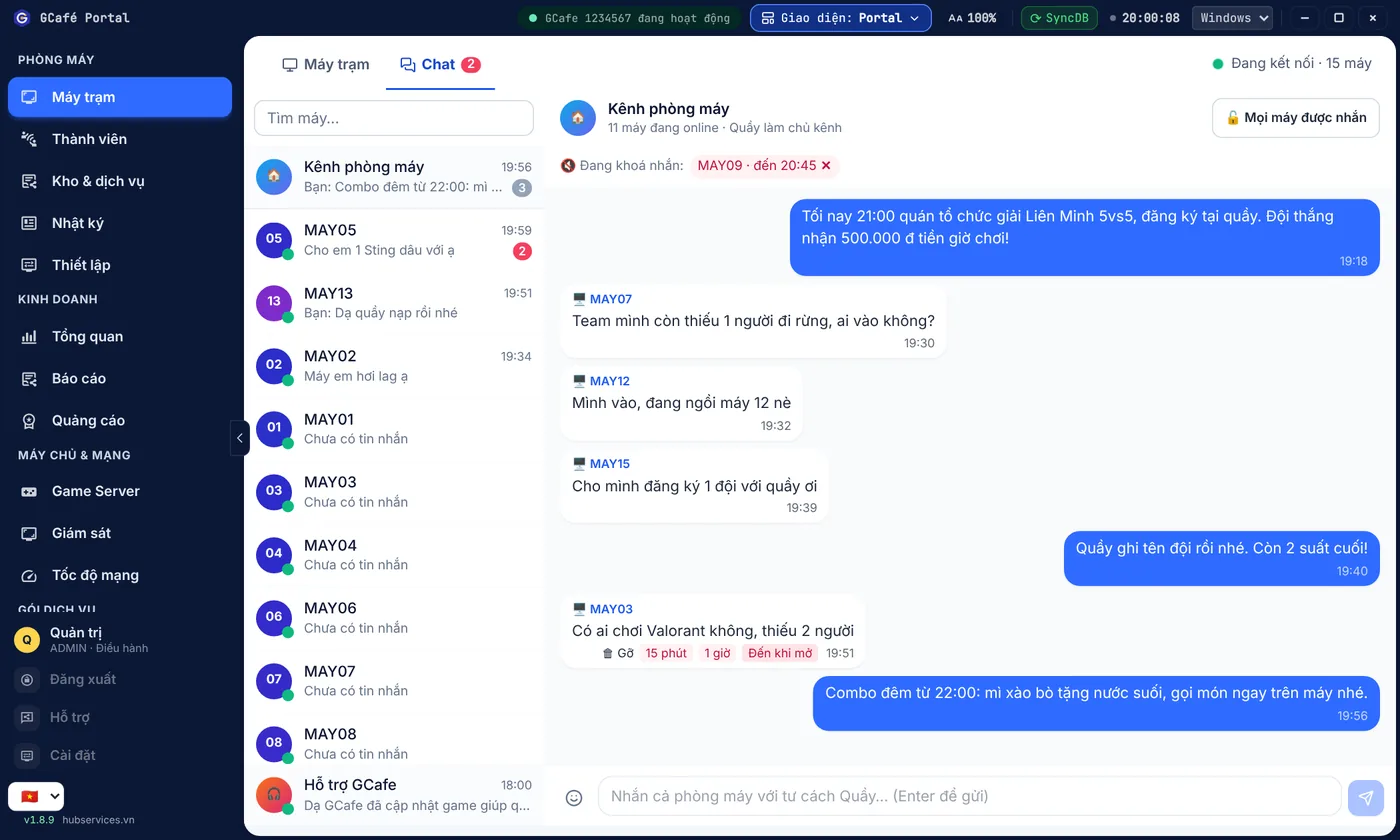
One message to the whole café

One shared chat channel for the whole café, owned by the counter: announce tournaments and combos, find teammates in seconds.

  • Turn on "Counter only" to use it as an announcement channel
  • Orders and messages to the counter stay in private chats as before
See details →
One message to the whole café — GCafe Billing – Classic interface

GCafe Billing – Classic interface

Light, Classic grey, Warm and Dark themes

4 ready-made color themes for the counter, plus a Thai interface with dates in the Buddhist calendar.

  • Switch with the Aa button in the title bar, applied instantly
  • Saved per counter PC
See details →
Light, Classic grey, Warm and Dark themes — Light theme

Light theme

Coming soon

GCafe support assistant: what used to wait for a technician, a bot does right away

Three features in the works for Support chat in GCafe Portal. GCafe Portal updates itself, so cafés install nothing extra when they launch.

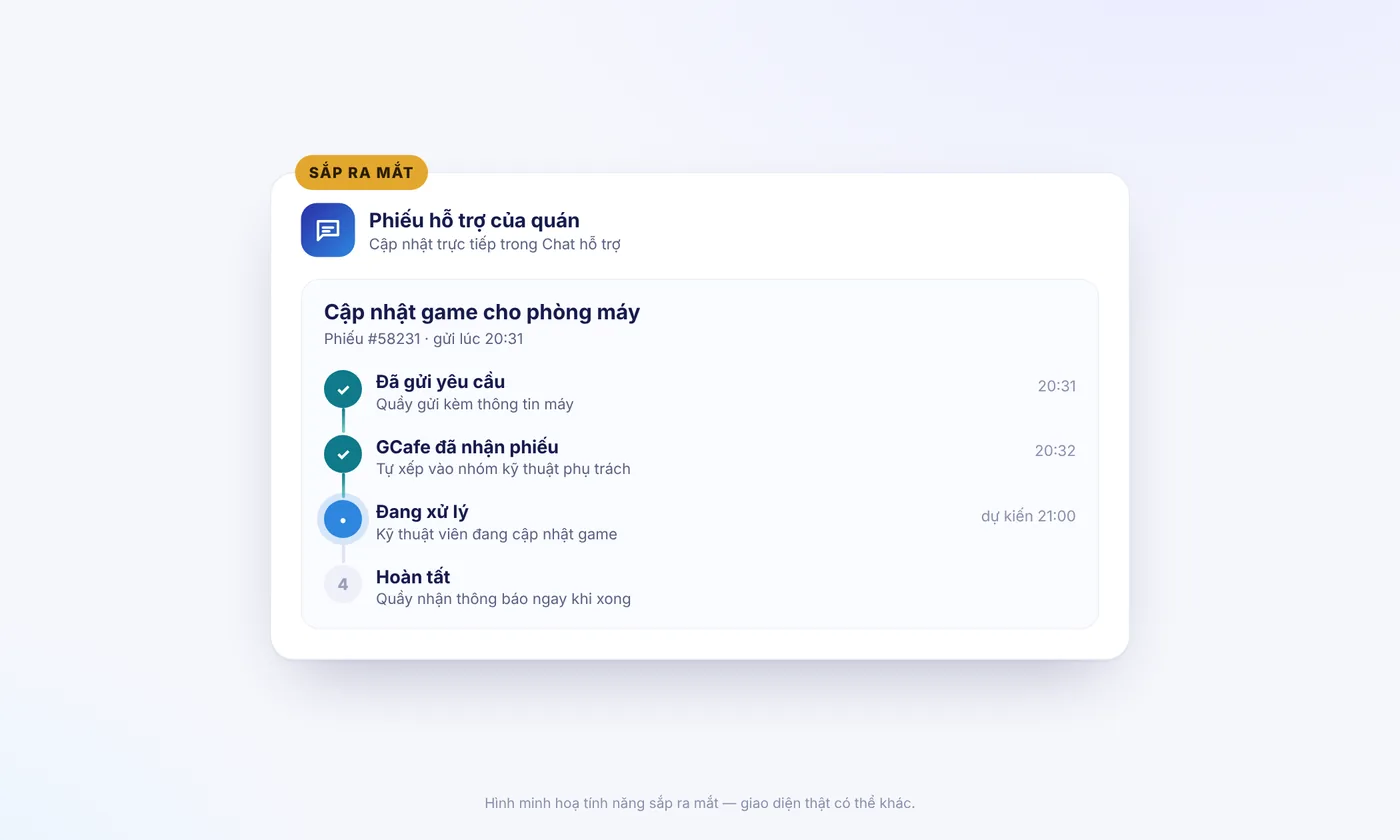
Track support tickets right on the counter screen

Send a request in Support chat and see which step the ticket is at, who is handling it and when it will be done.

  • Notified as soon as the ticket is closed
  • Review the history of all your café's tickets
See details →
Track support tickets right on the counter screen — Illustration: tracking a support ticket
Illustration: tracking a support ticket

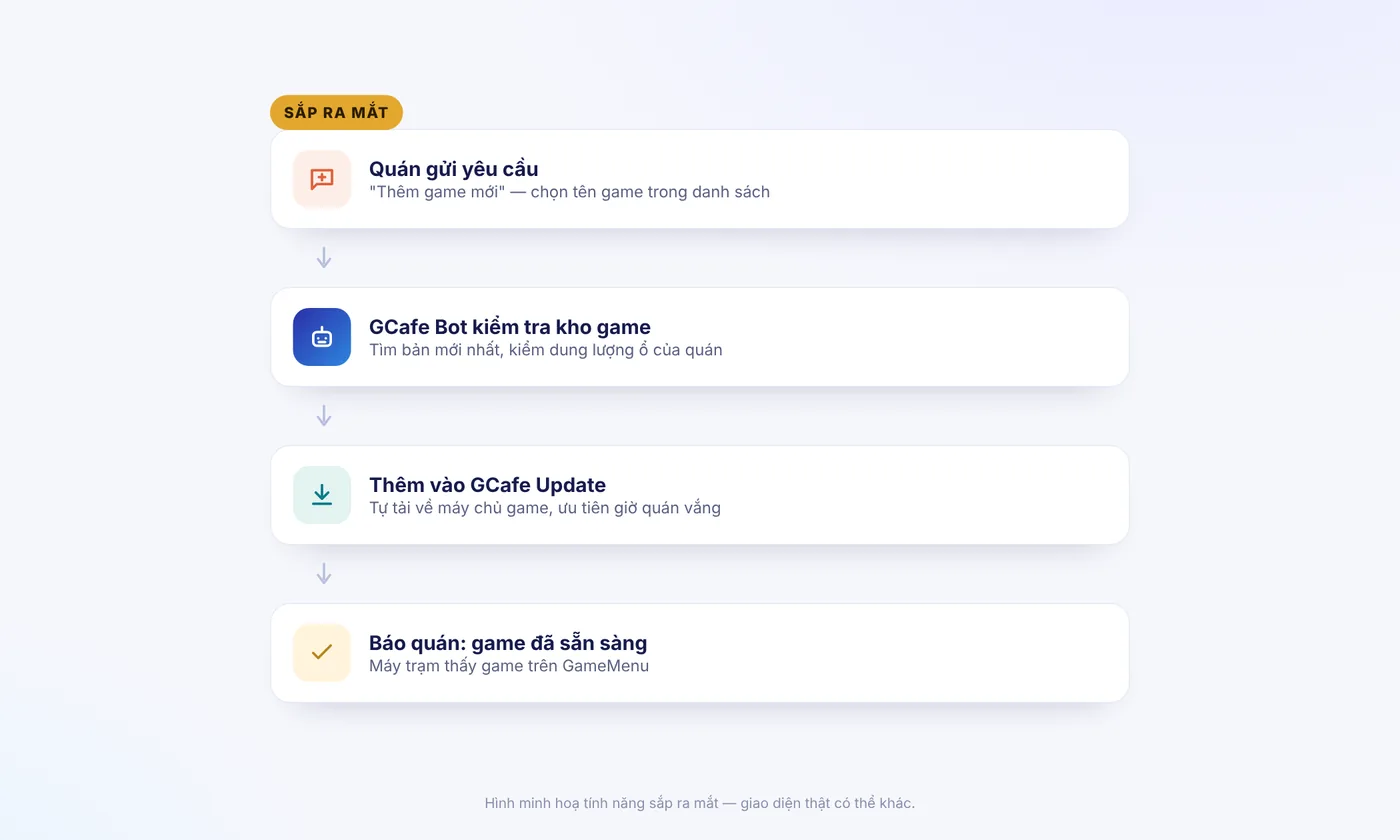
Players want a new game? Send a request, the bot does the rest

Pick "Add a new game" in Support chat: GCafe Bot checks the game library, adds it to your download list and tells you when PCs can play it.

  • No waiting for office hours
  • Downloads during quiet hours
See details →
Players want a new game? Send a request, the bot does the rest — Illustration: the bot adds a new game
Illustration: the bot adds a new game

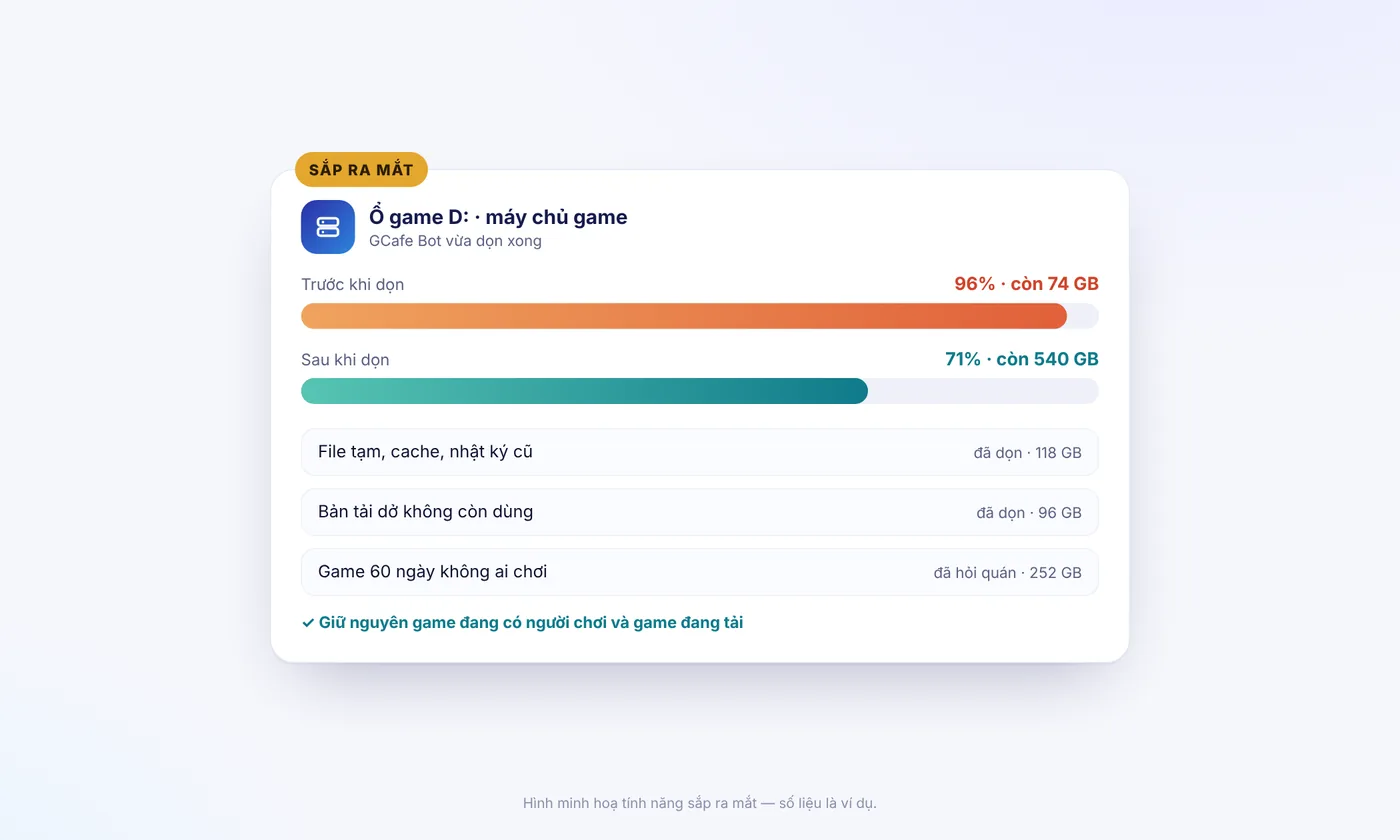
Game drive almost full? The bot cleans it now, no technician needed

Report "drive full" in Support chat: GCafe Bot cleans temp files, caches and unfinished downloads on the game server right away.

  • Done in minutes, even at midnight
  • Games being played or downloaded are always kept
See details →
Game drive almost full? The bot cleans it now, no technician needed — Illustration: the bot cleans the game drive (sample figures)
Illustration: the bot cleans the game drive (sample figures)
How GCafe works

One player visit, the whole GCafe suite at work

  1. 01

    Billing

    The player logs in as a member and tops up at the counter.

  2. 02

    GCafe Boot

    The client PC boots clean from the server, the same as every day.

  3. 03

    Update

    Games are already updated automatically, so the player can start right away.

  4. 04

    Membership

    Prices by PC and time slot apply automatically; top up X get Y goes into the promo account.

  5. 05

    GameMenu & IPBoot

    The player spins the lucky wheel to win play time, and gets extra perks when playing Garena games.

  6. 06

    Portal

    The owner checks revenue on their phone and exports the revenue ledger at the end of the period.

GCafe Update phiên bản mới

Từng chờ game cập nhật cả đêm? Bản mới đã khác.

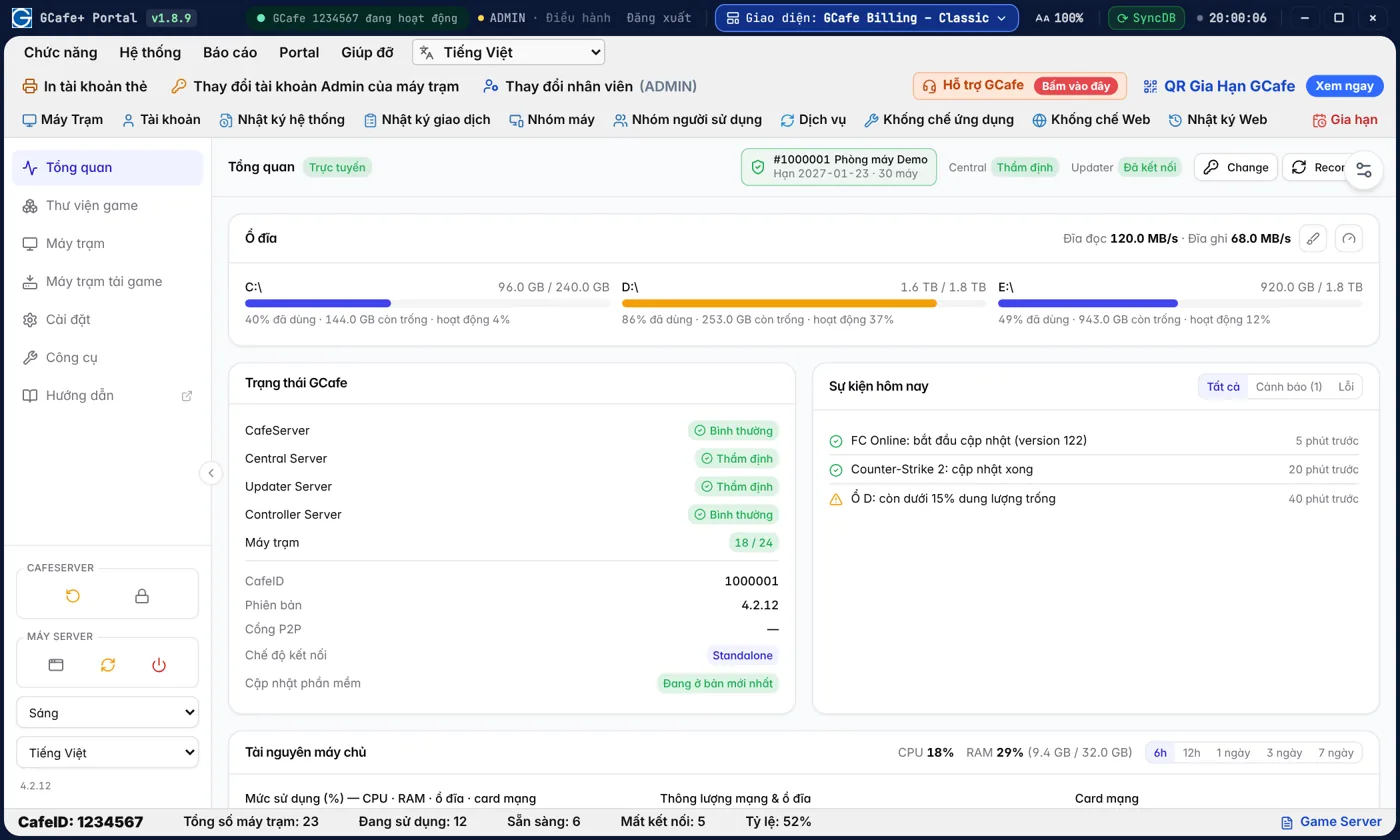
Ổ đầy, game load chậm, máy chủ ì sau nhiều ngày chạy — những việc trước đây phải gọi kỹ thuật viên, nay chủ quán tự làm ngay tại quầy, trong mục Game Server của GCafe Billing / Portal.

Game mới, bản cập nhật về sẵn trước khi khách đến

Tải đa nguồn, chỉ tải phần thay đổi, game cập nhật xong trong đêm để sáng ra khách vào chơi ngay.

  • Không còn cảnh khách ngồi chờ game cập nhật
  • Theo dõi tiến độ tải ngay trên điện thoại
Xem chi tiết →
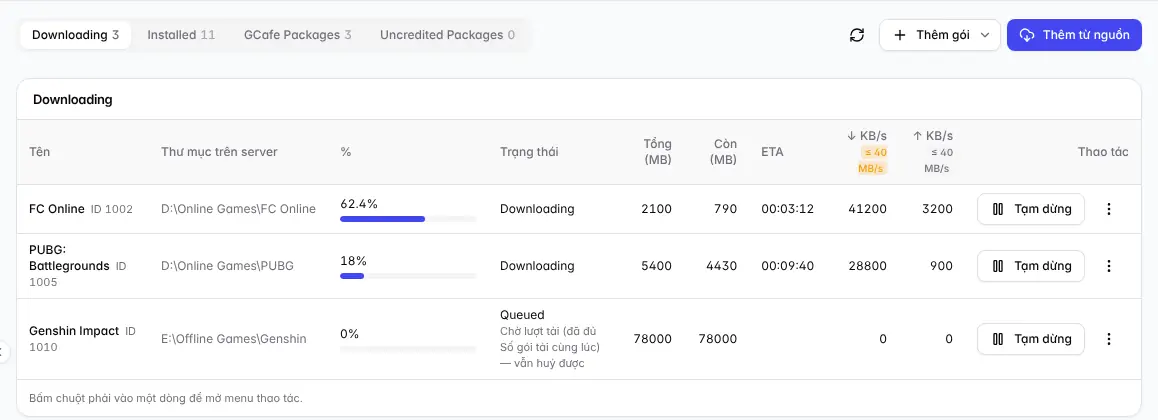
GCafe Update: game đang tải đa nguồn
Game đang tải đa nguồn trên console GCafe Update

Máy chủ game có vấn đề? Biết ngay tại quầy

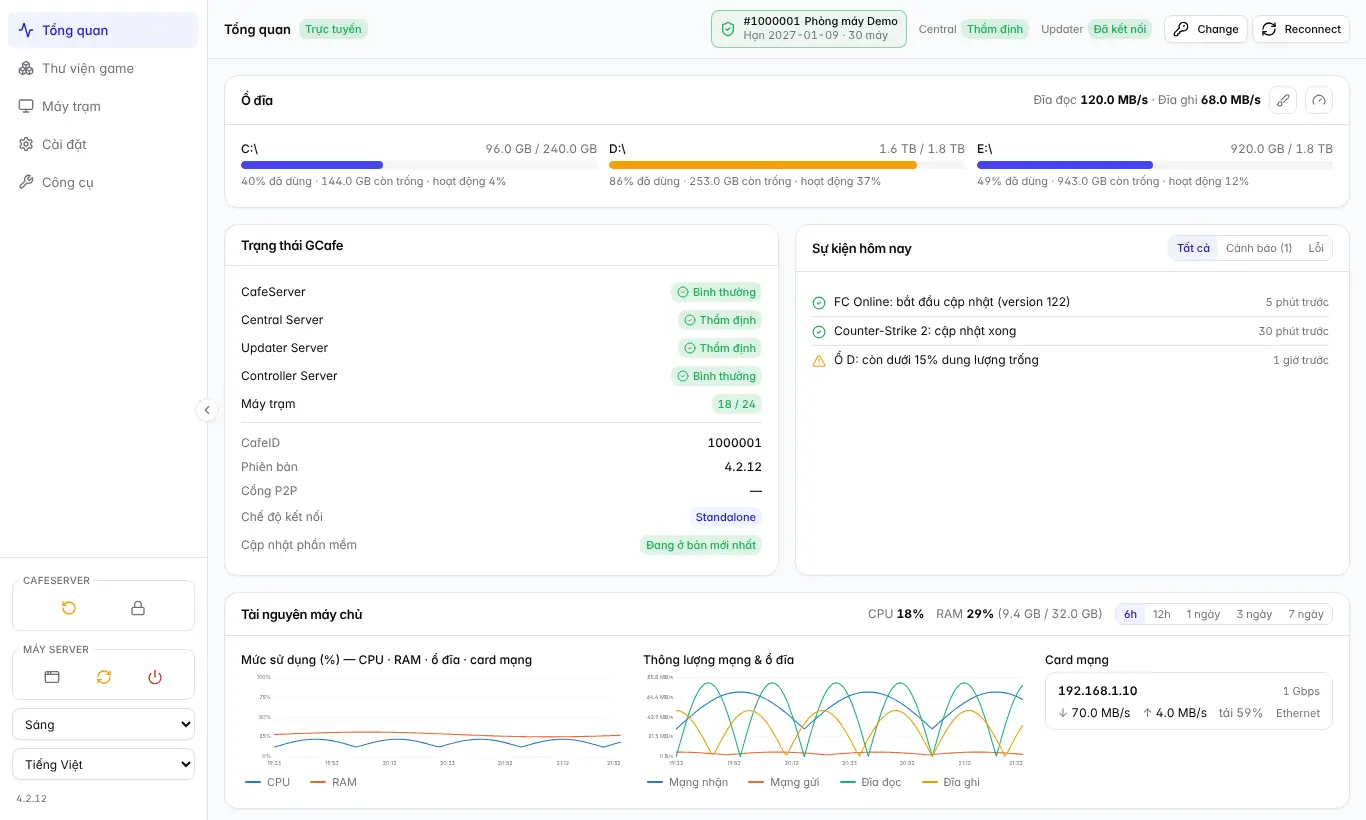
Mục Game Server trong Portal mở bảng điều khiển GCafe Update ngay tại quầy: CPU, RAM, ổ đĩa, game đang tải.

  • Không phải chạy vào phòng máy chủ
  • Thấy ngay ổ nào sắp đầy, game nào đang tải
Xem chi tiết →
Bảng điều khiển GCafe Update trong Portal — Giao diện Classic

Giao diện Classic

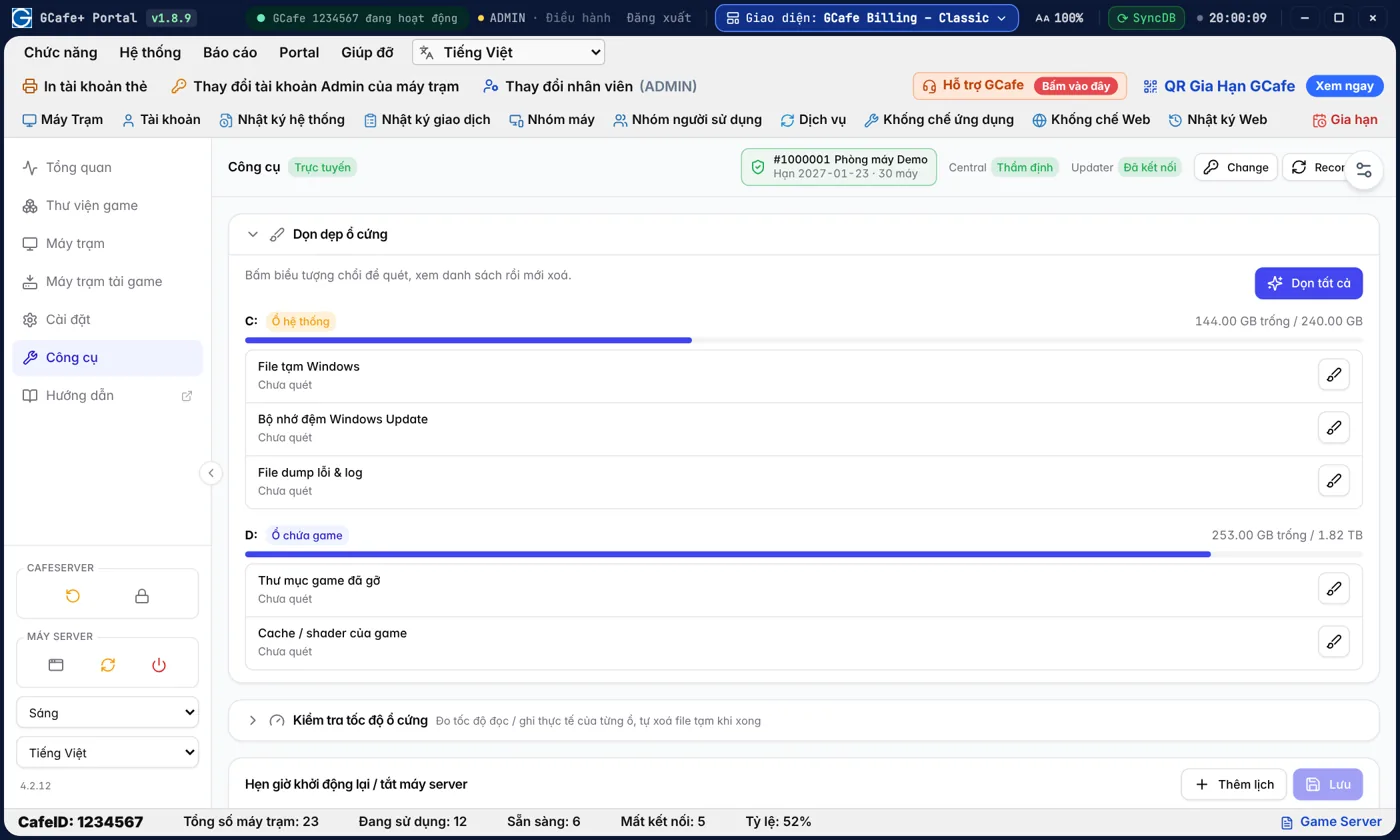
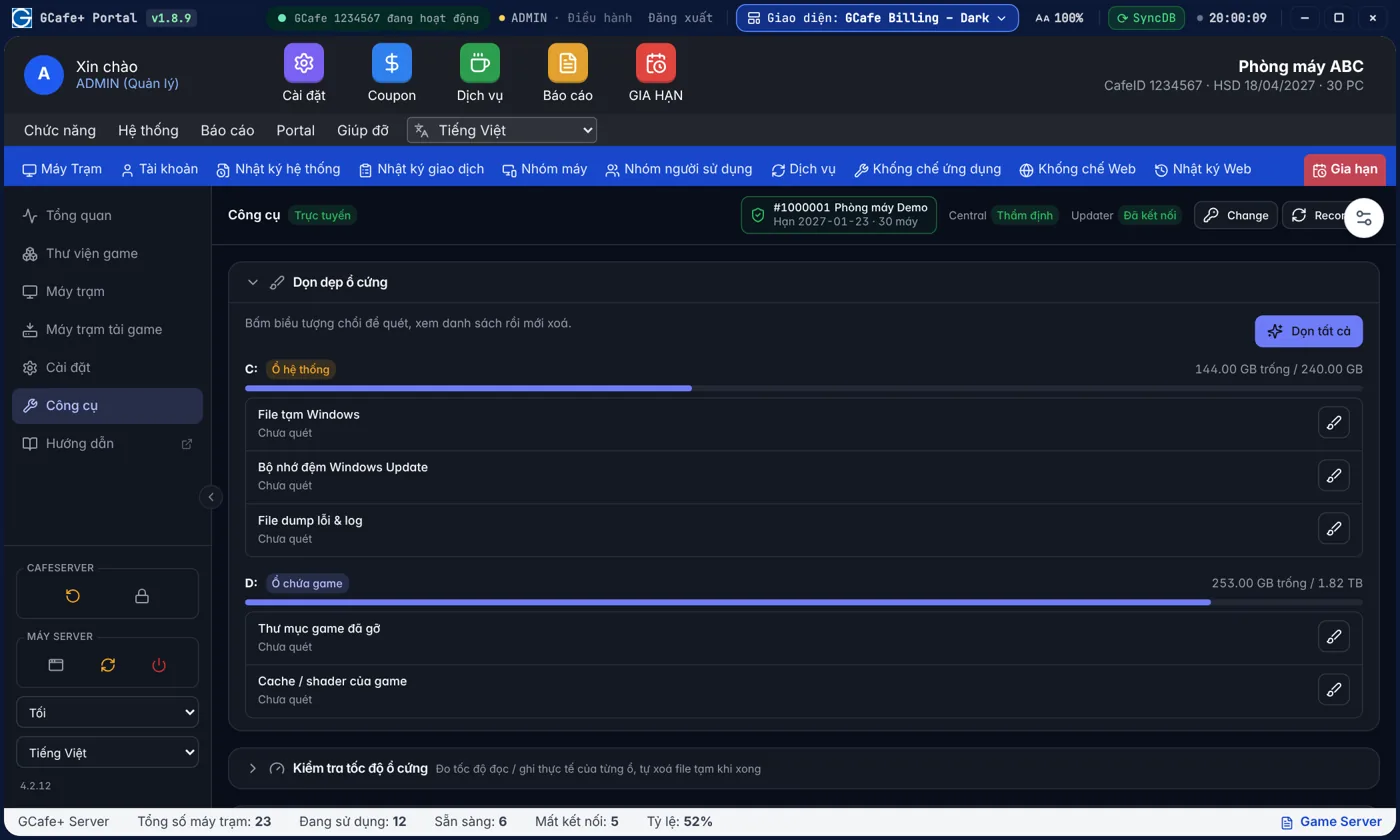
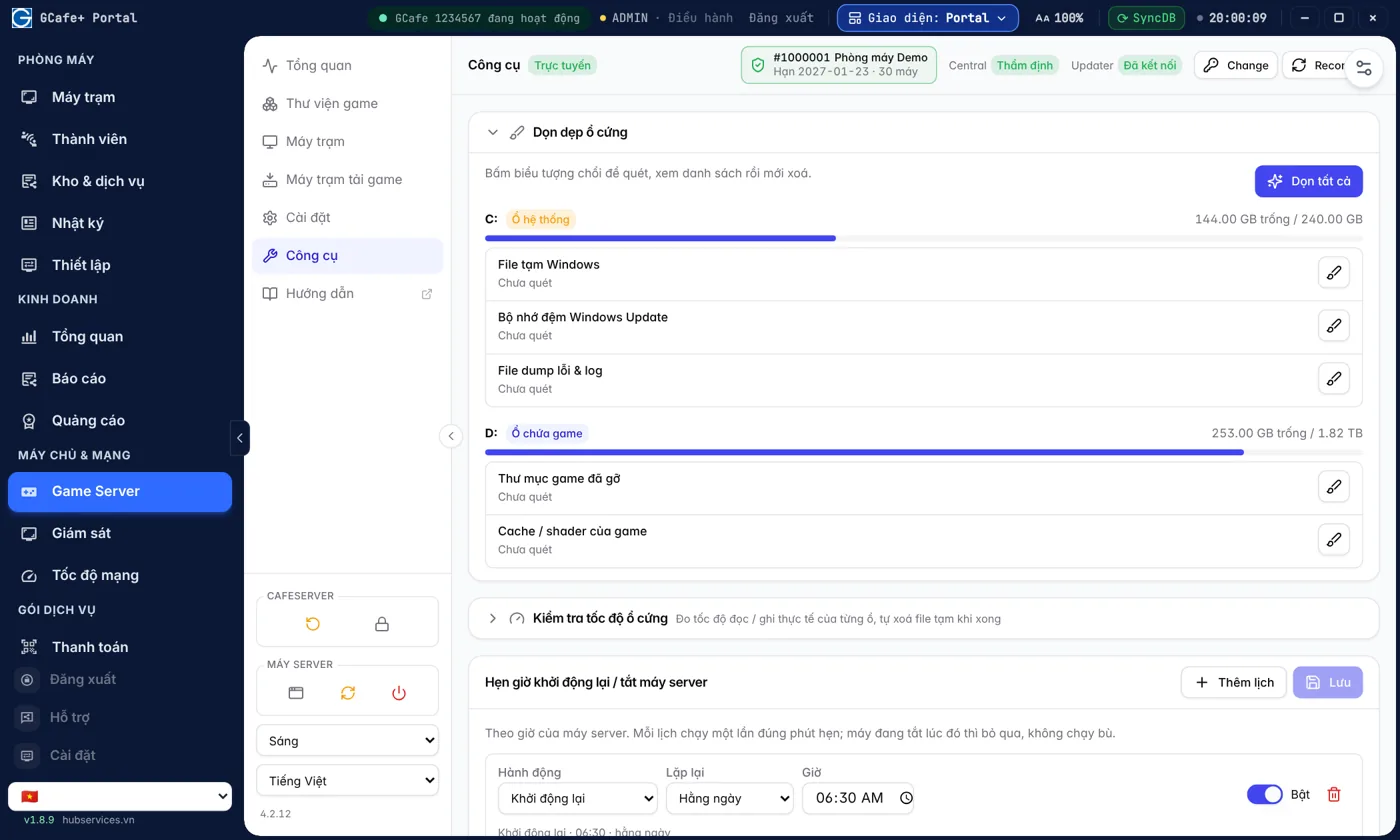
Ổ game đầy? Dọn rác vài phút mà không sợ xoá nhầm game

Quét rác Windows, cache, thư mục game tải dở; xem trước rồi mới xoá, không đụng game đang dùng.

  • Lấy lại dung lượng cho game mới
  • Xem trước, bỏ chọn mục muốn giữ rồi mới xoá
Xem chi tiết →
Dọn dẹp ổ cứng máy chủ — Giao diện Classic

Giao diện Classic

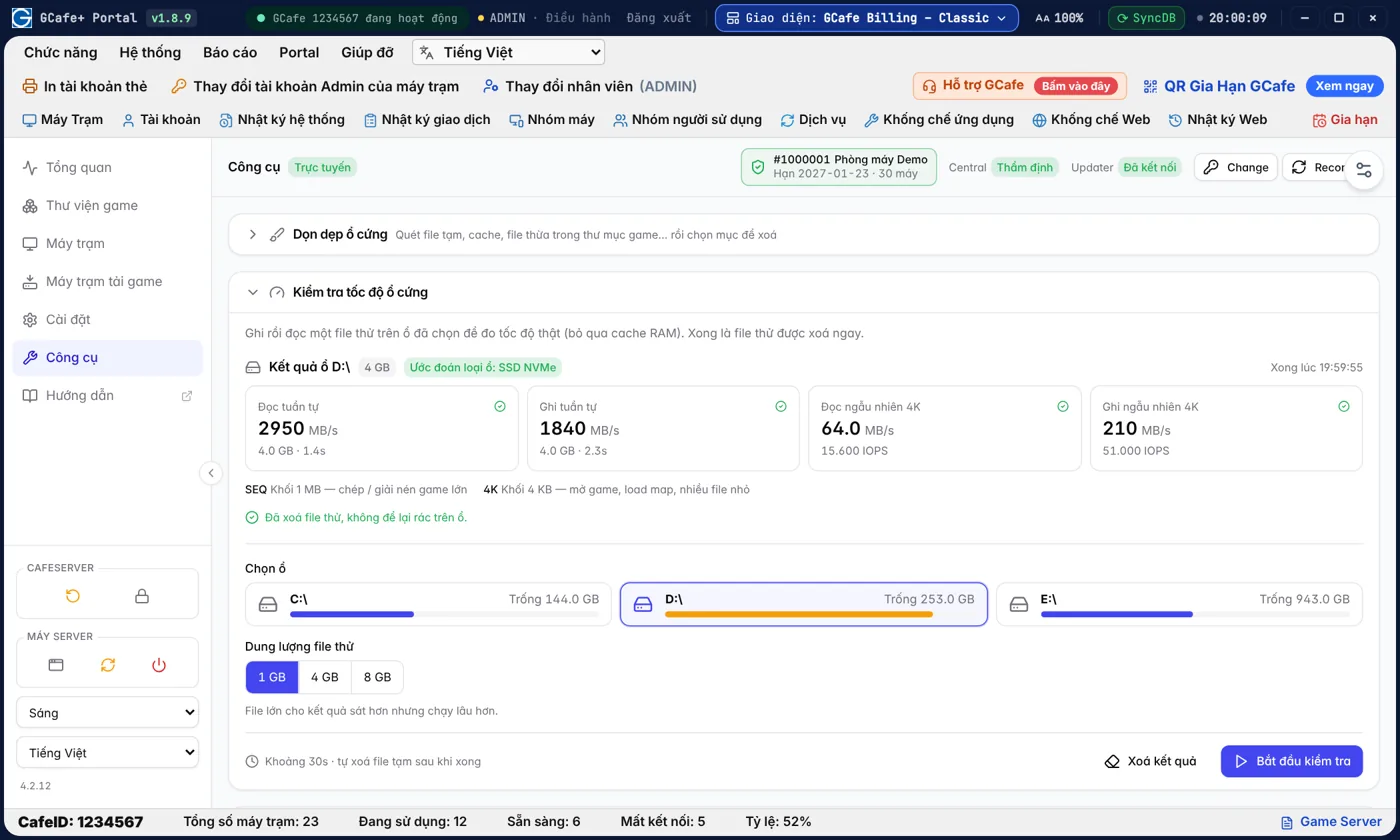
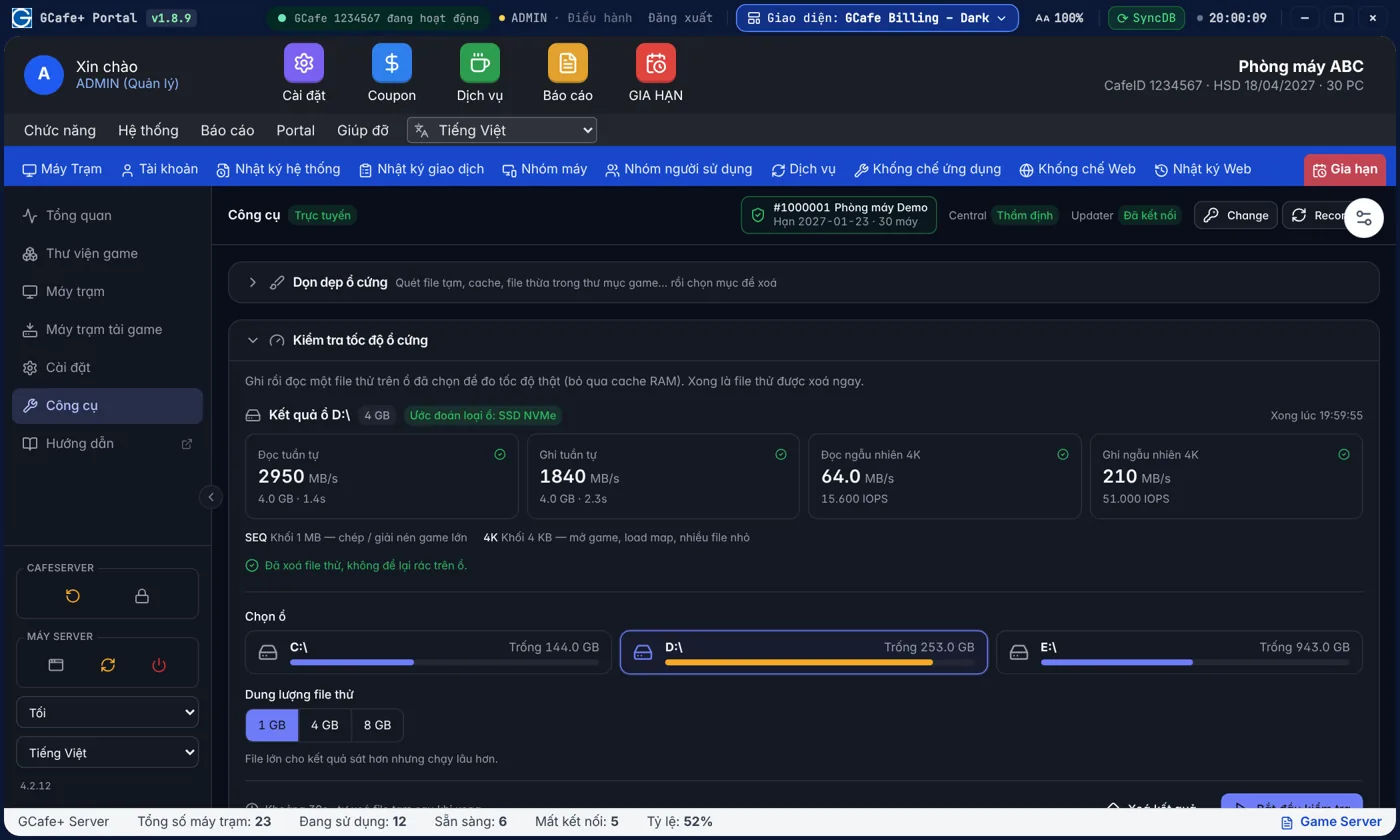
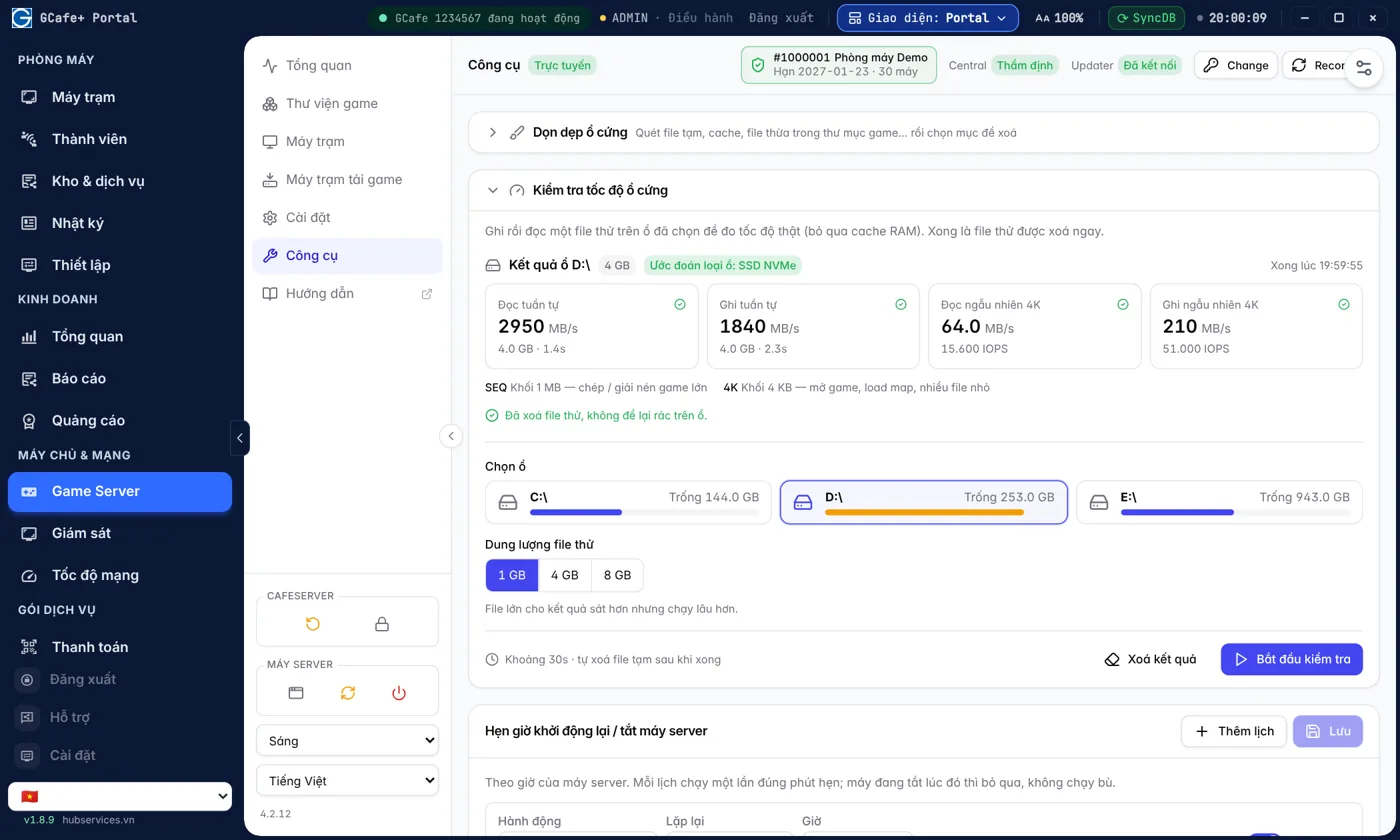
Game load chậm vì ổ cứng? Đo là biết, khỏi đoán

Đo tốc độ đọc / ghi thật của từng ổ trước khi quyết định bỏ tiền nâng cấp SSD.

  • Tìm đúng ổ gây chậm để thay
  • Kiểm tra ổ mới mua có đúng tốc độ quảng cáo
Xem chi tiết →
Kiểm tra tốc độ ổ cứng — Giao diện Classic

Giao diện Classic

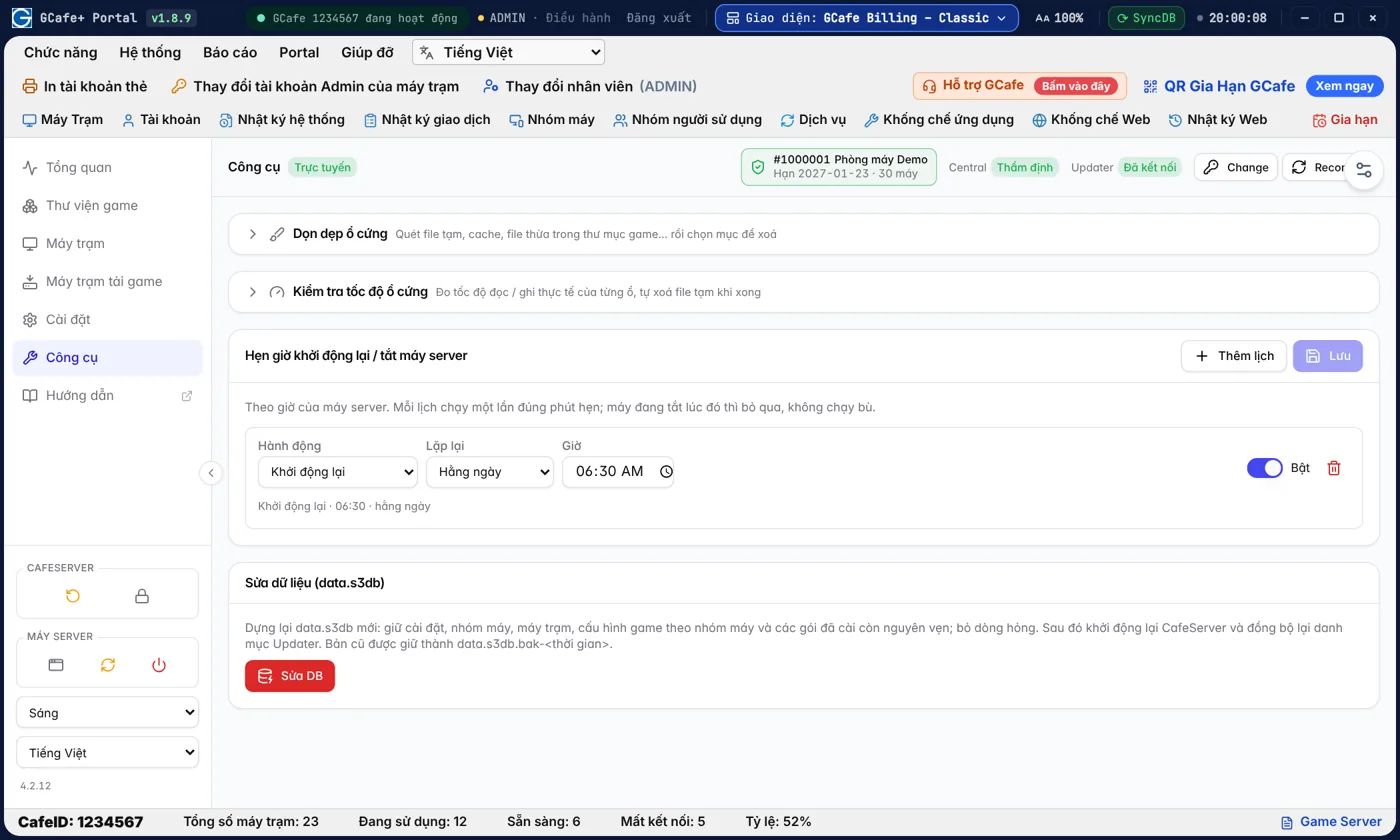
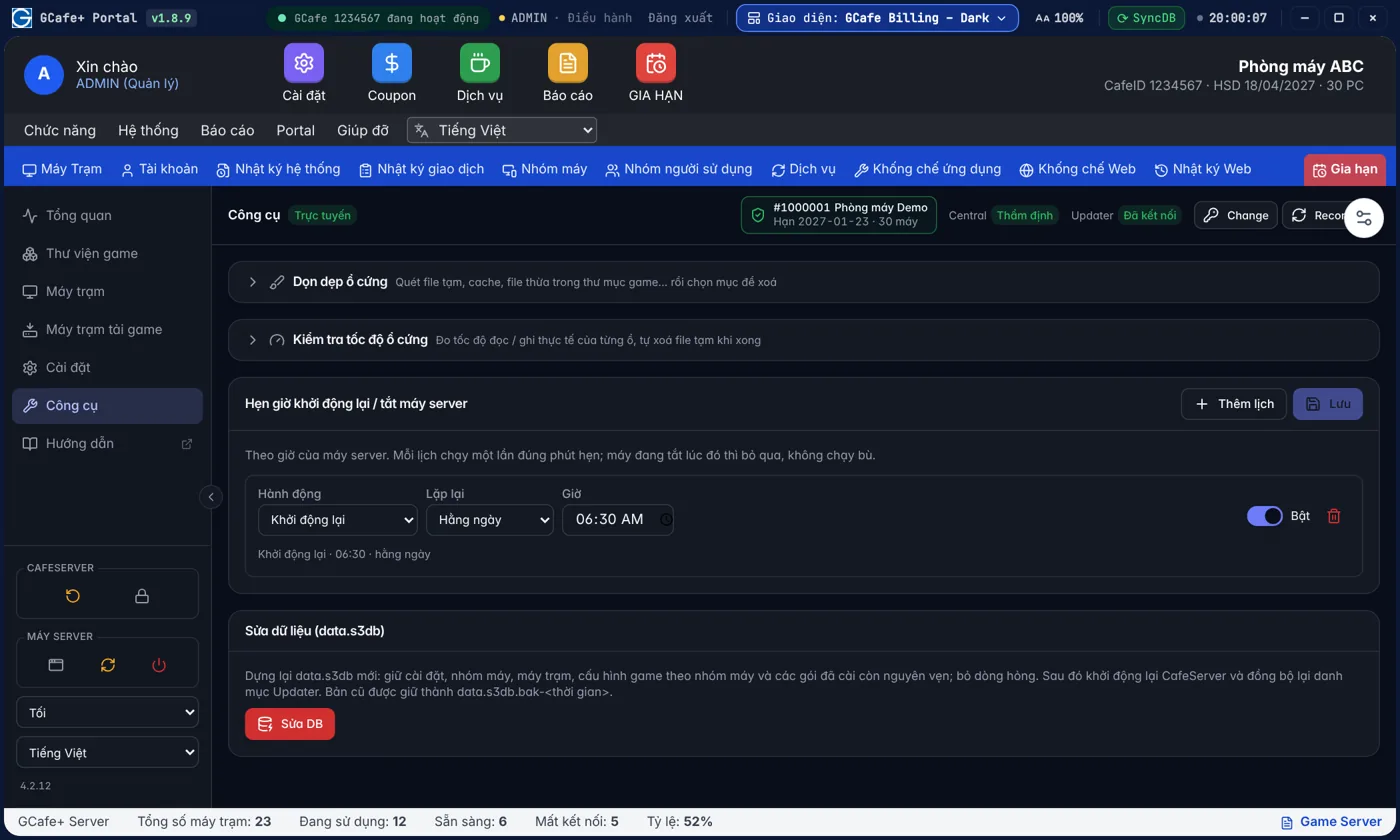
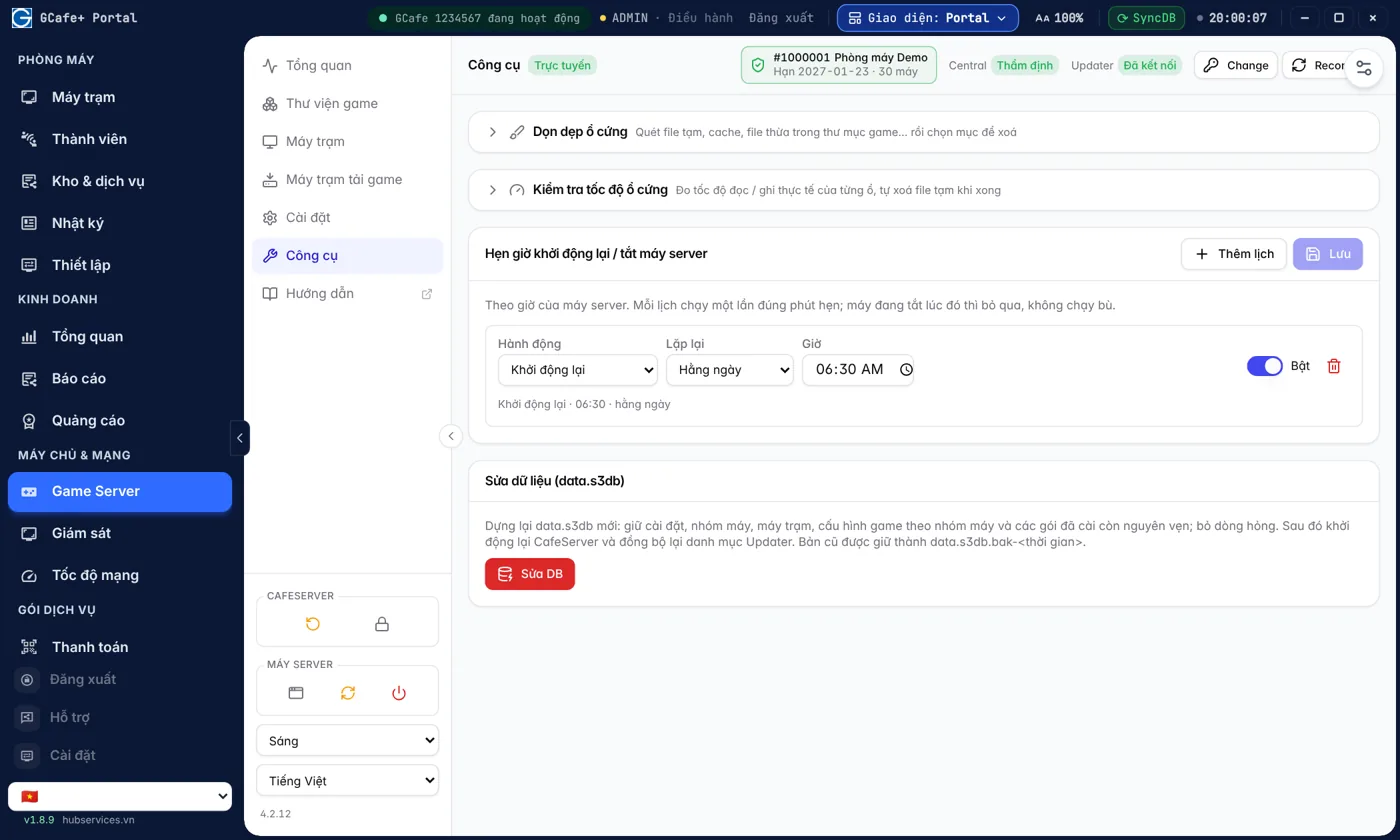
Máy chủ tự khởi động lại mỗi sáng, mở cửa là chạy mượt

Lịch khởi động lại hoặc tắt máy chủ tự chạy, ví dụ 6 giờ sáng trước khi mở cửa.

  • Không cần ai trực để khởi động lại máy chủ
  • Nhiều lịch, bật / tắt từng lịch
Xem chi tiết →
Hẹn giờ khởi động lại, tắt máy server — Giao diện Classic

Giao diện Classic

Bản quyền Windows

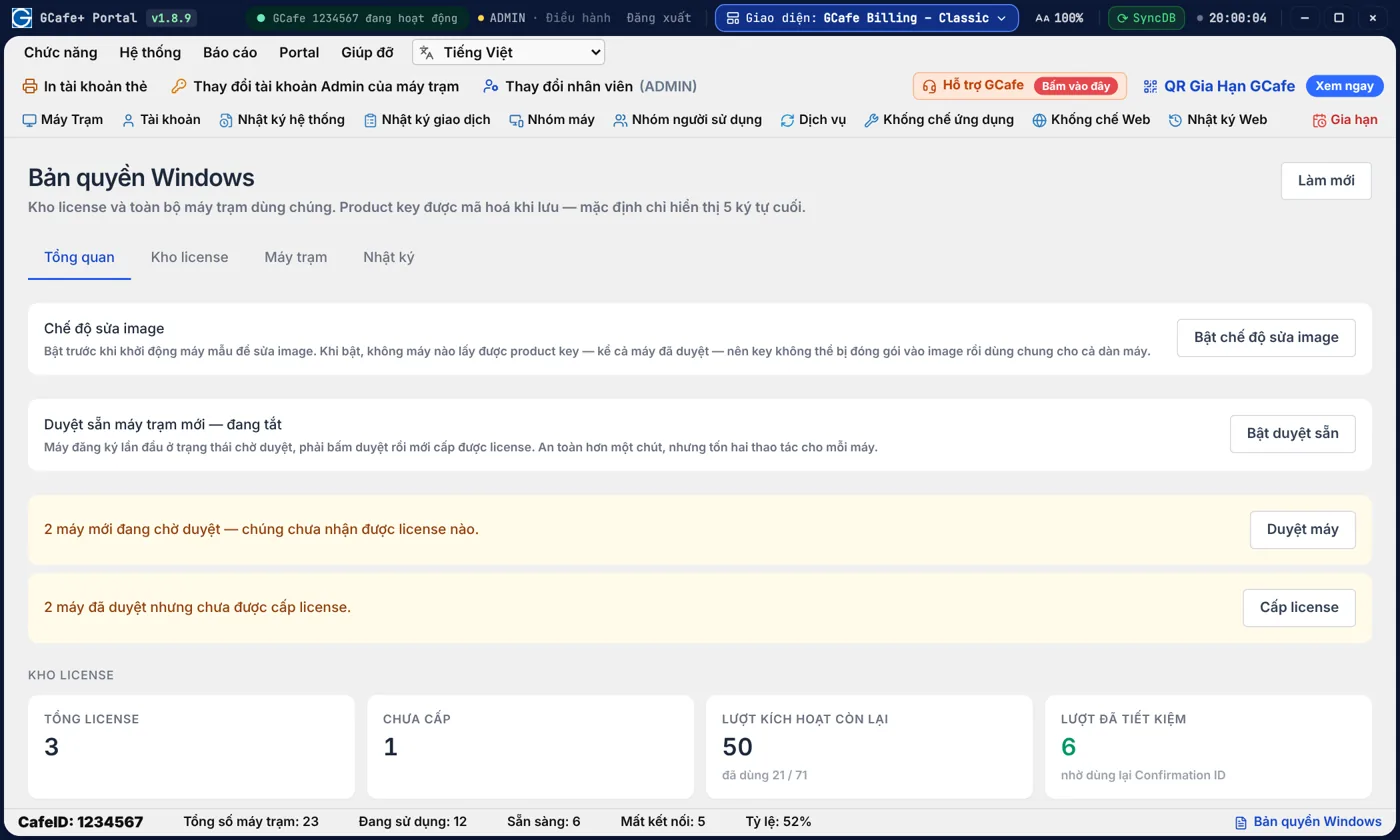
Game Server và bản quyền Windows của cả dàn máy, cùng một giao diện.

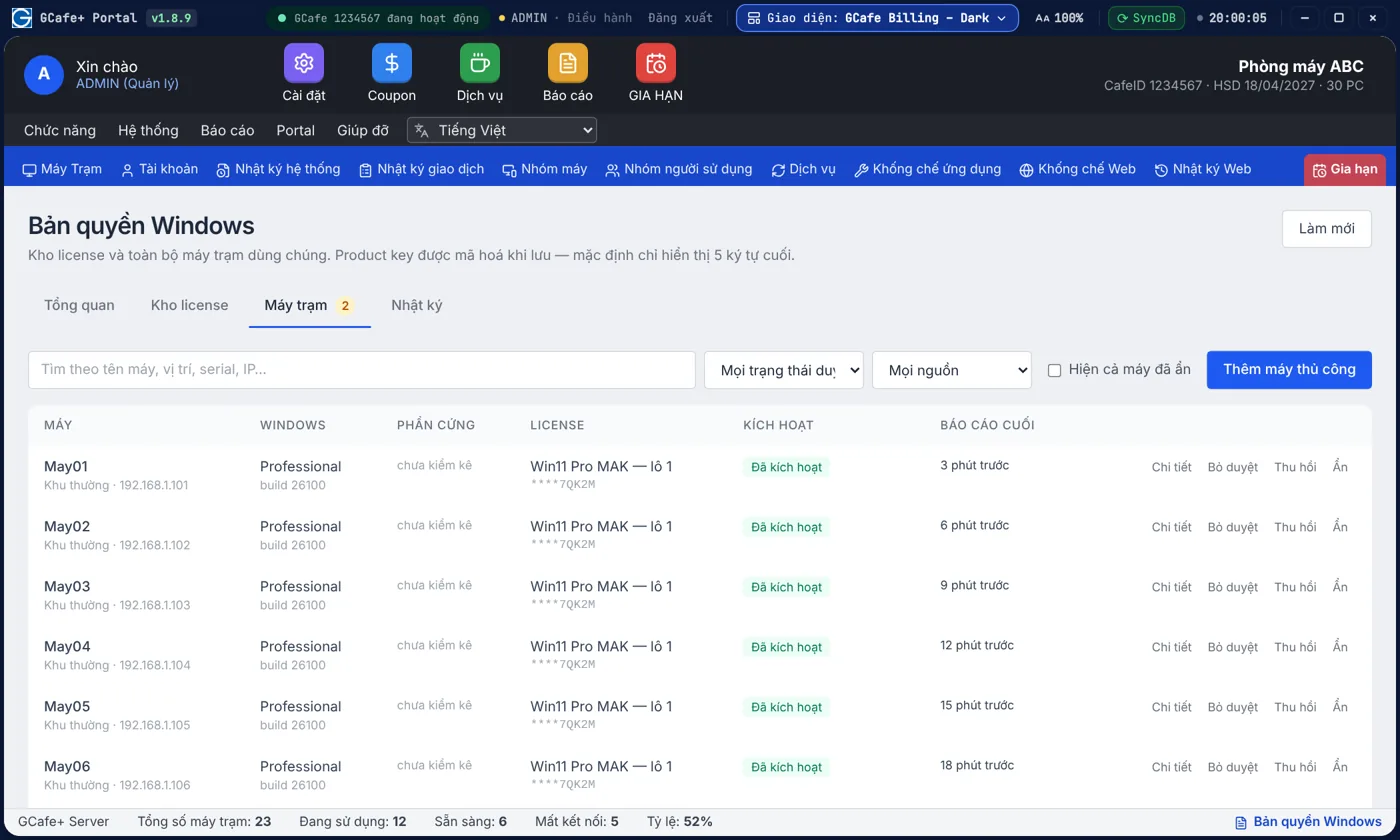
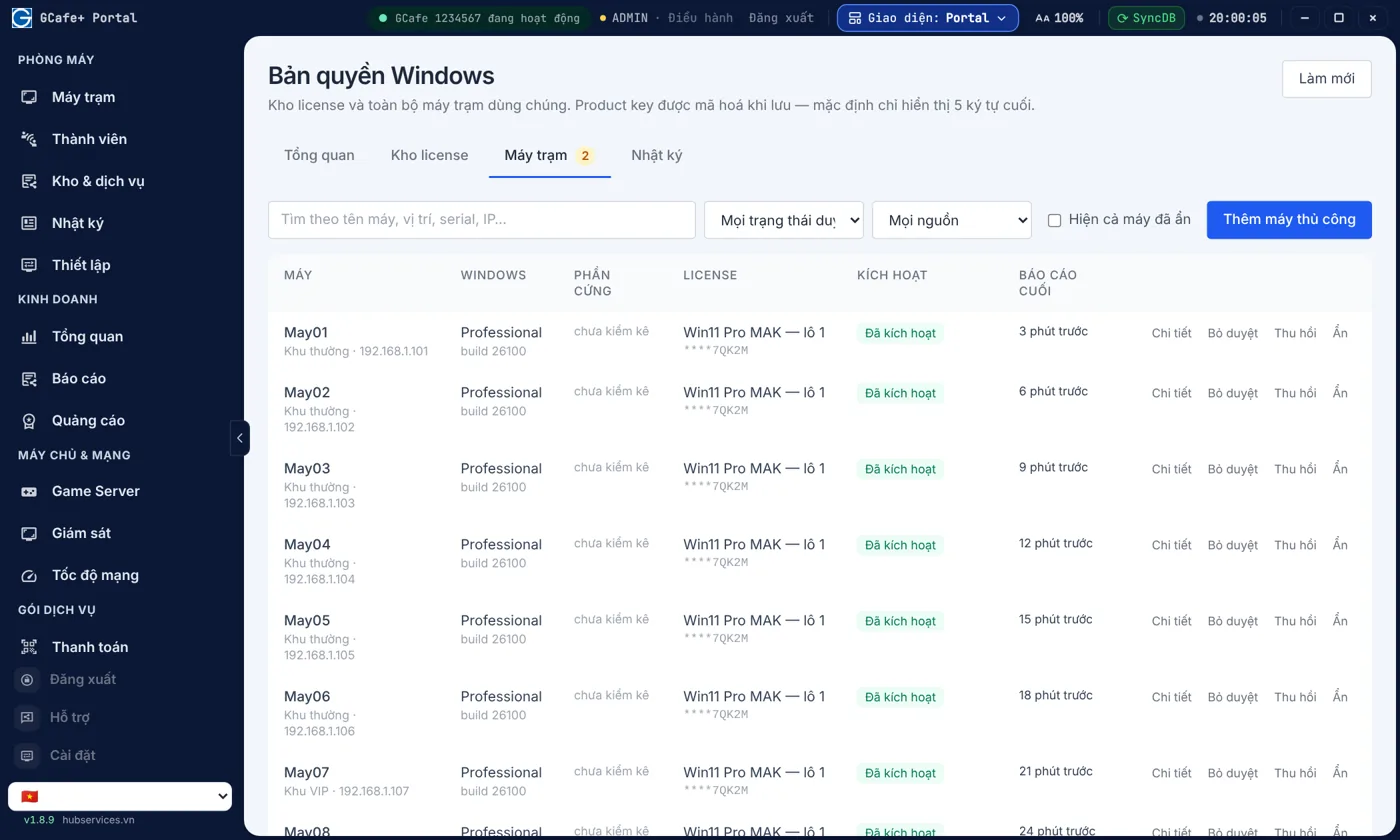
Cùng chỗ với Game Server trong GCafe Billing / Portal: theo dõi kho license Windows, cấp key cho máy mới và phát hiện key bị đóng gói vào image trước khi cạn lượt kích hoạt.

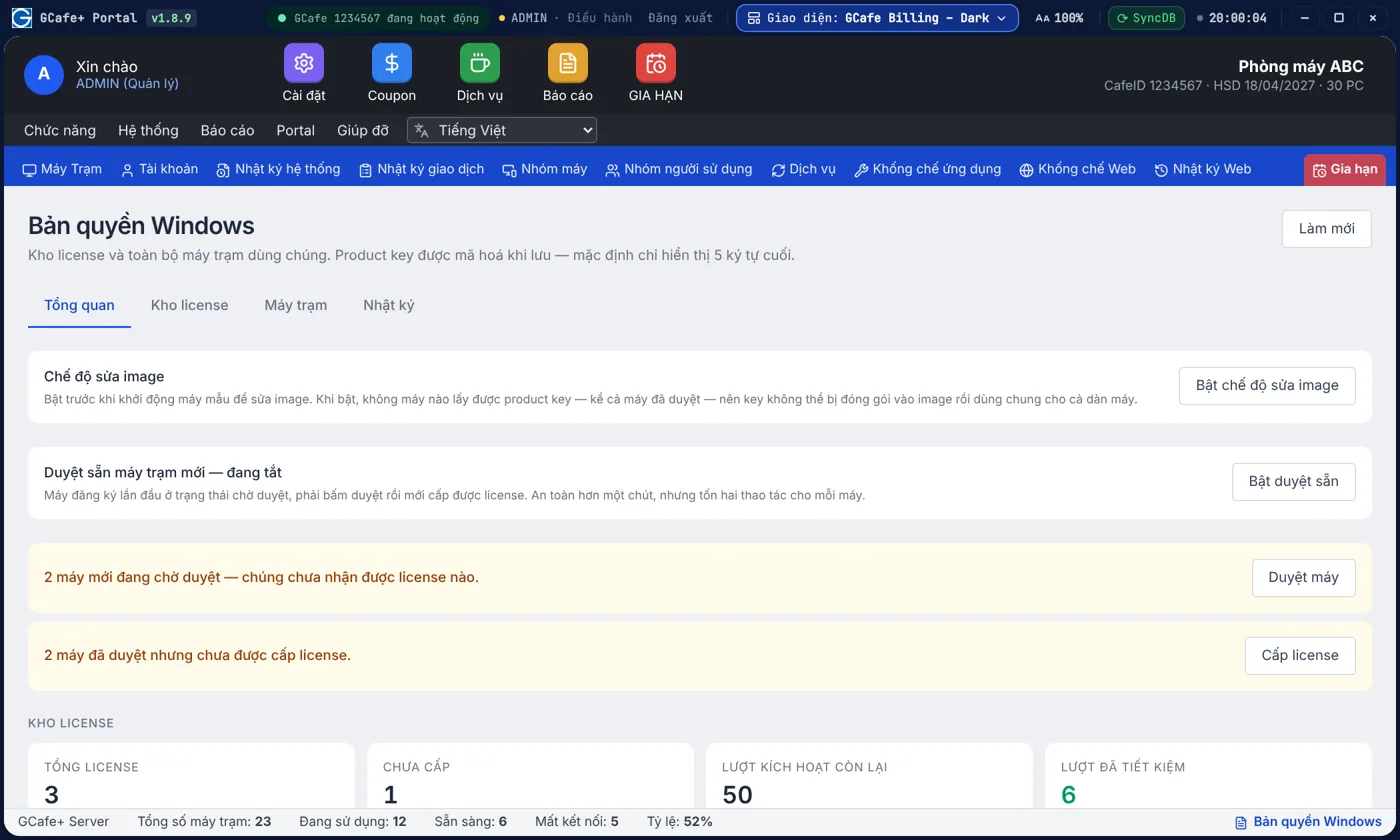
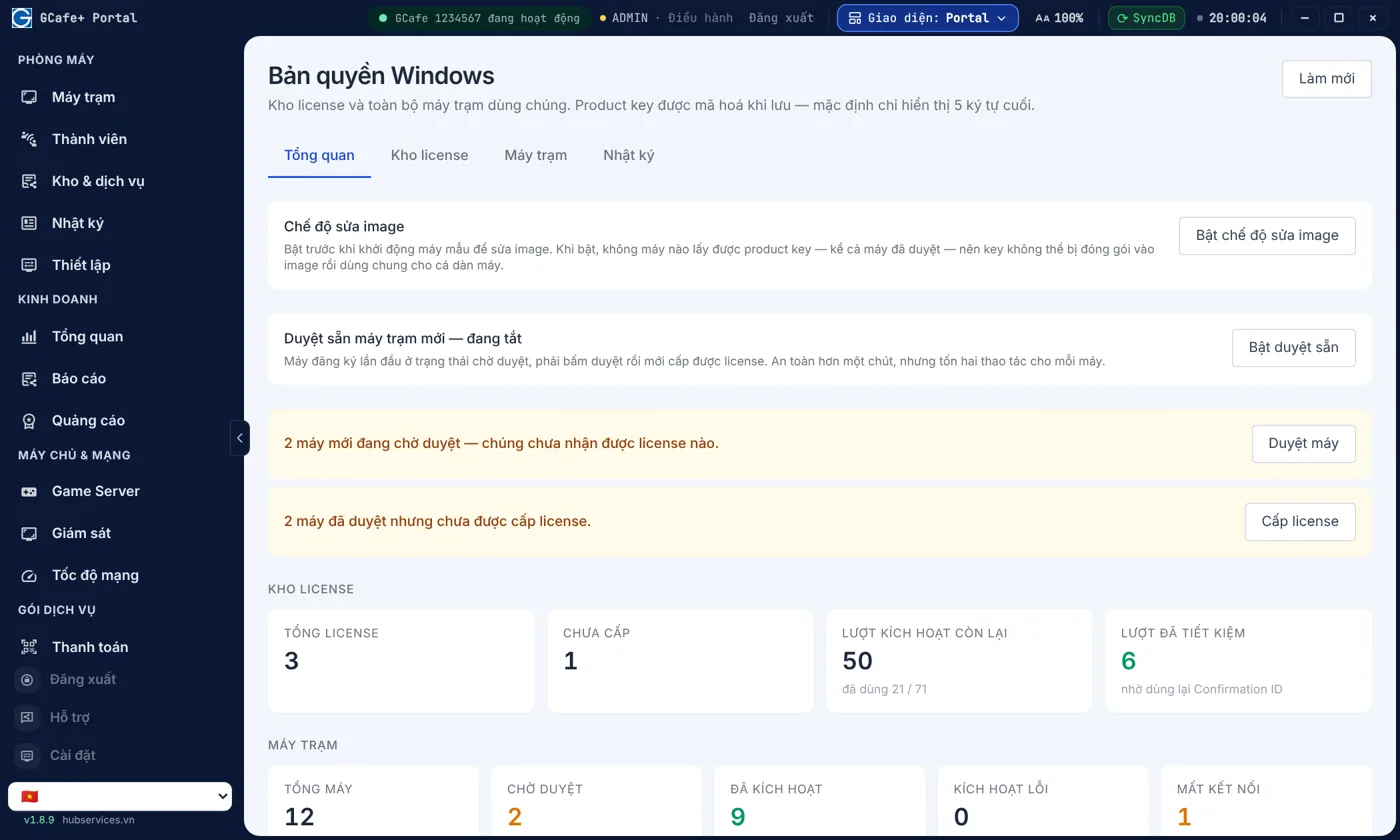
Bản quyền Windows cho cả dàn máy, quản lý tại một chỗ

Kho license Windows, lượt kích hoạt còn lại và cảnh báo key bị đóng gói vào image — cùng giao diện với Game Server.

  • Bật "Chế độ sửa image" để key không bị đóng gói vào image
  • Cảnh báo máy dùng key mà máy chủ chưa từng cấp
Xem chi tiết →
Tổng quan bản quyền Windows — Giao diện Classic

Giao diện Classic

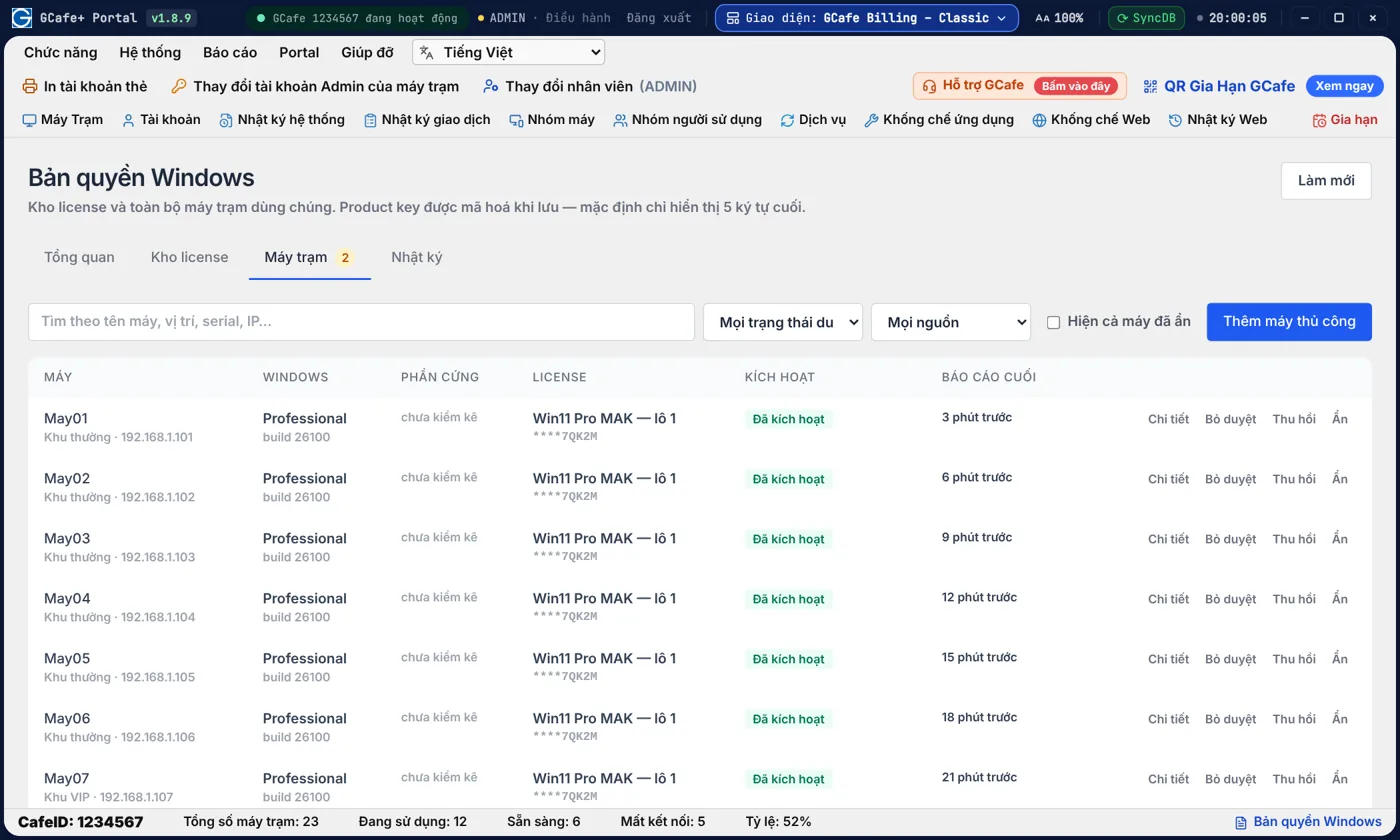
Máy nào đã kích hoạt, máy nào lỗi — xem trong một bảng

Biết máy nào đã kích hoạt, máy nào lỗi; cấp license cho máy mới vài thao tác, mọi lần xem key đều có nhật ký.

  • Duyệt sẵn máy mới để cấp license nhanh
  • Nhật ký ghi cả việc xem product key
Xem chi tiết →
Danh sách máy trạm và license Windows — Giao diện Classic

Giao diện Classic

Why choose GCafe

Alongside Vietnamese internet cafes for 15+ years [Cần xác nhận].

Managed to regulation

GCafe Billing helps you manage public Internet access points as required by regulation (Decree 72/2013, now replaced by Decree 147/2024/NĐ-CP) [Cần xác nhận]: user accounts, website access logs, and blocking unsuitable websites and apps.

See GCafe Billing →

From Garena to Hubservices

GCafe began in the Garena era; since 15 May 2019 it has been run by Hubservices across Southeast Asia. A large user base means the product keeps getting feedback and improvements.

About Hubservices →

Game perks for your players

Players at cafes that use GCafe get extra perks in Garena games such as FIFA Online 4 through GCA IPBoot — one more reason for gamers to choose your cafe.

See X2 FIFA IPBoot →

A game library across countries

GCafe serves internet cafes in Vietnam, Thailand, Indonesia and Cambodia [Cần xác nhận], so the game library and download infrastructure keep growing.

See GCafe Update →
Cost

Billing, GCafe Boot, Portal, GameMenu: free.

You only pay for GCafe Update, charged per PC on a 6-month plan. Exact price: [Cần xác nhận] — see Pricing or call 1900 1232.

FAQ

Questions about GCafe internet cafe software

See also: GCafe Billing · GCafe Update · GCafe Portal · GameMenu · Download · Blog

Is GCafe internet cafe software free?
Yes. GCafe Billing (with Membership), GCafe Boot, GCafe Portal and GameMenu are free to use, with no limit on the number of PCs. Only GCafe Update — automatic game updates — is charged per PC.
How does the free package differ from the paid one?
They differ only in game updates. The free package is enough to bill players, manage members and run GCafe Boot and GameMenu. The paid package adds GCafe Update, which downloads and updates games automatically for the whole room. GCafe Update is charged per PC on a 6-month plan.
Can I use diskless client PCs?
Yes. GCafe Boot is the brand name that replaces Diskless / BootRom in GCafe. It's free and works with GCafe Update so the games on the server stay current for every client PC.
Can GCafe be used for cafes, pool halls and PlayStation rooms?
Yes. GCafe Billing and GCafe Portal let you create virtual clients: each cafe table, pool table or PlayStation is a virtual PC, and you can still open hourly billing and add services as with a real PC. GCafe's main focus is still internet cafes and cyber gaming rooms, which also get GCafe Boot, GCafe Update and GameMenu. See more on GCafe Billing.
Can players top up through chat?
Yes. Players tap to request a top-up or message the counter right on the client PC. In GCafe Billing, staff see the request with the amount and balance, then click Top up or Decline right in the chat window. Billing plays a sound when a player sends a chat.
What software do I need to open a new internet cafe?
At minimum, billing software for the counter and a way to update games. The GCafe suite covers it all: Billing for charging and members, GCafe Boot, GameMenu for client PCs, Update for games and Portal for the owner.
Do I have to reinstall when I upgrade GCafe Update?
No. The system upgrades itself, with no reinstall, and you can't go back to the old version. GameMenu downloaded from IDC upgrades to the new version on its own. For GameMenu installed on drive C:, open Super Image to update it automatically, then close it.
Who installs and supports GCafe at my cafe?
GCafe agents are available in every province and city [Cần xác nhận]. You can also call the hotline 1900 1232 or leave your phone number on the Pricing page.
Opening a new cafe or switching from other software?
Full-suite installation and moving member, game and PC group data: [Cần xác nhận]. Call 1900 1232 for advice specific to your cafe.
Free advice

Leave your phone number and get advice for your cafe

Hubservices — 2nd Floor, Phong Vu Building, 14-16-18 Nguyen Van Linh, Hai Chau, Da Nang. Hotline 1900 1232.

Hotline1900 1232
Address2nd floor, Phong Vu Building, 14-16-18 Nguyen Van Linh, Hai Chau, Da Nang, Vietnam
Support
How can GCafe help?9:00 - 19:00 1900 1232Call ZaloChat on ZaloFast replies in business hours MessengerMessage GCafe Sign up
Sign up for GCafe
Leave your phone number and a specialist or the nearest reseller will call you back.

I need

In a hurry? Call 1900 1232 · Zalo