System, transaction and web history logs
Phòng máy › Nhật ký (Logs) records everything on the shop floor: PCs going on / off, who topped up how much, which websites guests visit.
Choose a period
Click Ca này (This shift), Hôm nay, Hôm qua, 7 ngày or Tháng. The download button exports to Excel.
System
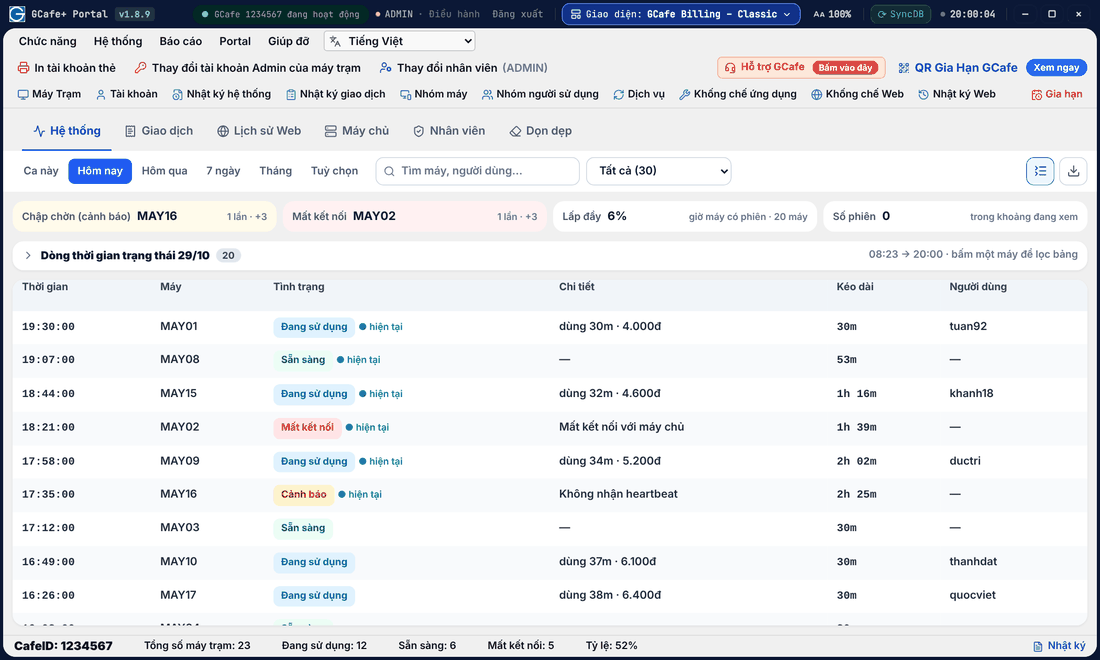
Classic layout
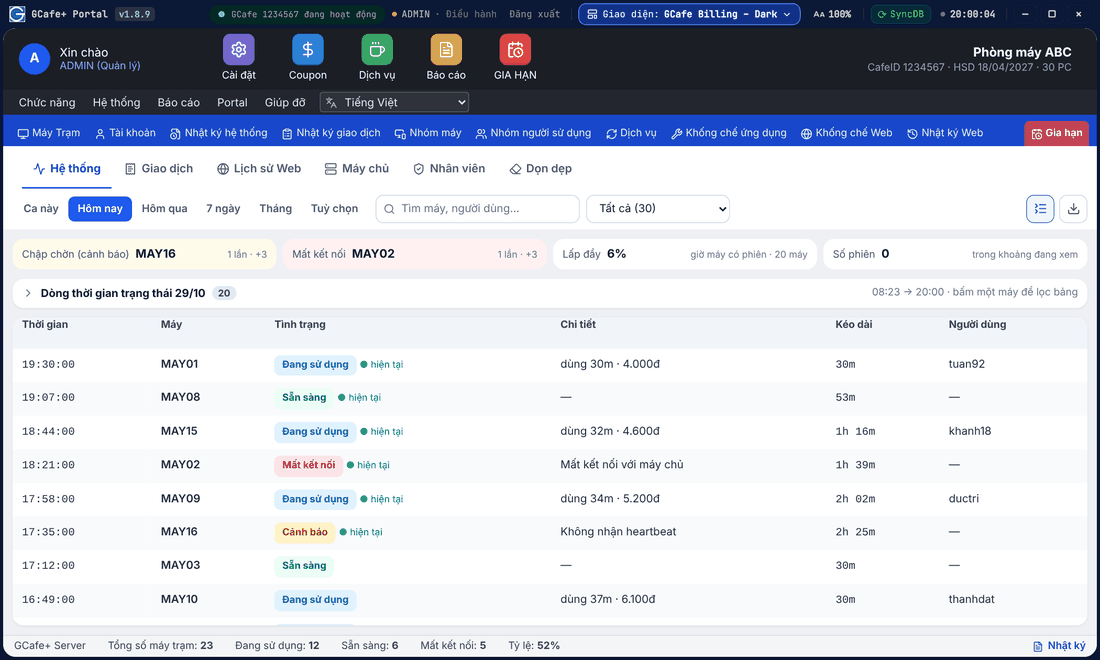
Dark layout
Portal layout
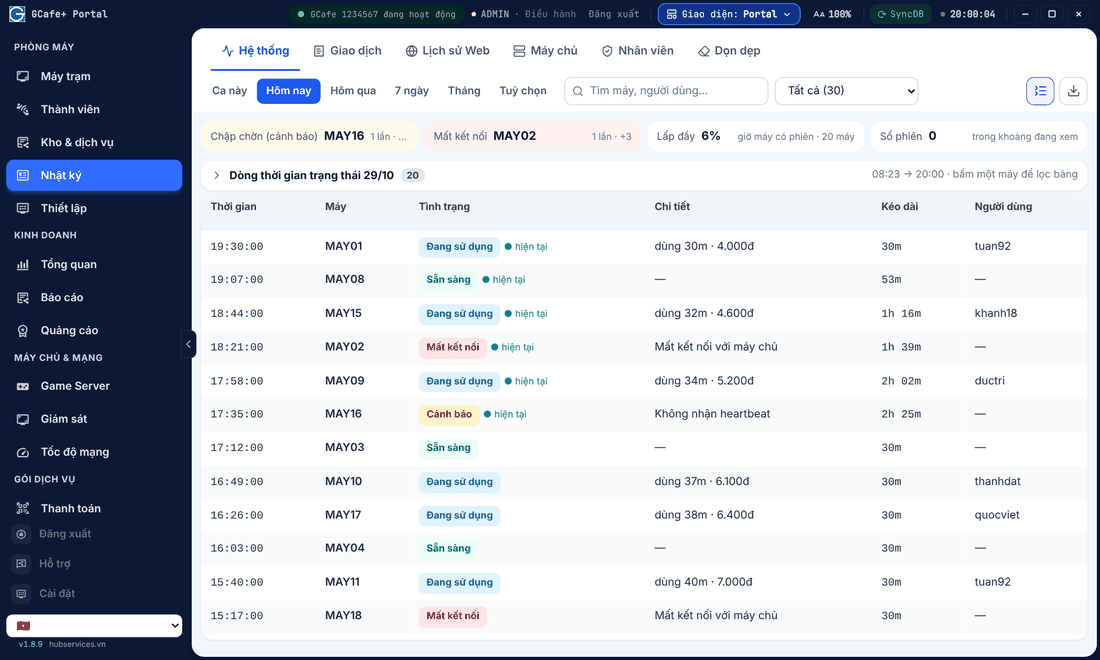
A status timeline per PC: in use, ready, disconnected, warning. The summary on top shows unstable PCs, disconnects and occupancy.
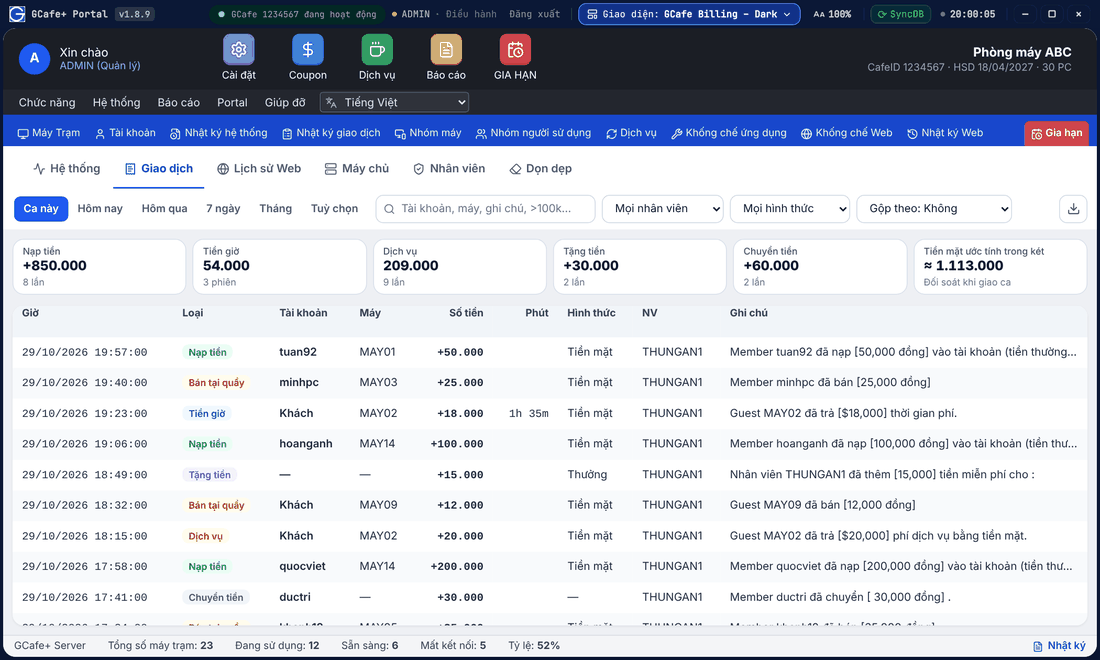
Transactions
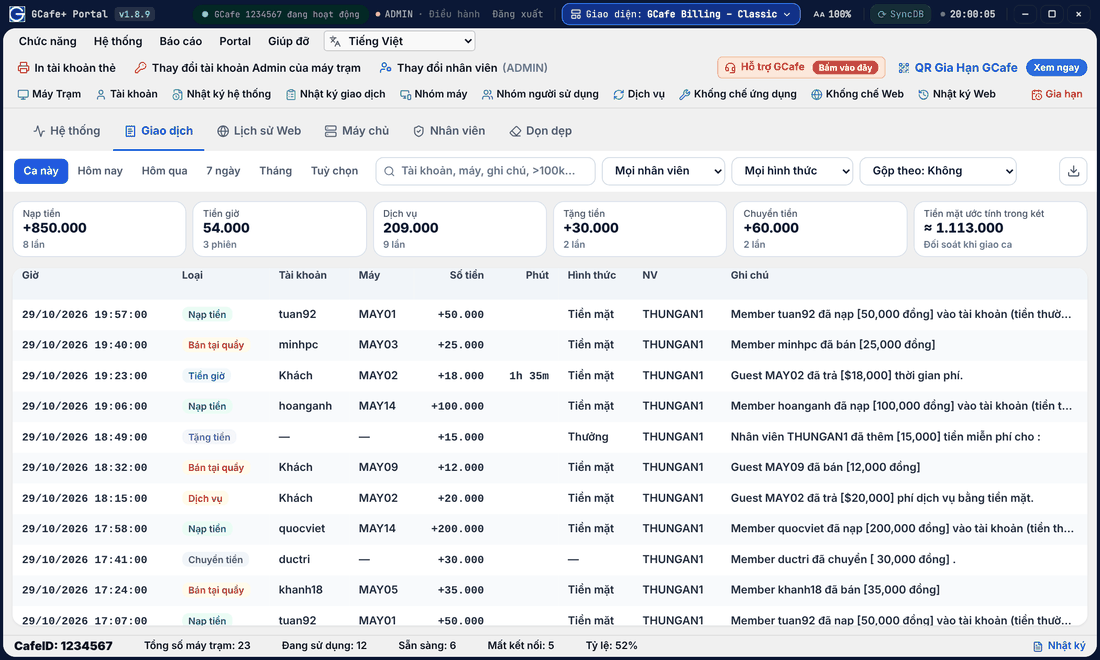
Classic layout
Dark layout
Portal layout
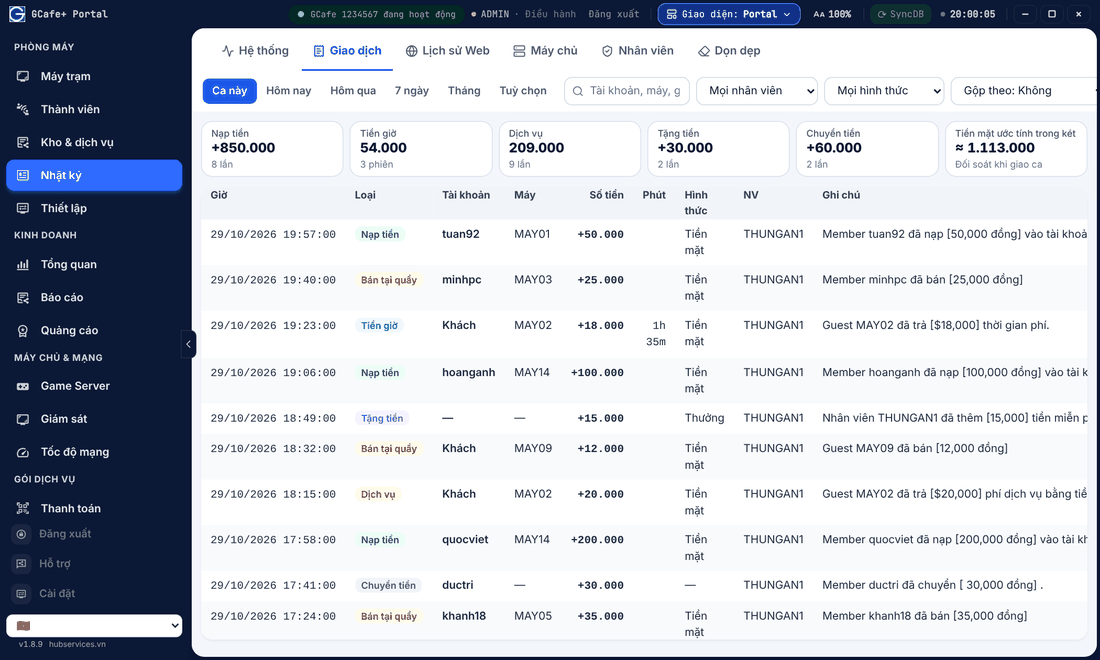
Totals for Nạp tiền (top-ups), Tiền giờ (time), Dịch vụ (services), gifts, transfers and the cash expected in the drawer. Filter by staff, method, or search by account or PC.
When the cashier changes the amount at checkout (Chỉnh sửa button), the transaction note shows Price edited at checkout: old → new so the owner can review it.
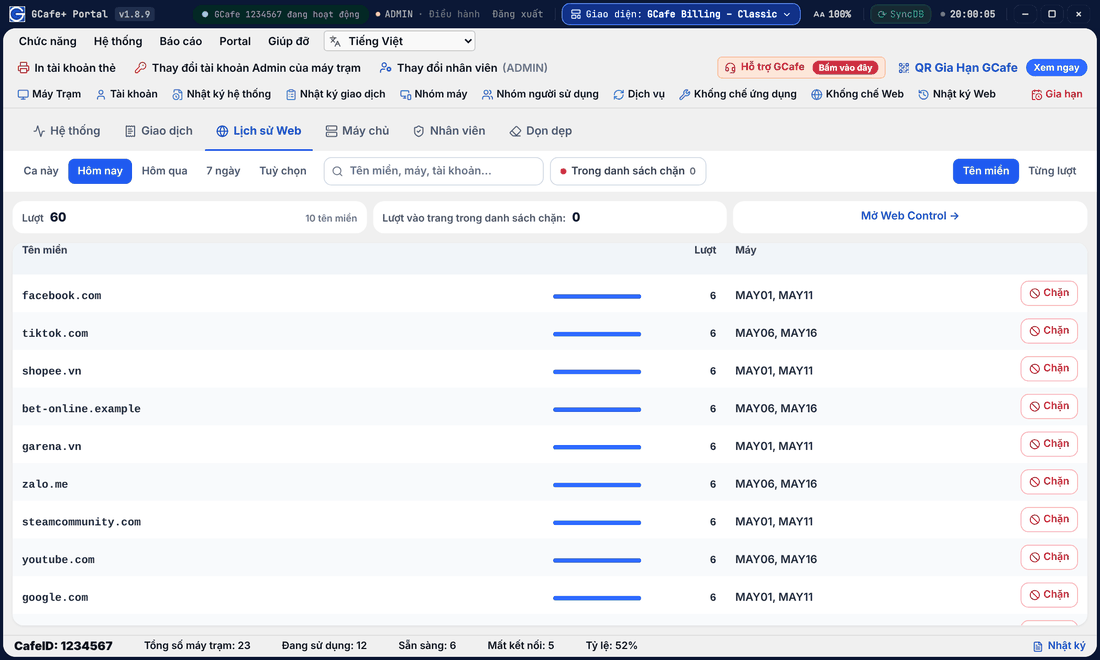
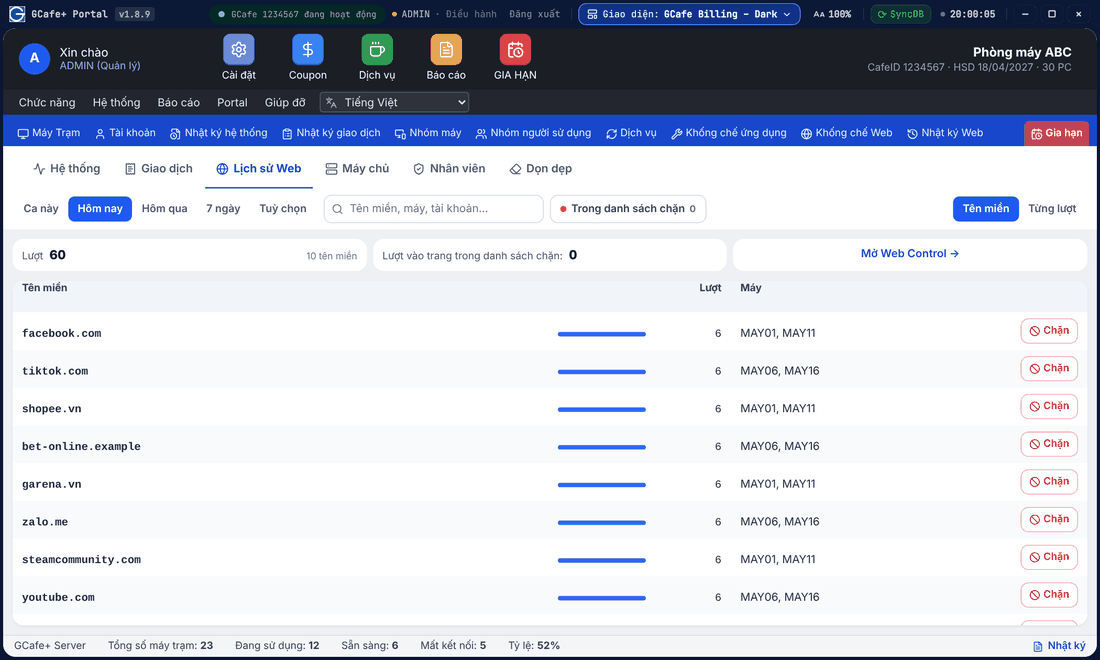
Web history and blocking
Classic layout
Dark layout
Portal layout
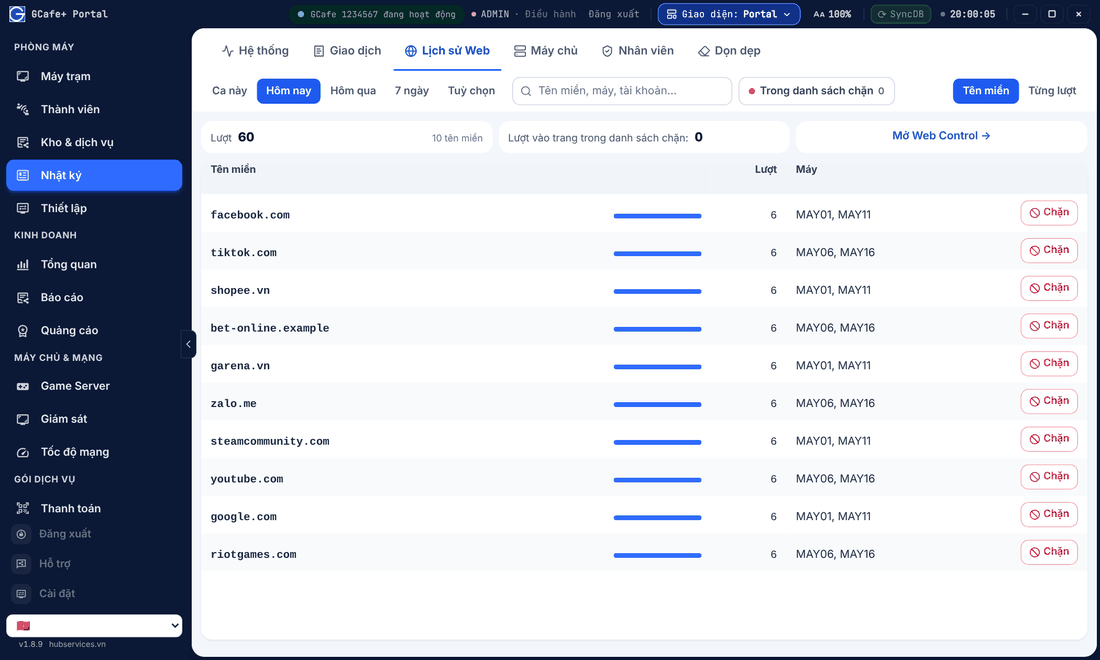

▶ Short video: blocking a website straight from the history.
Click Chặn (Block) next to a domain to add it to the shop block list. The full list is in Web Control.
💡 Tip: At the end of a shift, open Giao dịch › Ca này to reconcile the cash drawer.
Clean up old logs
The Dọn dẹp (Clean up) tab (Manager only) deletes the system or transaction log up to the end of a day you choose to keep data small. Deleted logs cannot be restored — export any report you need first.