Control client PCs from the counter
Send commands to client PCs from the counter: messages, closing apps, screenshots, remote control, volume, power on / off — for one PC or many at once.
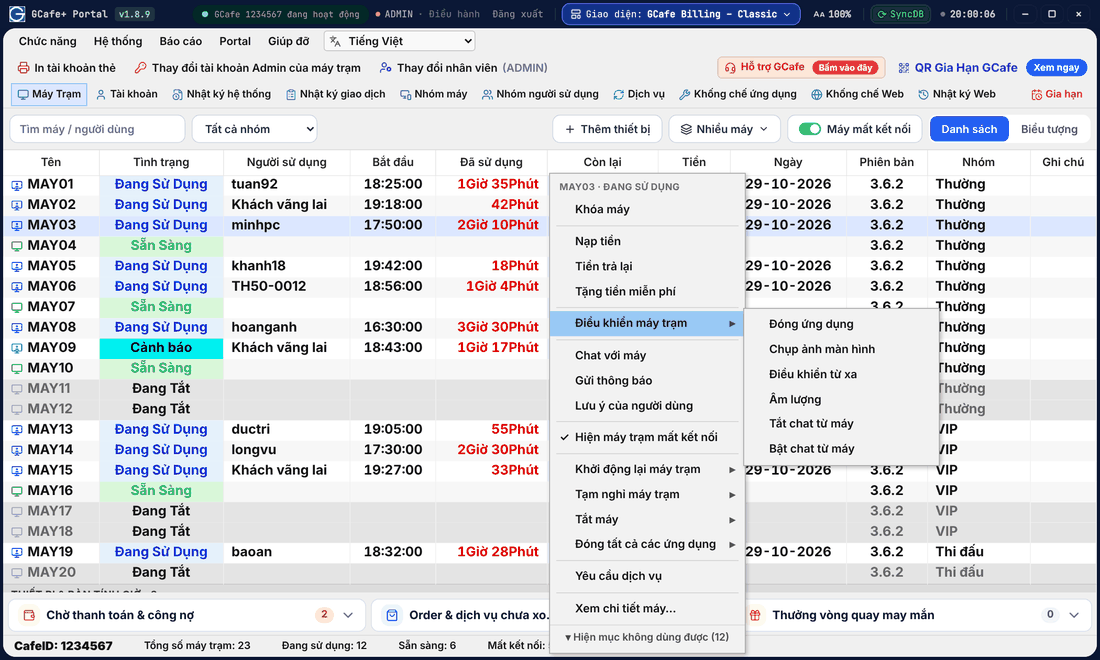
Control one PC
Classic layout
Dark layout
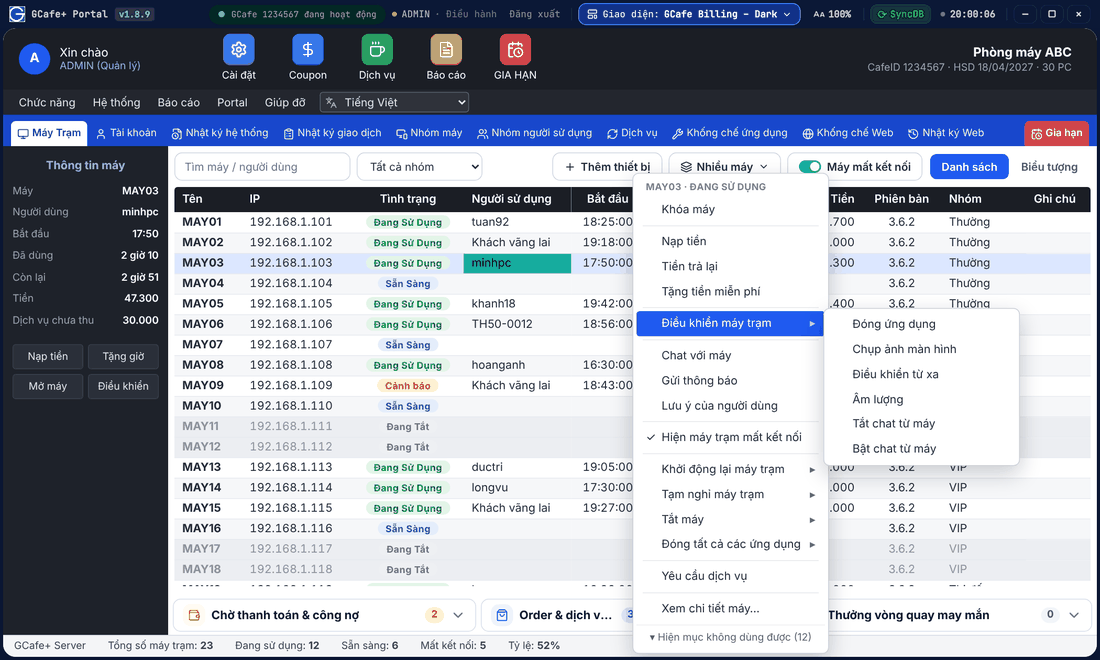
- Classic / Dark layout: right-click the PC and choose Điều khiển máy trạm (Client control). Portal layout: click the PC and open the Máy (PC) tab.
- Choose the command.
Command | What it does |
|---|---|
Gửi thông báo (Send message) | Shows a message on the client screen. |
Đóng ứng dụng (Close apps) | See and close programs running on the PC. |
Chụp ảnh màn hình (Screenshot) | See the client screen now; click the image to open or download it. |
Điều khiển từ xa (Remote control) | Open the client screen to help the guest. |
Âm lượng (Volume) | Change or mute the client volume. |
Tắt chat từ máy / Bật chat từ máy | Stop / allow chat from that PC to the counter. |
Đăng nhập ADMIN | Open the PC with the ADMIN account, not billed (for technicians). |
Bật máy trạm từ xa (Wake client) | Power on a PC over the network (Wake-on-LAN required). |
Thay đổi nhóm máy tính (Change group) | Move the PC to another machine group (changes its hourly price). |
Khởi động lại, Tạm nghỉ, Tắt máy | Restart, sleep or shut down the PC. |
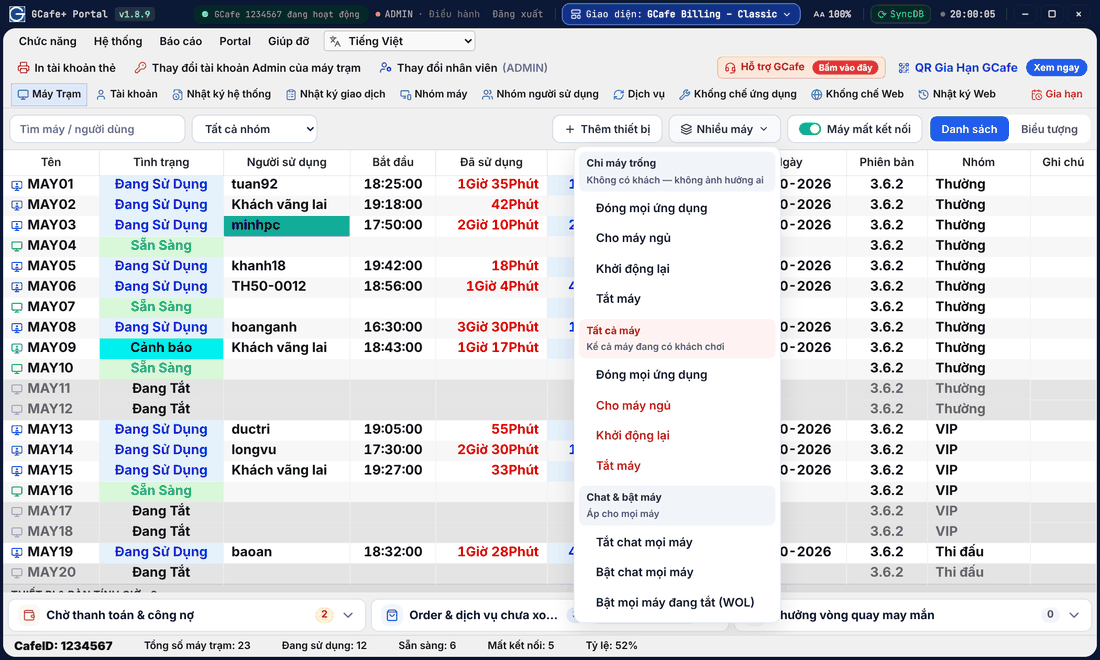
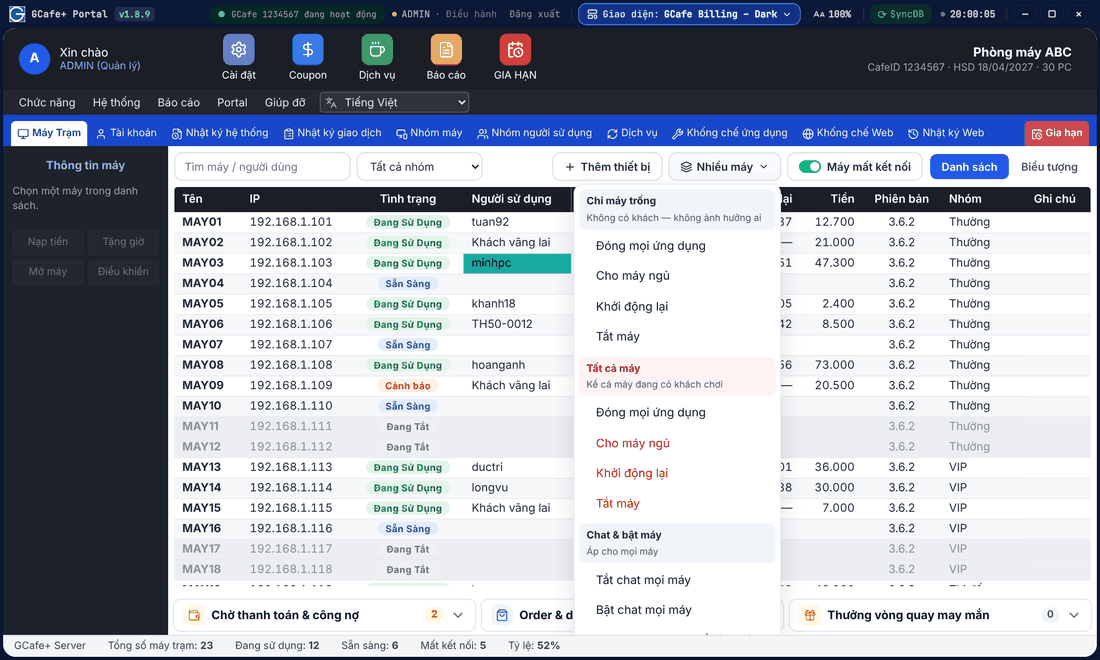
Control many PCs at once
Classic layout
Dark layout
Portal layout
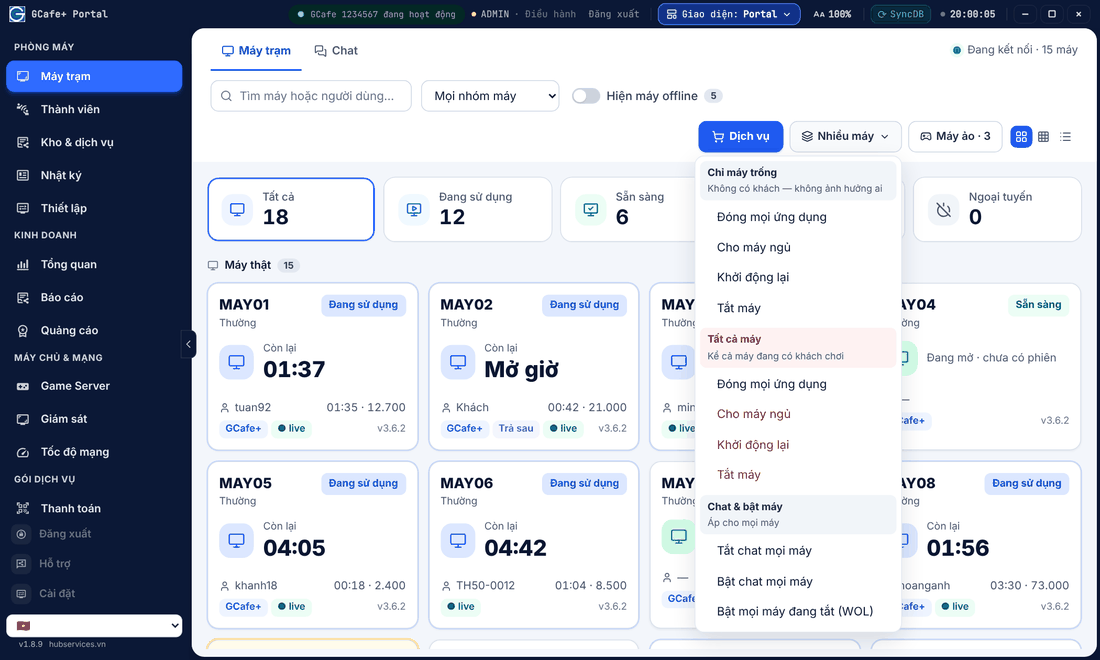
Click Nhiều máy (Many PCs) on the client table toolbar:
- Chỉ máy trống (Idle PCs only): close all apps, sleep, restart or shut down PCs without guests — nobody is affected.
- Tất cả máy (All PCs): the same commands, including PCs in use.
- Chat & bật máy: turn chat off / on for every PC, Bật mọi máy đang tắt (WOL) (wake all PCs that are off).
In the Classic / Dark layout, Khởi động lại, Tạm nghỉ and Tắt máy in the right-click menu also have Máy đã chọn (selected) / Tất cả các máy đang AVAILABLE / Toàn bộ máy (every PC) submenus.
⚠️ Note: Shutting down or restarting while a guest is playing loses unsaved work. Message the guest first with Gửi thông báo or Chat. When Portal runs alongside the legacy GCafe Billing, restart and shut down from GCafe+ Server.
Common errors
Message / symptom | Cause | What to do |
|---|---|---|
Command sent but the PC does not respond | The PC is off or disconnected. | Turn on Máy mất kết nối (disconnected PCs) to check; check the PC network. |
Cannot wake a PC | Wake-on-LAN is off in the BIOS / network card. | Enable Wake-on-LAN on the client PC and retry. |